> ## Documentation Index
> Fetch the complete documentation index at: https://infisical.com/docs/llms.txt
> Use this file to discover all available pages before exploring further.
# Machine Identity Auth Templates
> Learn how to use auth templates to standardize authentication configurations for machine identities.
## Concept
Machine Identity Auth Templates allow you to create reusable authentication configurations that can be applied across multiple machine identities. This feature helps standardize authentication setups, reduces configuration drift, and simplifies identity management at scale.
Instead of manually configuring authentication settings for each identity, you can create templates with predefined authentication parameters and apply them to multiple identities. This ensures consistency and reduces the likelihood of configuration errors.
Key Benefits:
* **Standardization**: Ensure consistent authentication configurations across identities
* **Efficiency**: Reduce time spent configuring individual identities
* **Governance**: Centrally manage and update authentication parameters
* **Scalability**: Easily apply proven configurations to new identities
## Managing Auth Templates
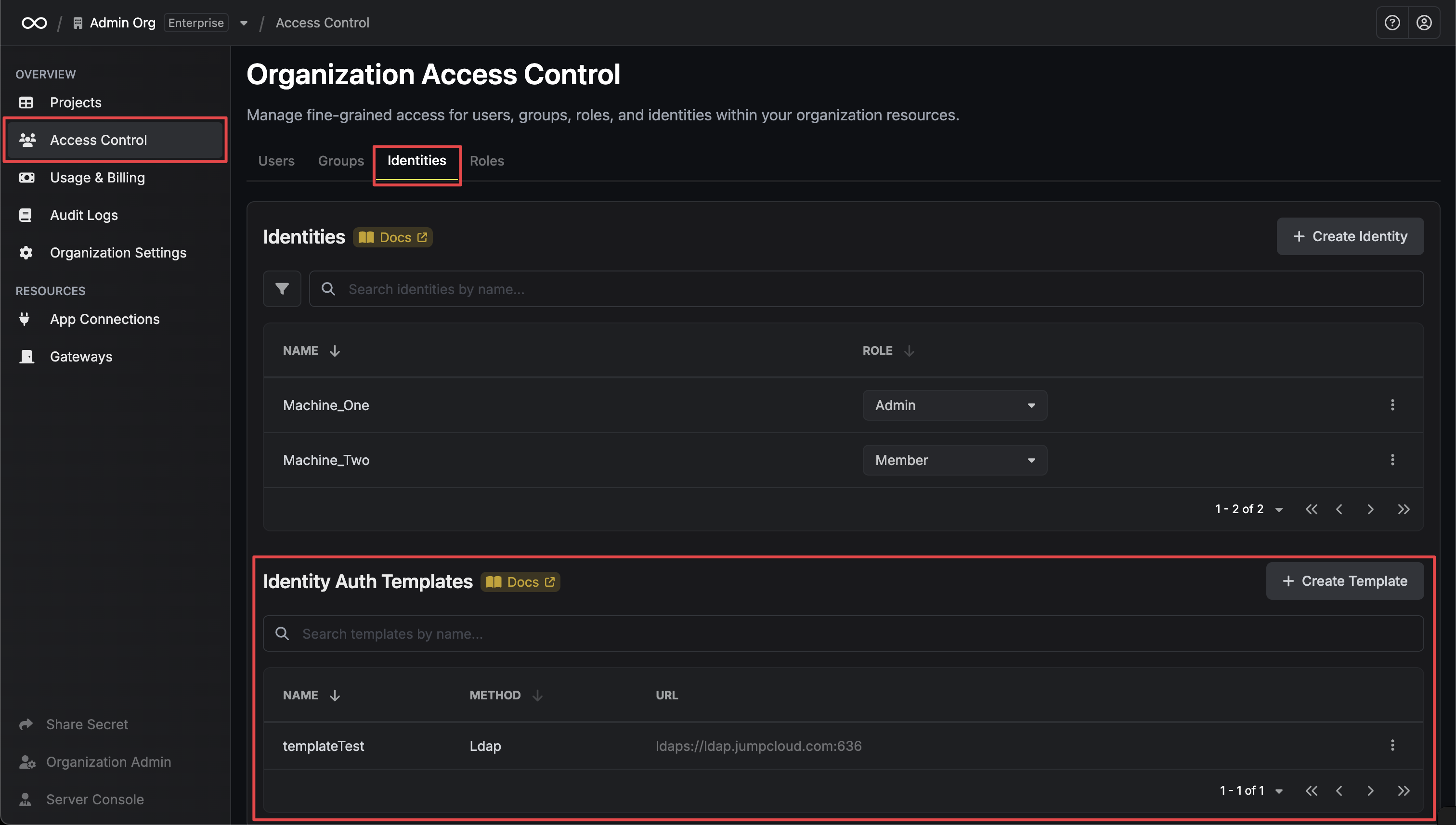
Auth templates are managed in **Organization Settings > Access Control > Identities** under the **Identity Auth Templates** section.
 ### Creating a Template
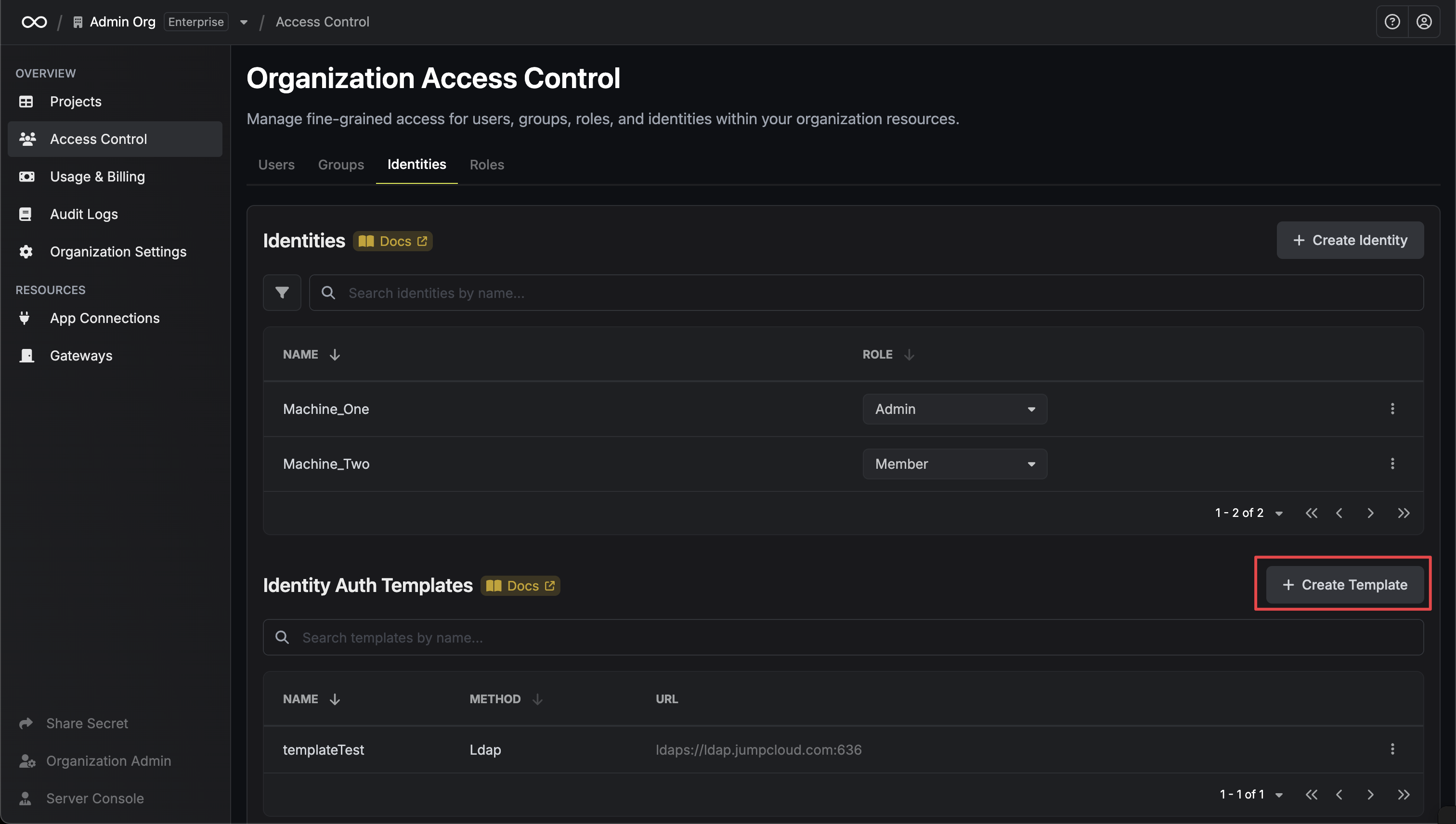
In your organization settings, go to **Access Control > Identities** and scroll down to the **Identity Auth Templates** section.
Click **Create Template** to open the template creation modal.
### Creating a Template
In your organization settings, go to **Access Control > Identities** and scroll down to the **Identity Auth Templates** section.
Click **Create Template** to open the template creation modal.
 Select the authentication method you want to create a template for (currently supports LDAP Auth).
Fill in the template configuration based on your chosen authentication method.
**For LDAP Auth templates**, configure the following fields:
Select the authentication method you want to create a template for (currently supports LDAP Auth).
Fill in the template configuration based on your chosen authentication method.
**For LDAP Auth templates**, configure the following fields:
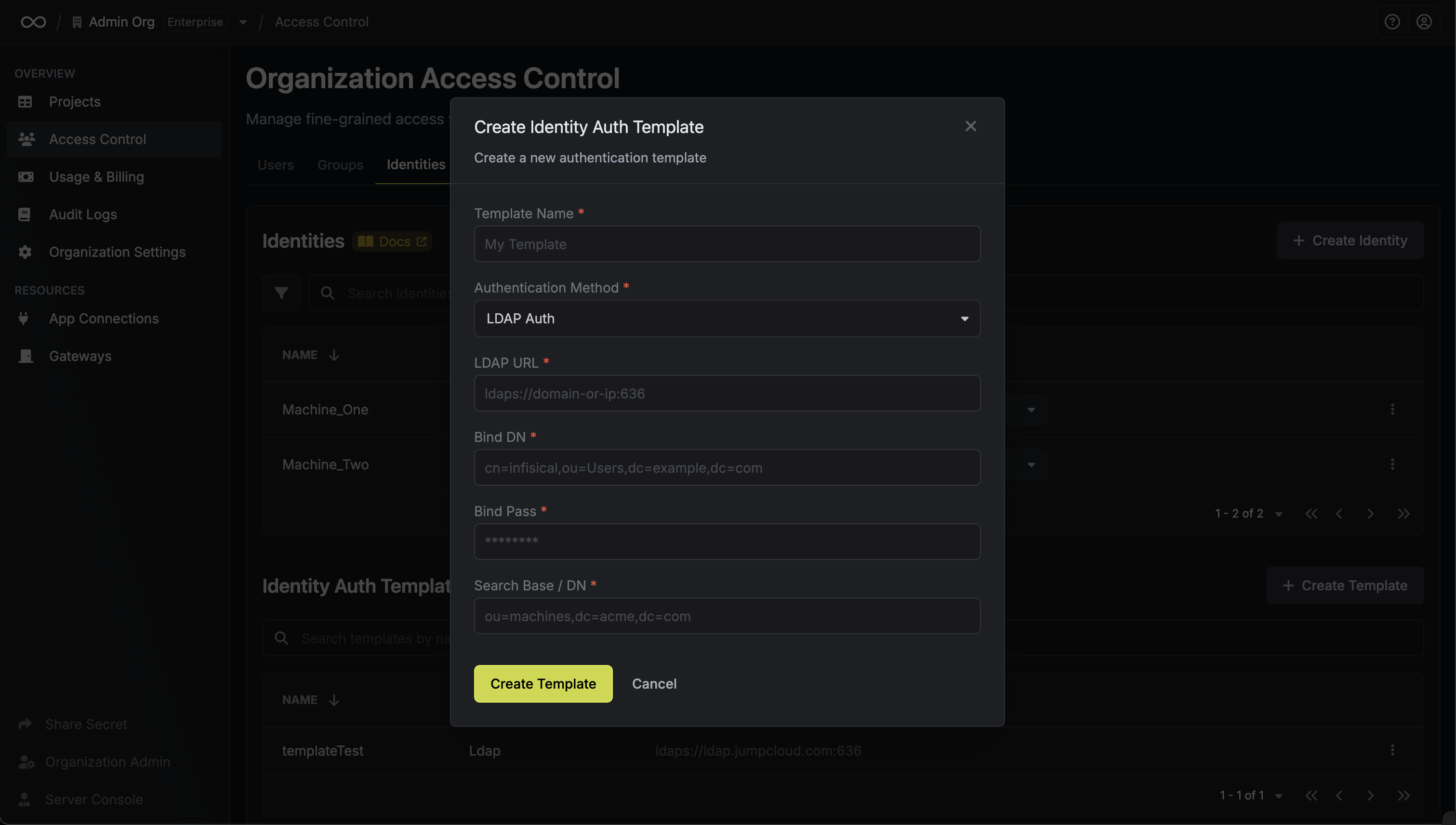 * **Template Name**: A descriptive name for your template
* **URL**: The LDAP server to connect to such as `ldap://ldap.your-org.com`, `ldaps://ldap.myorg.com:636` *(for connection over SSL/TLS)*, etc.
* **Bind DN**: The DN to bind to the LDAP server with.
* **Bind Pass**: The password to bind to the LDAP server with.
* **Search Base / DN**: Base DN under which to perform user search such as `ou=Users,dc=acme,dc=com`.
* **CA Certificate**: The CA certificate to use when verifying the LDAP server certificate. This field is optional but recommended.
You can read more about LDAP Auth configuration in the [LDAP Auth documentation](/docs/documentation/platform/identities/ldap-auth/general).
### Using Templates
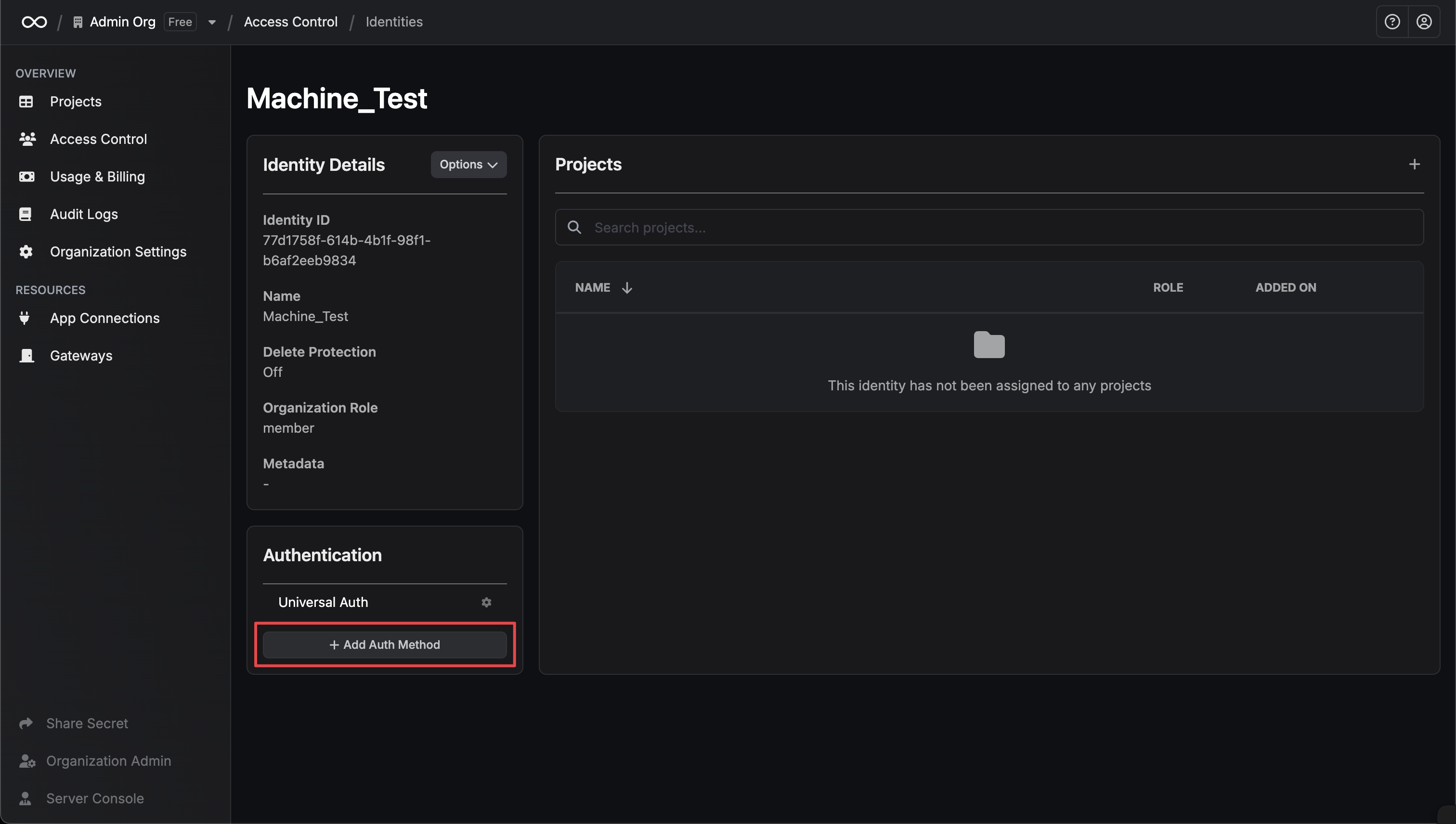
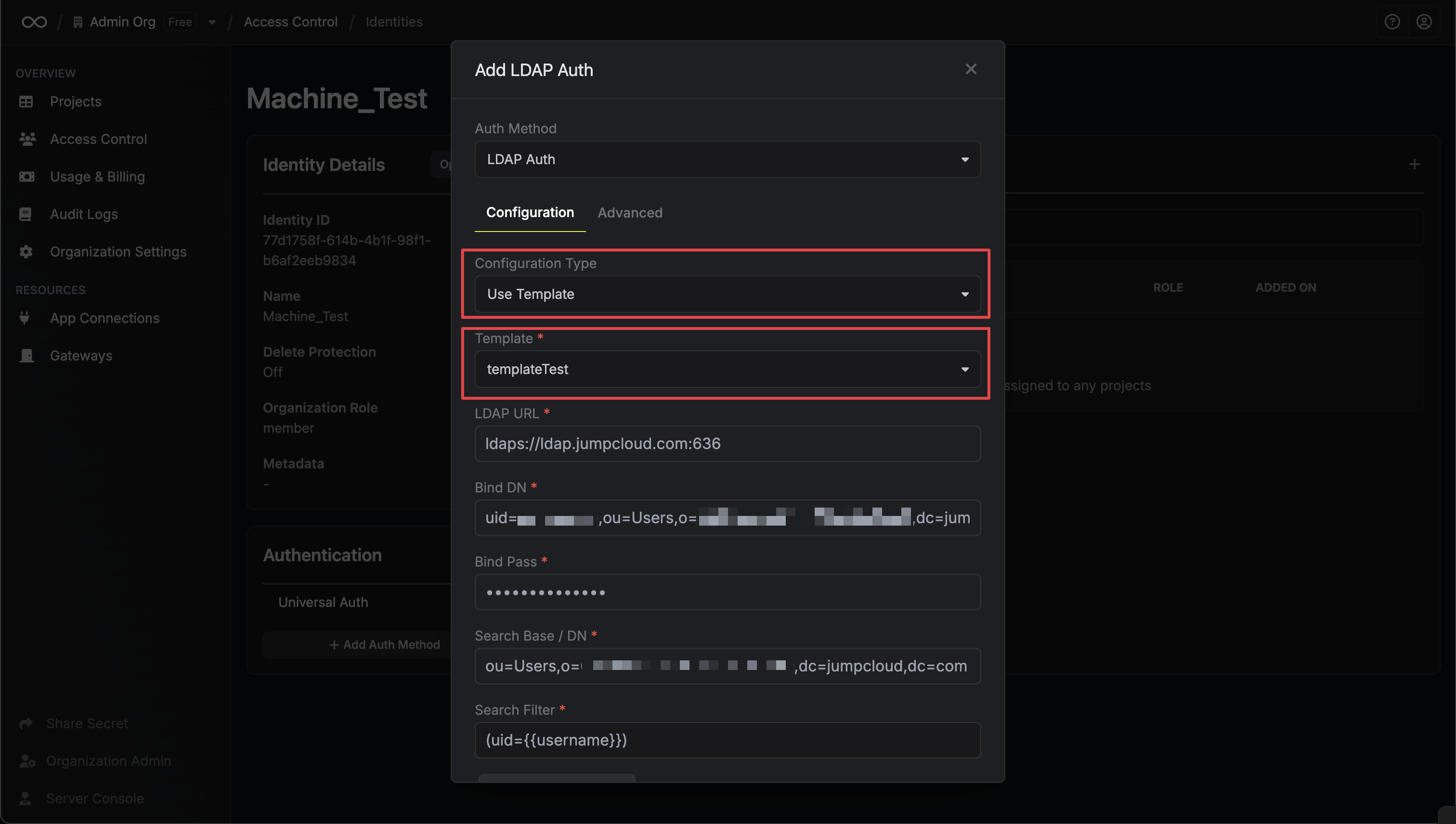
Once created, templates can be applied when configuring authentication methods for machine identities. When adding an auth method to an identity, you'll have the option to select from available templates or configure manually.
* **Template Name**: A descriptive name for your template
* **URL**: The LDAP server to connect to such as `ldap://ldap.your-org.com`, `ldaps://ldap.myorg.com:636` *(for connection over SSL/TLS)*, etc.
* **Bind DN**: The DN to bind to the LDAP server with.
* **Bind Pass**: The password to bind to the LDAP server with.
* **Search Base / DN**: Base DN under which to perform user search such as `ou=Users,dc=acme,dc=com`.
* **CA Certificate**: The CA certificate to use when verifying the LDAP server certificate. This field is optional but recommended.
You can read more about LDAP Auth configuration in the [LDAP Auth documentation](/docs/documentation/platform/identities/ldap-auth/general).
### Using Templates
Once created, templates can be applied when configuring authentication methods for machine identities. When adding an auth method to an identity, you'll have the option to select from available templates or configure manually.
 ### Managing Template Usage
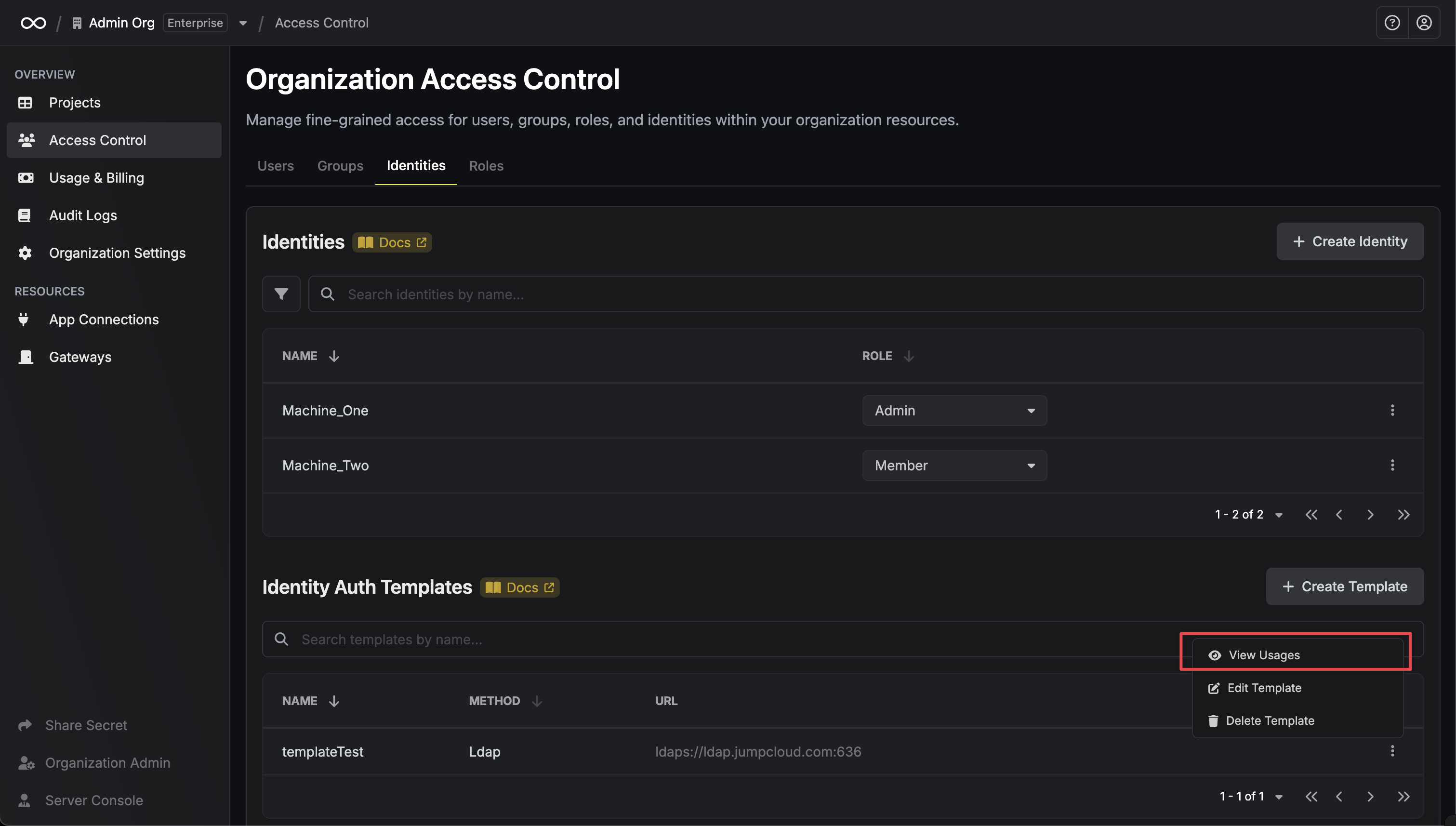
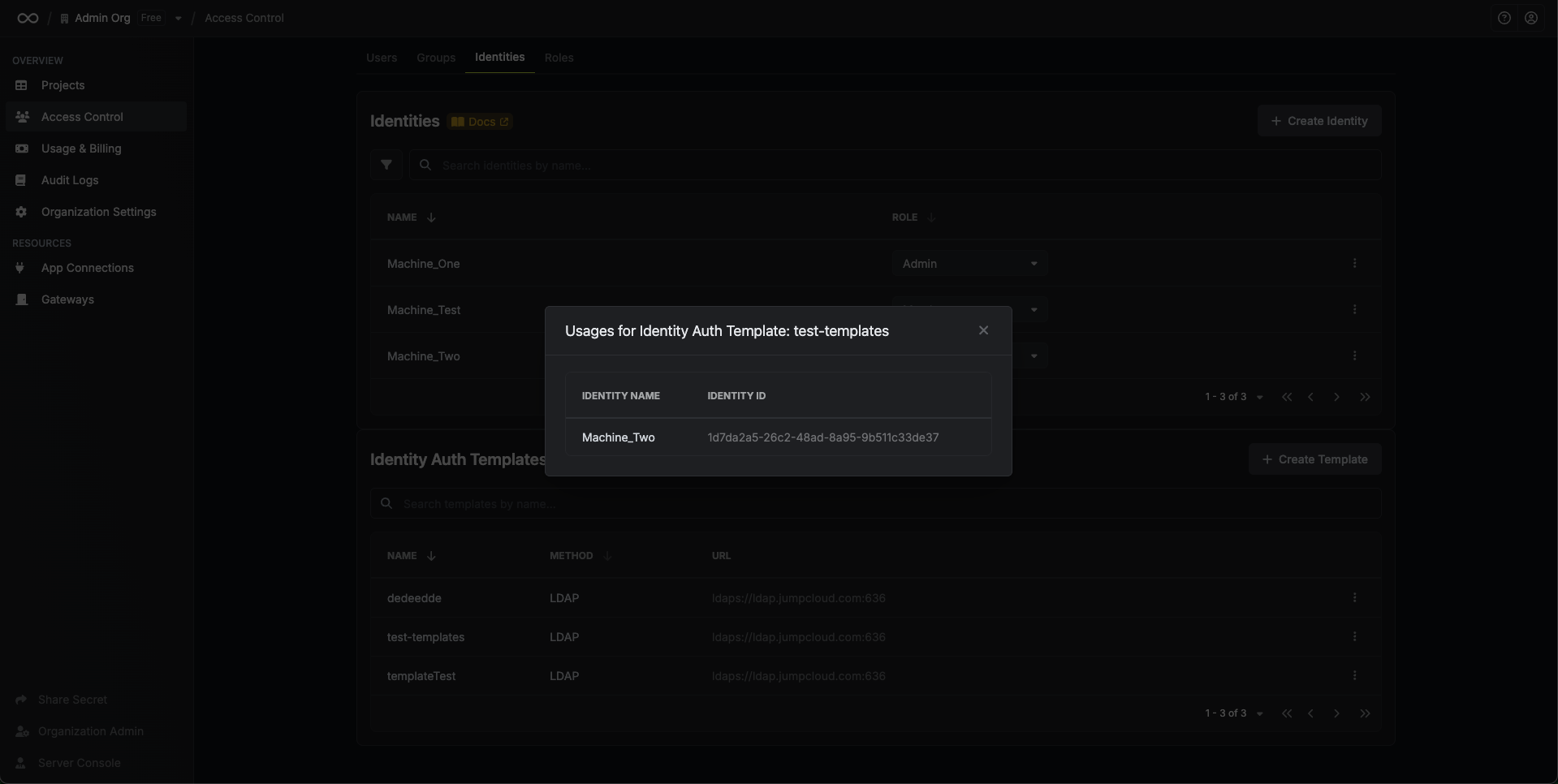
You can view which identities are using a specific template by clicking **View Usages** in the template's dropdown menu.
### Managing Template Usage
You can view which identities are using a specific template by clicking **View Usages** in the template's dropdown menu.
 ## FAQ
Yes, you can edit existing templates. After editing a template, changes to templates will automatically update identities that are already using them.
If you delete a template that's currently being used by identities, those identities will continue to function with their existing configuration. However, the link to the template will be broken, and you won't be able to use the template for new identities.
Yes, click **View Usages** in the template's dropdown menu to see all identities currently using that template.
Currently, auth templates support LDAP Auth. Support for additional authentication methods will be added in future releases.
## FAQ
Yes, you can edit existing templates. After editing a template, changes to templates will automatically update identities that are already using them.
If you delete a template that's currently being used by identities, those identities will continue to function with their existing configuration. However, the link to the template will be broken, and you won't be able to use the template for new identities.
Yes, click **View Usages** in the template's dropdown menu to see all identities currently using that template.
Currently, auth templates support LDAP Auth. Support for additional authentication methods will be added in future releases.