> ## Documentation Index
> Fetch the complete documentation index at: https://infisical.com/docs/llms.txt
> Use this file to discover all available pages before exploring further.
# Anthropic Connection
> Learn how to configure an Anthropic connection for Infisical.
Infisical supports connecting to Anthropic using an **API Key**. This connection is used to power [PAM AI Session Insights](/documentation/platform/pam/product-reference/ai-session-insights).
## Prerequisites
* An [Anthropic account](https://console.anthropic.com/) with access to the API
* Sufficient API credits or an active billing plan on your Anthropic account
## Create an Anthropic API Key
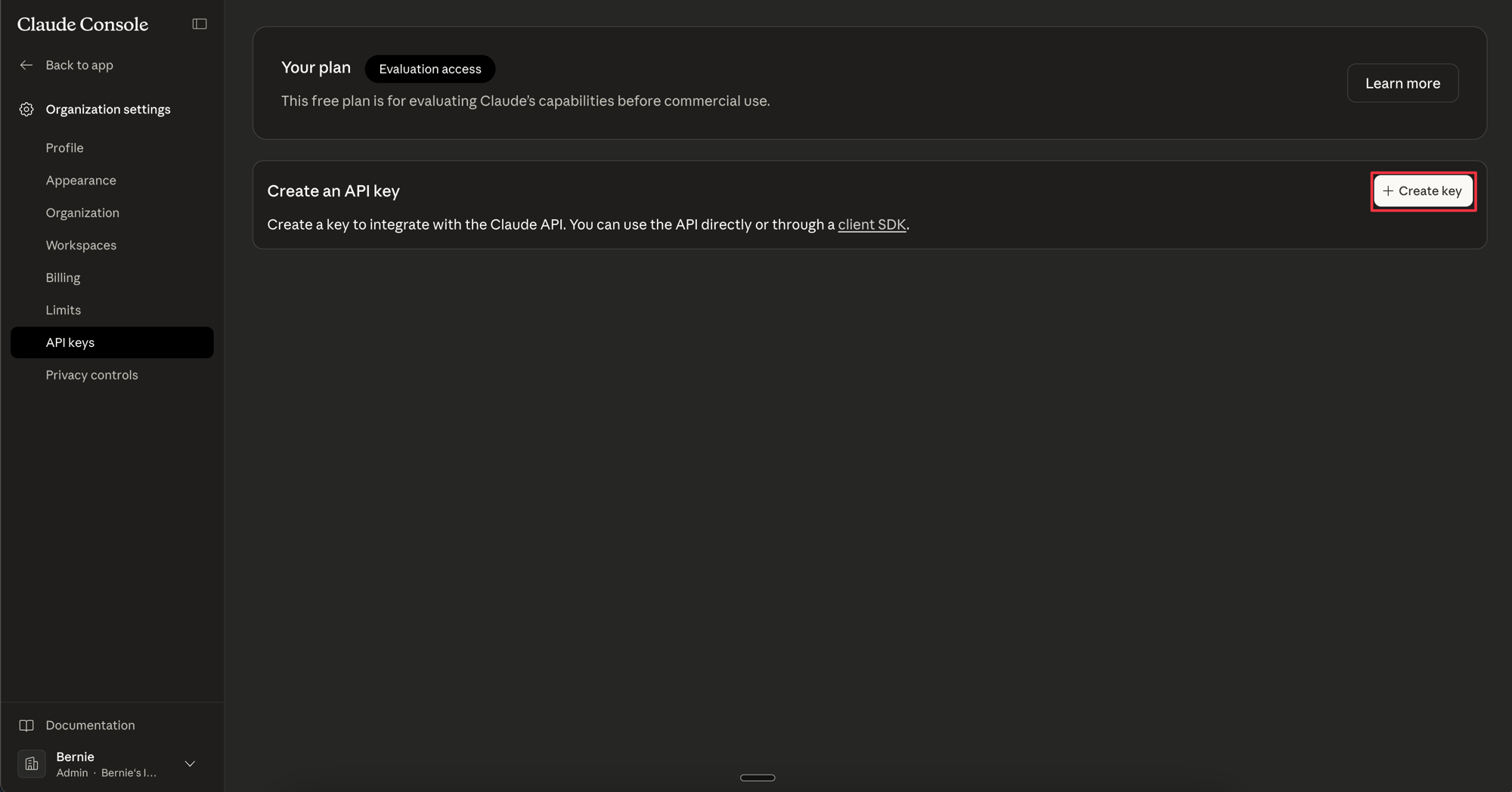
In the [Anthropic Console](https://console.anthropic.com/settings/keys), go to **Settings** → **API Keys** and click **Create Key**.
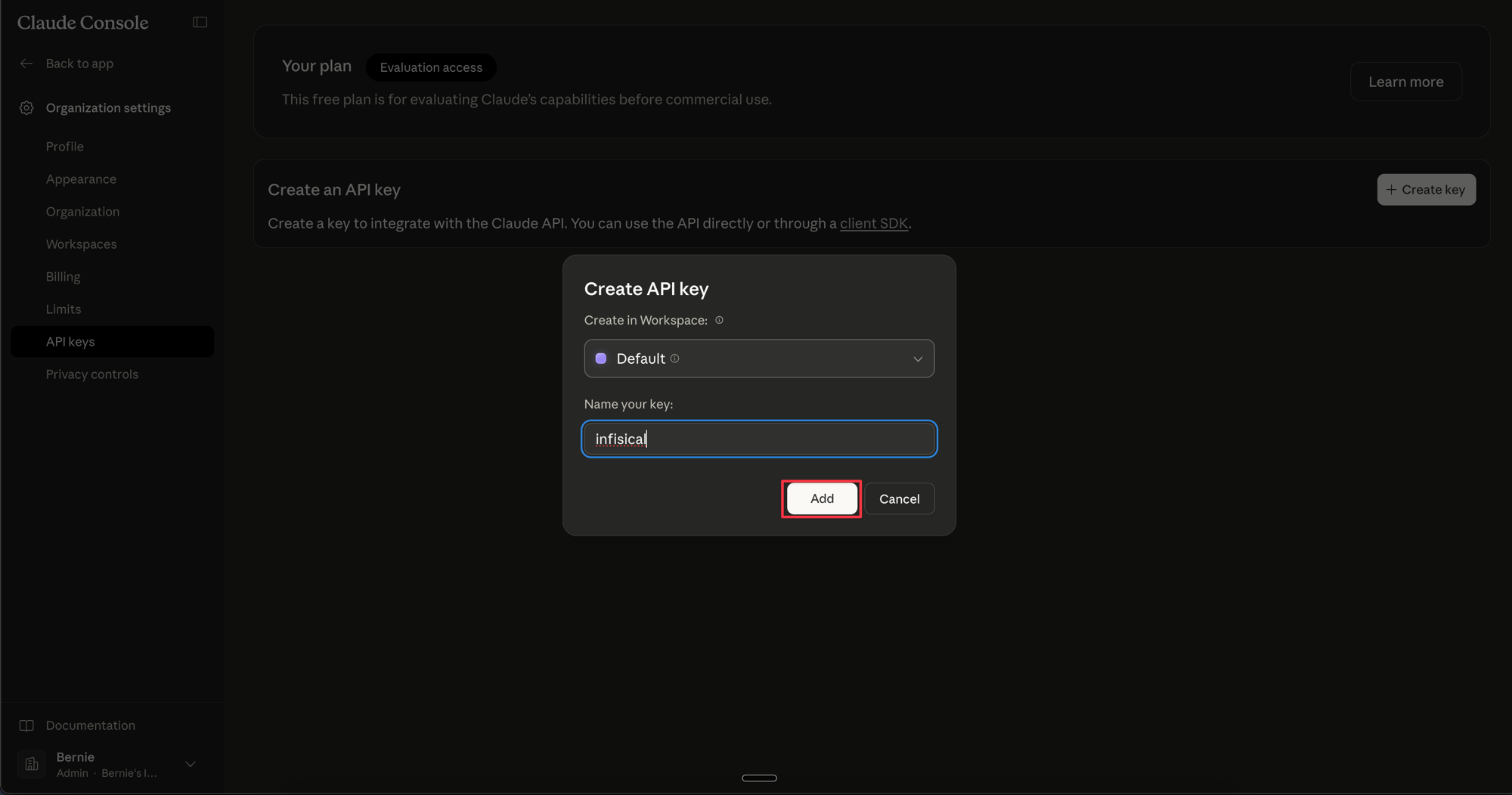
 Give the key a descriptive name (e.g. `infisical-pam`) and click **Create Key**. Copy the generated API key, as it will only be shown once.
 Create a dedicated API key for Infisical rather than reusing an existing one. This makes it easy to rotate or revoke access independently.
## Create Anthropic Connection in Infisical
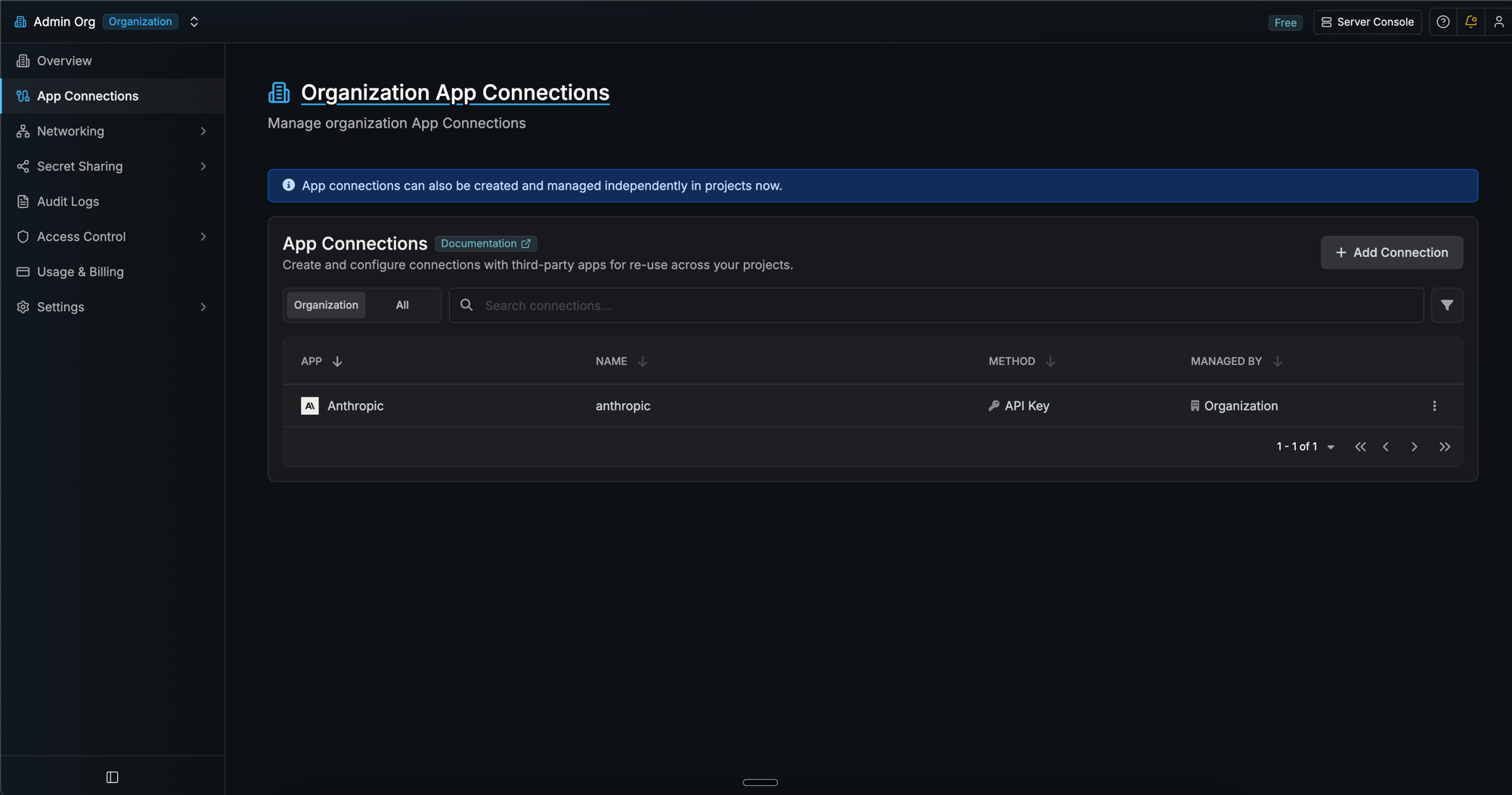
In your Infisical dashboard, go to **Organization Settings** → **App Connections**.
Create a dedicated API key for Infisical rather than reusing an existing one. This makes it easy to rotate or revoke access independently.
## Create Anthropic Connection in Infisical
In your Infisical dashboard, go to **Organization Settings** → **App Connections**.
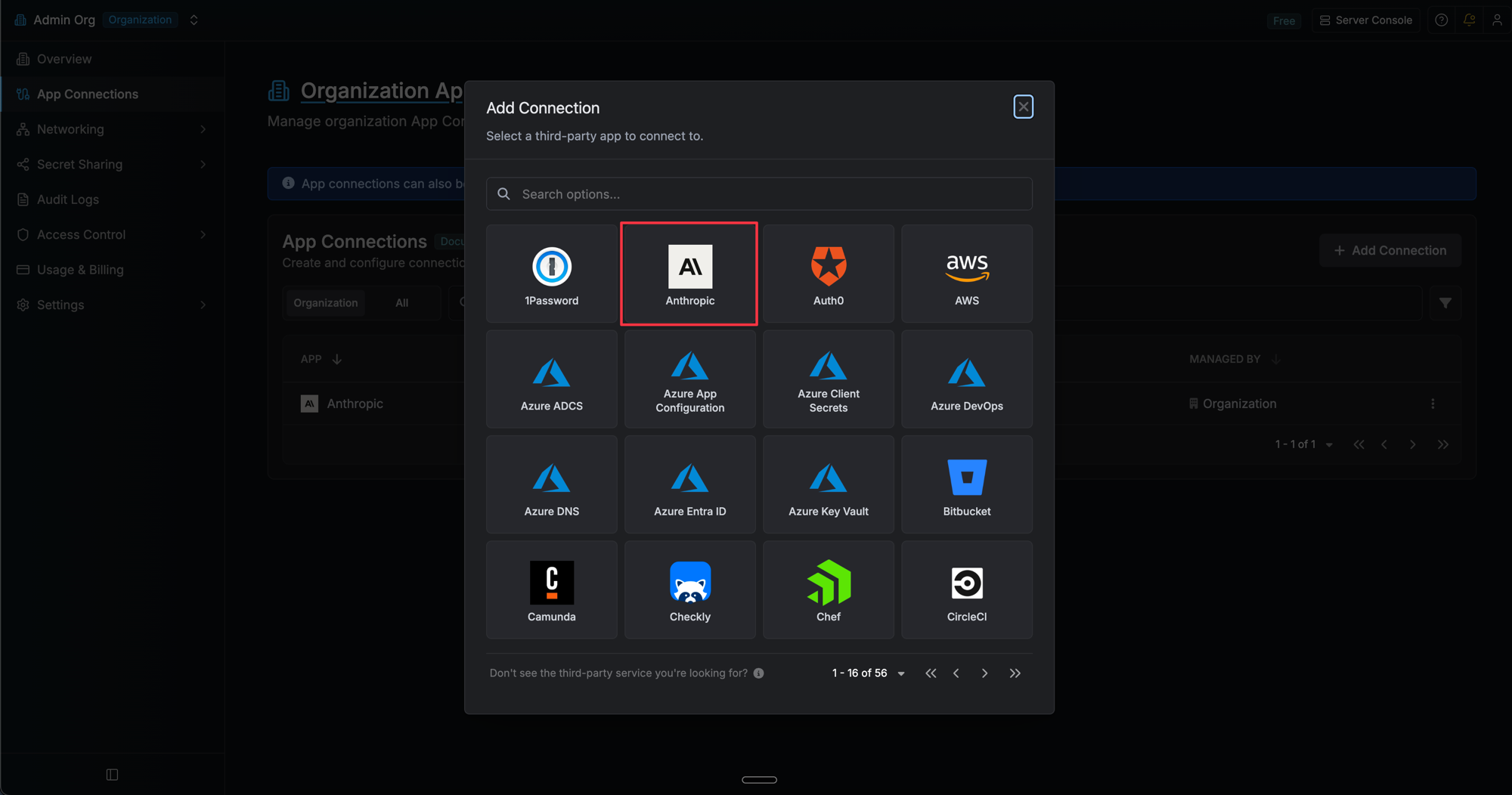
 Click **Add Connection** and choose **Anthropic** from the list of available connections.
 Complete the form with:
* A **name** for the connection (e.g. `anthropic-prod`)
* An optional **description**
* Your **Anthropic API Key** (from the steps above)
Complete the form with:
* A **name** for the connection (e.g. `anthropic-prod`)
* An optional **description**
* Your **Anthropic API Key** (from the steps above)
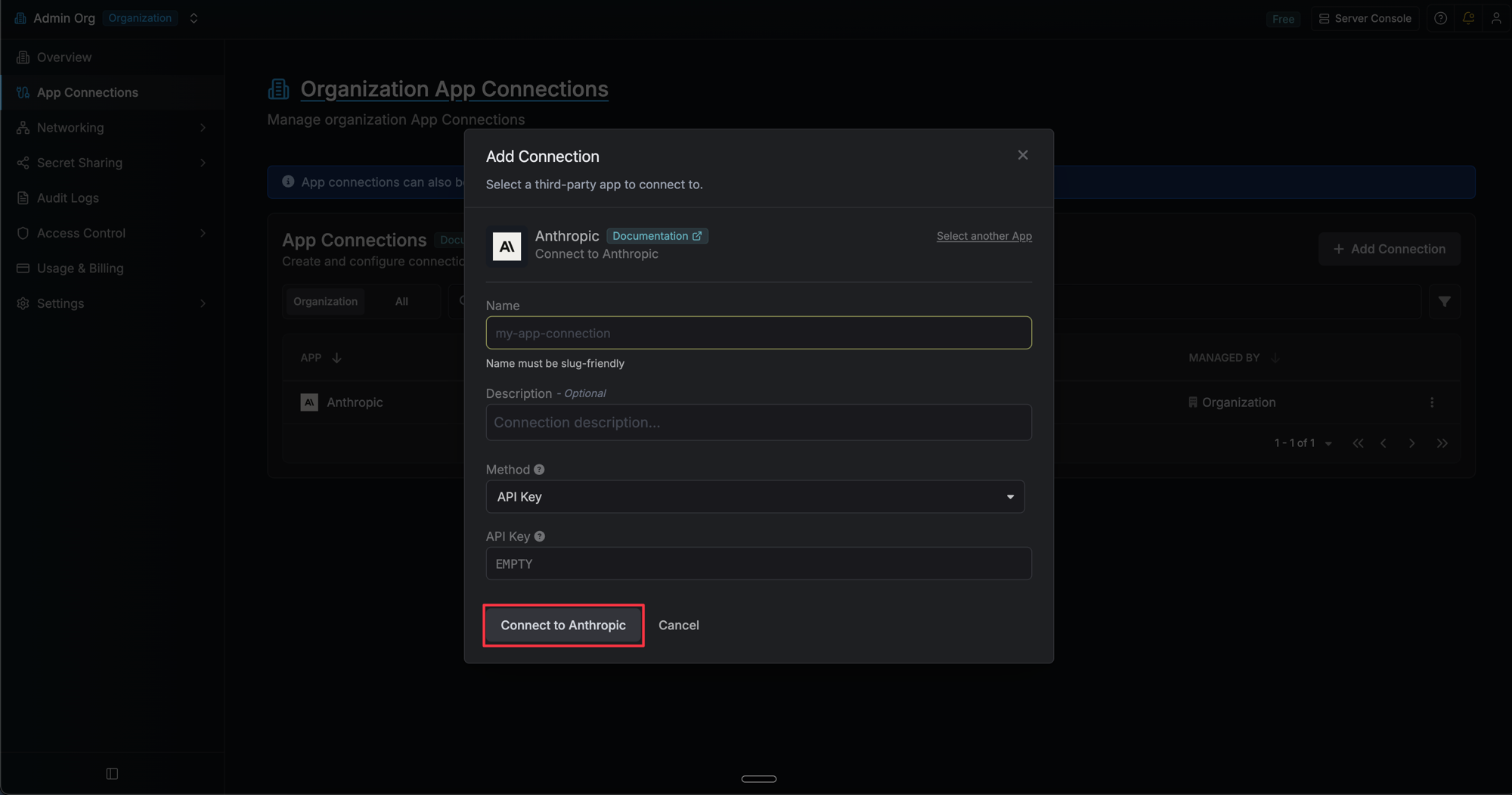 After clicking **Create**, Infisical validates the key against the Anthropic API. Your **Anthropic Connection** is then ready to use for [PAM AI Session Insights](/documentation/platform/pam/product-reference/ai-session-insights).
 Create an Anthropic connection via the API.
### Sample request
```bash Request theme={"dark"}
curl --request POST \
--url https://app.infisical.com/api/v1/app-connections/anthropic \
--header 'Content-Type: application/json' \
--data '{
"name": "my-anthropic-connection",
"method": "api-key",
"credentials": {
"apiKey": ""
}
}'
```
### Sample response
```bash Response theme={"dark"}
{
"appConnection": {
"id": "e5d18aca-86f7-4026-a95e-efb8aeb0d8e6",
"name": "my-anthropic-connection",
"description": null,
"version": 1,
"orgId": "6f03caa1-a5de-43ce-b127-95a145d3464c",
"createdAt": "2025-04-23T19:46:34.831Z",
"updatedAt": "2025-04-23T19:46:34.831Z",
"isPlatformManagedCredentials": false,
"app": "anthropic",
"method": "api-key",
"credentials": {}
}
}
```
Create an Anthropic connection via the API.
### Sample request
```bash Request theme={"dark"}
curl --request POST \
--url https://app.infisical.com/api/v1/app-connections/anthropic \
--header 'Content-Type: application/json' \
--data '{
"name": "my-anthropic-connection",
"method": "api-key",
"credentials": {
"apiKey": ""
}
}'
```
### Sample response
```bash Response theme={"dark"}
{
"appConnection": {
"id": "e5d18aca-86f7-4026-a95e-efb8aeb0d8e6",
"name": "my-anthropic-connection",
"description": null,
"version": 1,
"orgId": "6f03caa1-a5de-43ce-b127-95a145d3464c",
"createdAt": "2025-04-23T19:46:34.831Z",
"updatedAt": "2025-04-23T19:46:34.831Z",
"isPlatformManagedCredentials": false,
"app": "anthropic",
"method": "api-key",
"credentials": {}
}
}
```