> ## Documentation Index
> Fetch the complete documentation index at: https://infisical.com/docs/llms.txt
> Use this file to discover all available pages before exploring further.
# DNS Made Easy
> Learn how to configure a DNS Made Easy Connection for Infisical.
Infisical supports connecting to DNS Made Easy using API key and secret key for secure access to your DNS Made Easy service.
## Configure API key and secret Key for Infisical
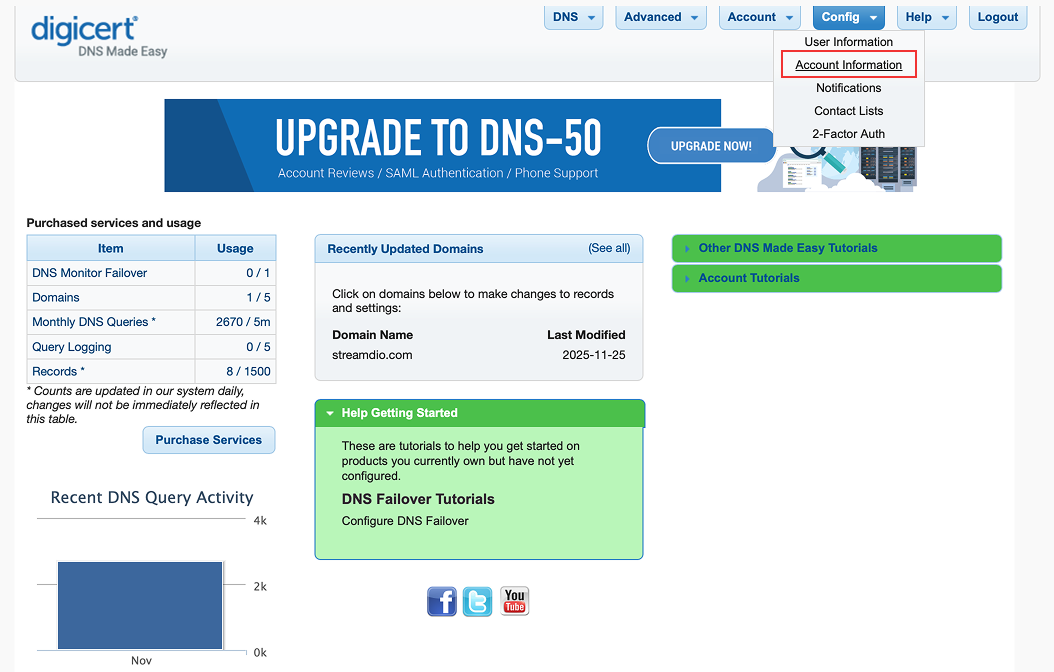
Navigate to your DNS Made Easy dashboard and go to **Account Information** under the **Config** top menu.
 If your **API Key** and **Secret Key** are already available, proceed to step 2.
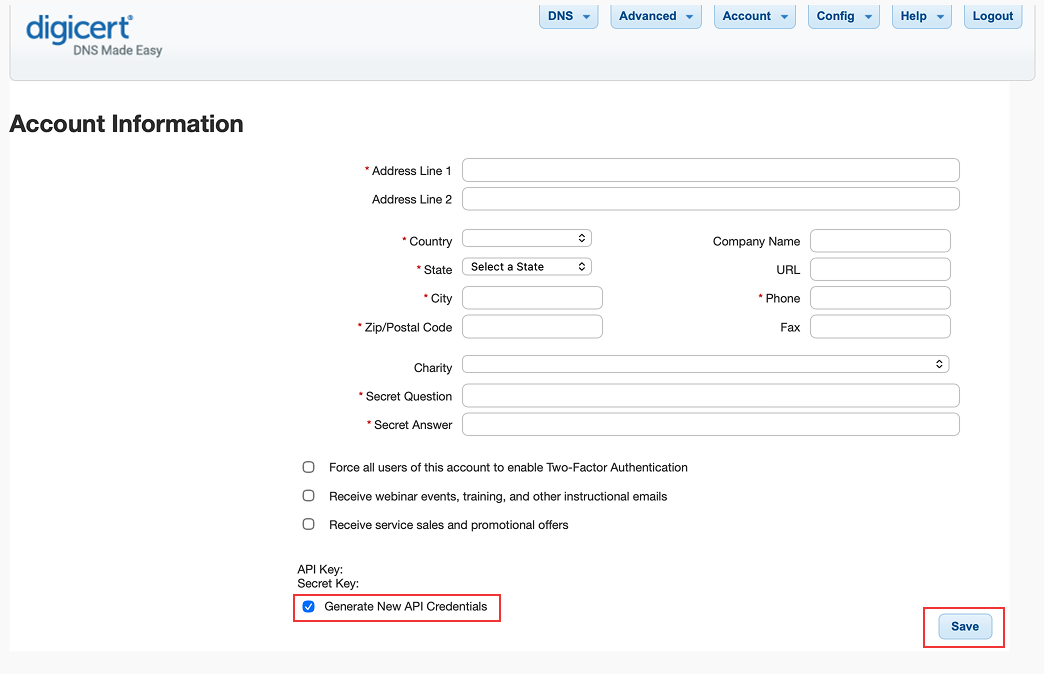
Otherwise, check the **Generate New API Credentials** then click the **Save** button to generate the new API credentials.
If your **API Key** and **Secret Key** are already available, proceed to step 2.
Otherwise, check the **Generate New API Credentials** then click the **Save** button to generate the new API credentials.
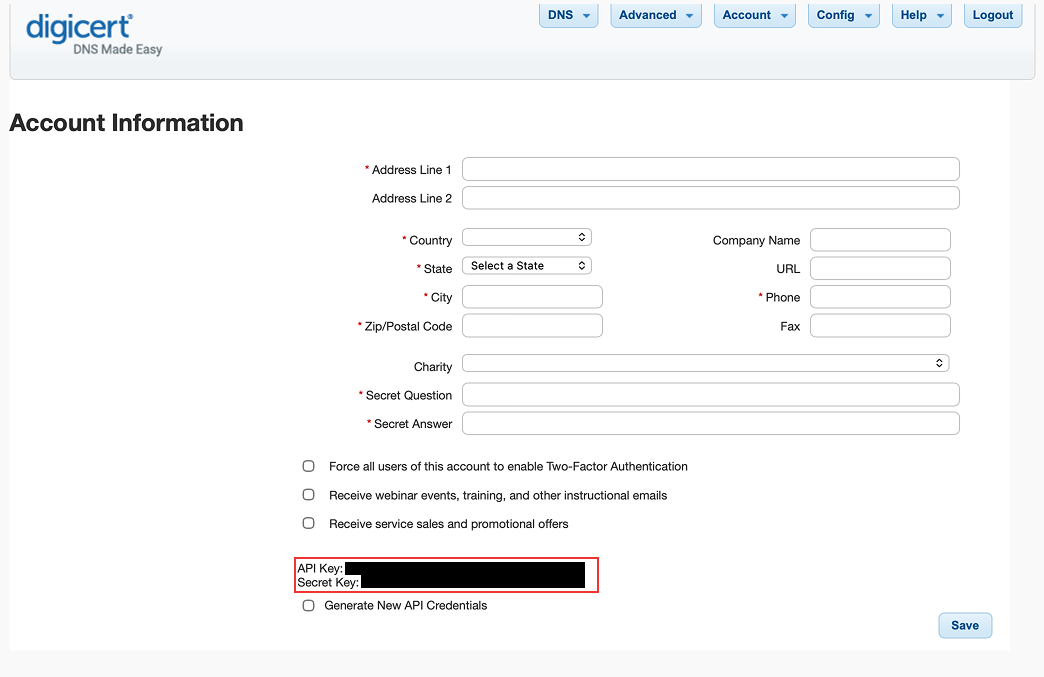
 After creation, copy your API key and secret key.
 Keep your API key and secret key secure and do not share it.
Anyone with access to this token can manage your DNS Made Easy resources.
## Setup DNS Made Easy Connection in Infisical
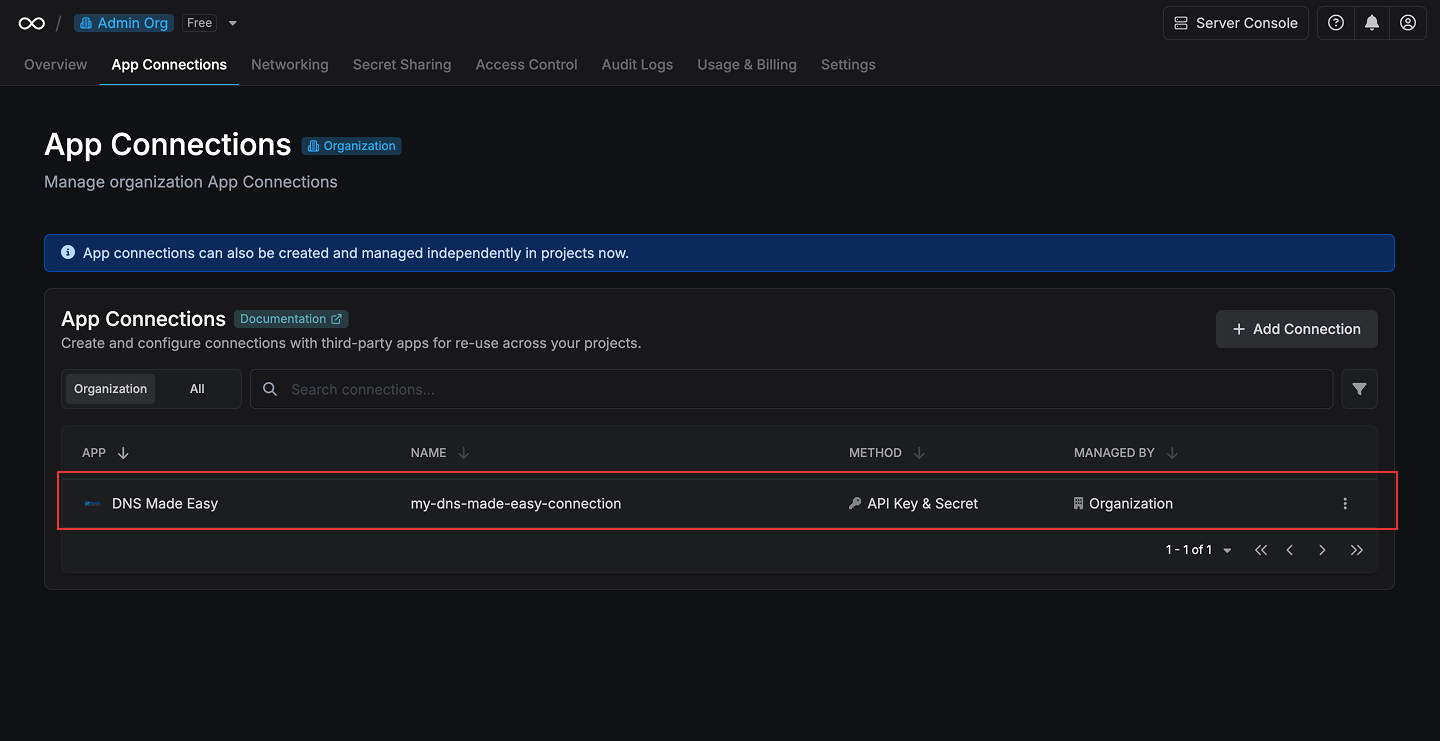
Navigate to the **Integrations** tab in the desired project, then select **App Connections**.
Keep your API key and secret key secure and do not share it.
Anyone with access to this token can manage your DNS Made Easy resources.
## Setup DNS Made Easy Connection in Infisical
Navigate to the **Integrations** tab in the desired project, then select **App Connections**.  Select the **DNS Made Easy Connection** option from the connection options
modal.
Select the **DNS Made Easy Connection** option from the connection options
modal. 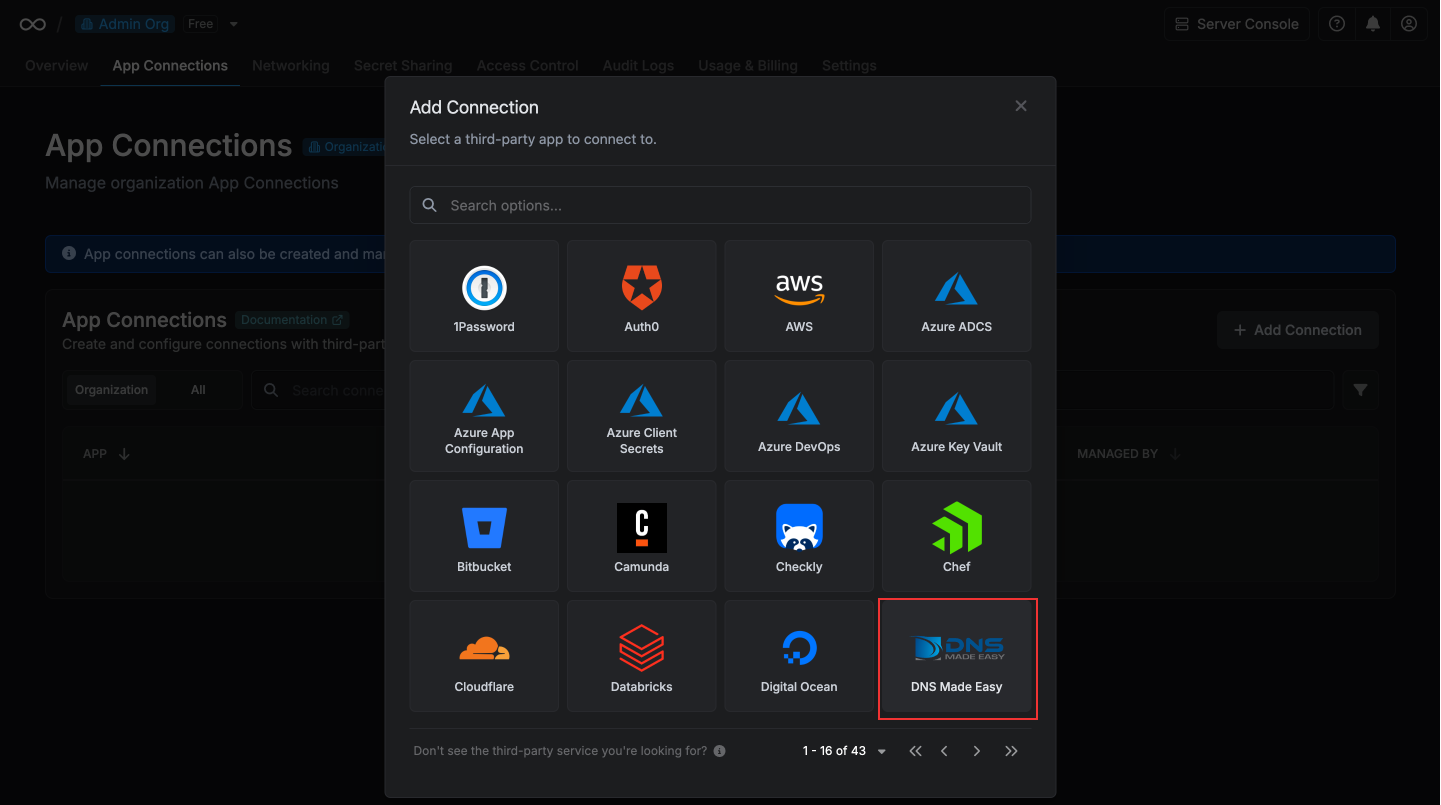 Enter your DNS Made Easy API key and secret key in the provided fields and
click **Connect to DNS Made Easy** to establish the connection.
Enter your DNS Made Easy API key and secret key in the provided fields and
click **Connect to DNS Made Easy** to establish the connection. 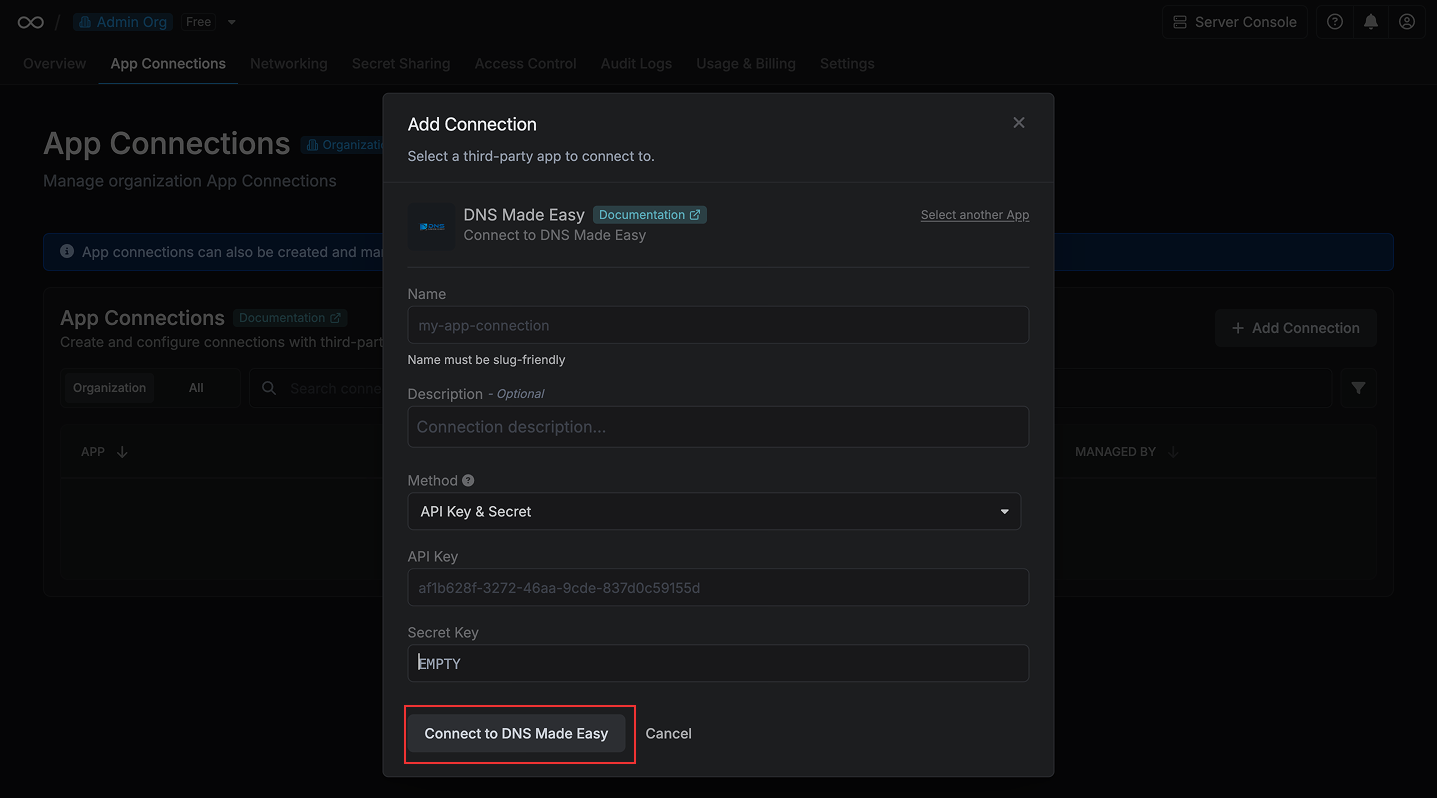 Your **DNS Made Easy Connection** is now available for use in your Infisical
projects.
Your **DNS Made Easy Connection** is now available for use in your Infisical
projects.