> ## Documentation Index
> Fetch the complete documentation index at: https://infisical.com/docs/llms.txt
> Use this file to discover all available pages before exploring further.
# Northflank Connection
> Learn how to configure a Northflank Connection for Infisical.
Infisical supports the use of [API Tokens](https://northflank.com/docs/v1/api/use-the-api) to connect with [Northflank](https://northflank.com).
Infisical recommends creating a specific API role for the app connection and only giving access to projects that will use the integration.
## Create a Northflank API Token
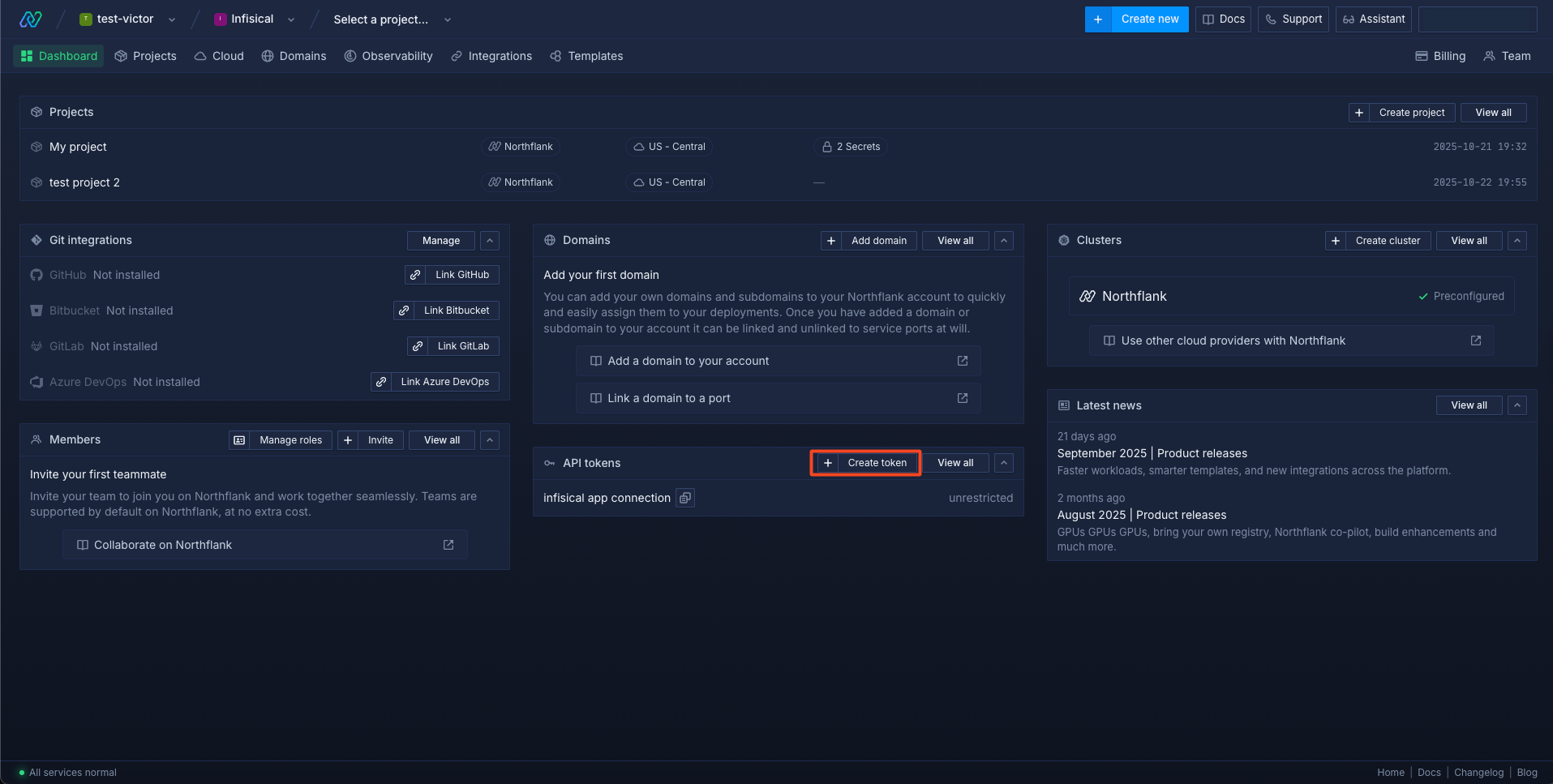
Navigate to your team page and click **Create token**.
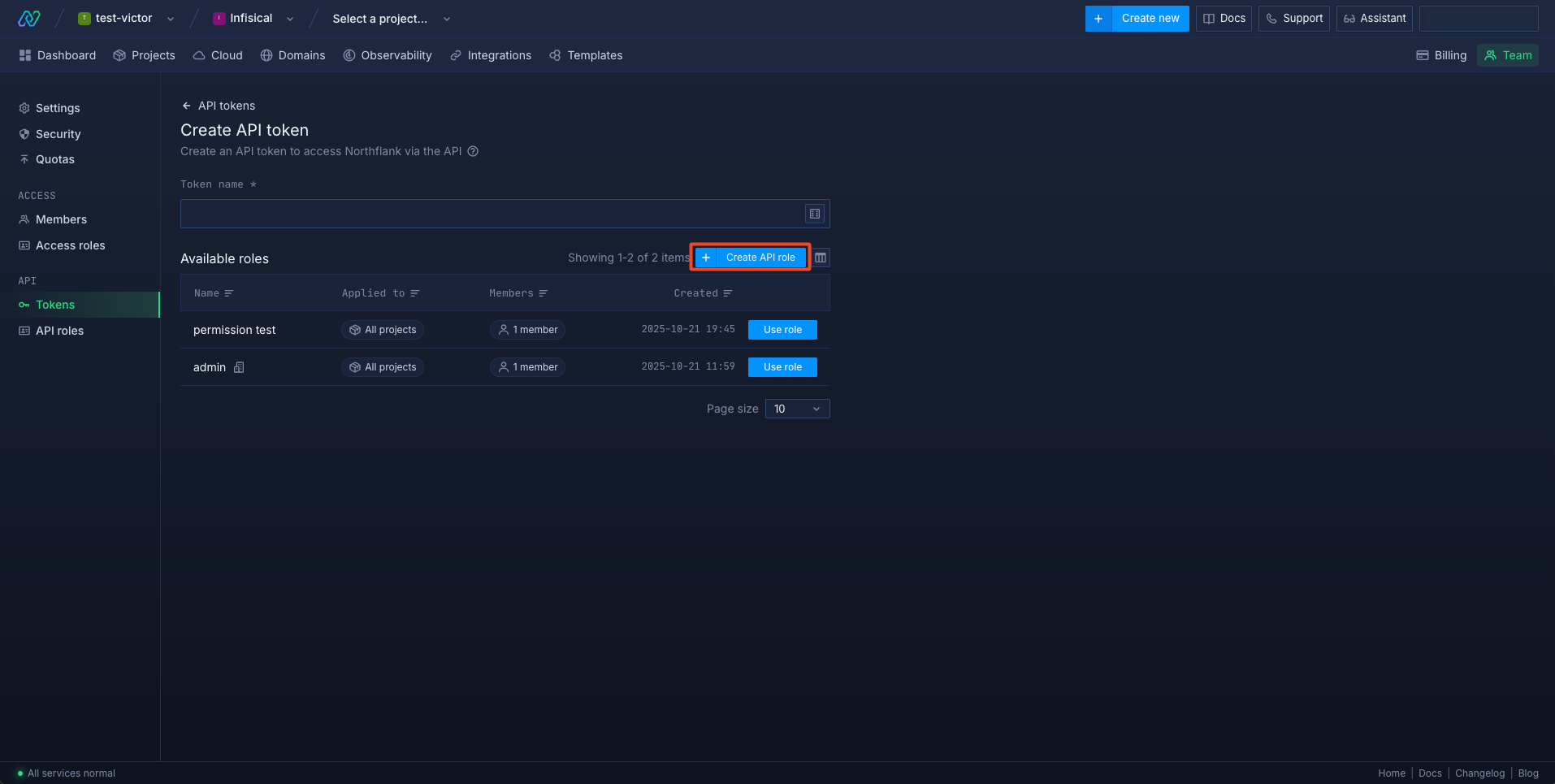
 Click on **Create API role**.
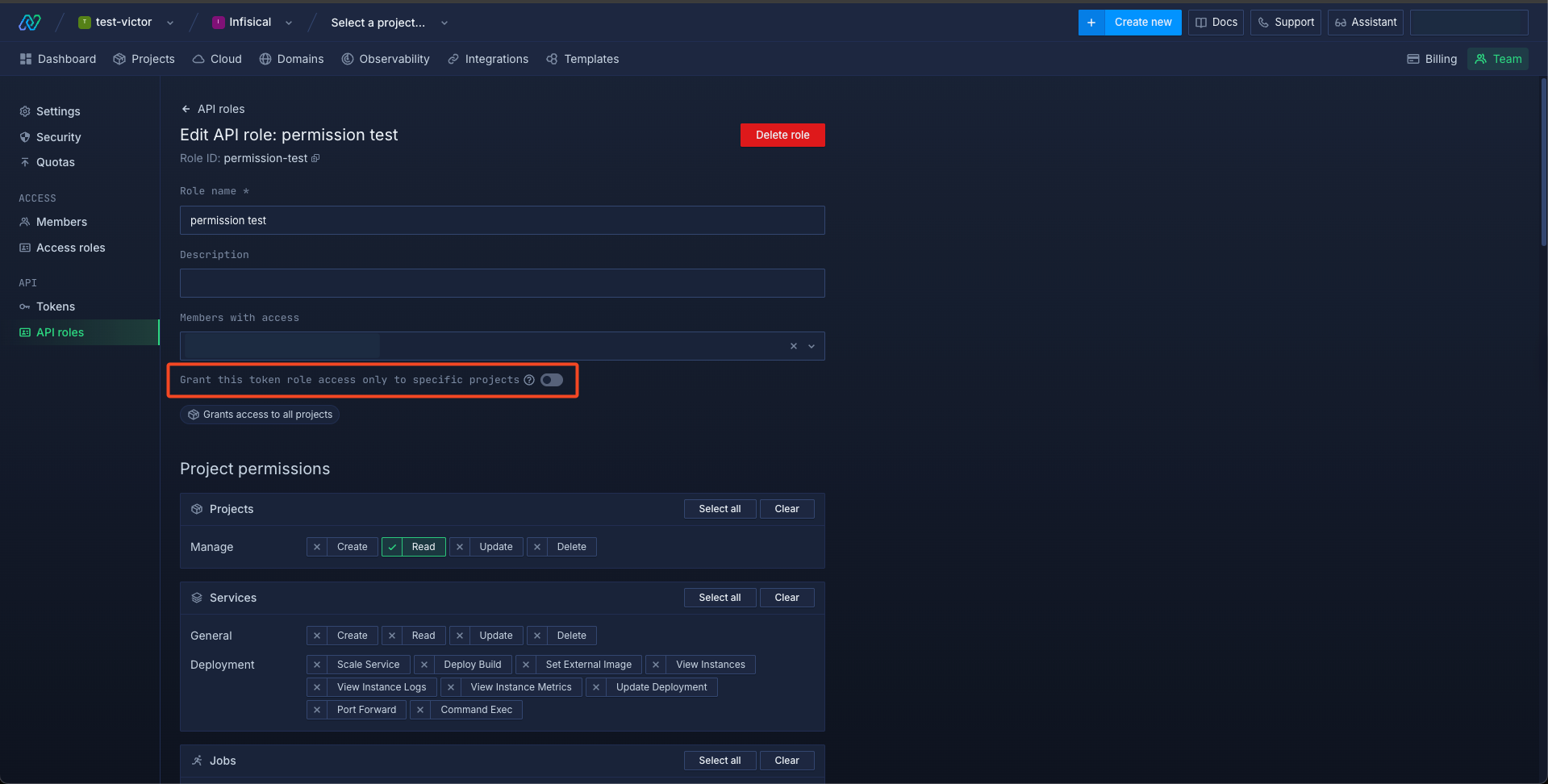
 Select all the projects you want this role to have access to, or leave this unchecked if you want to give access to all projects.
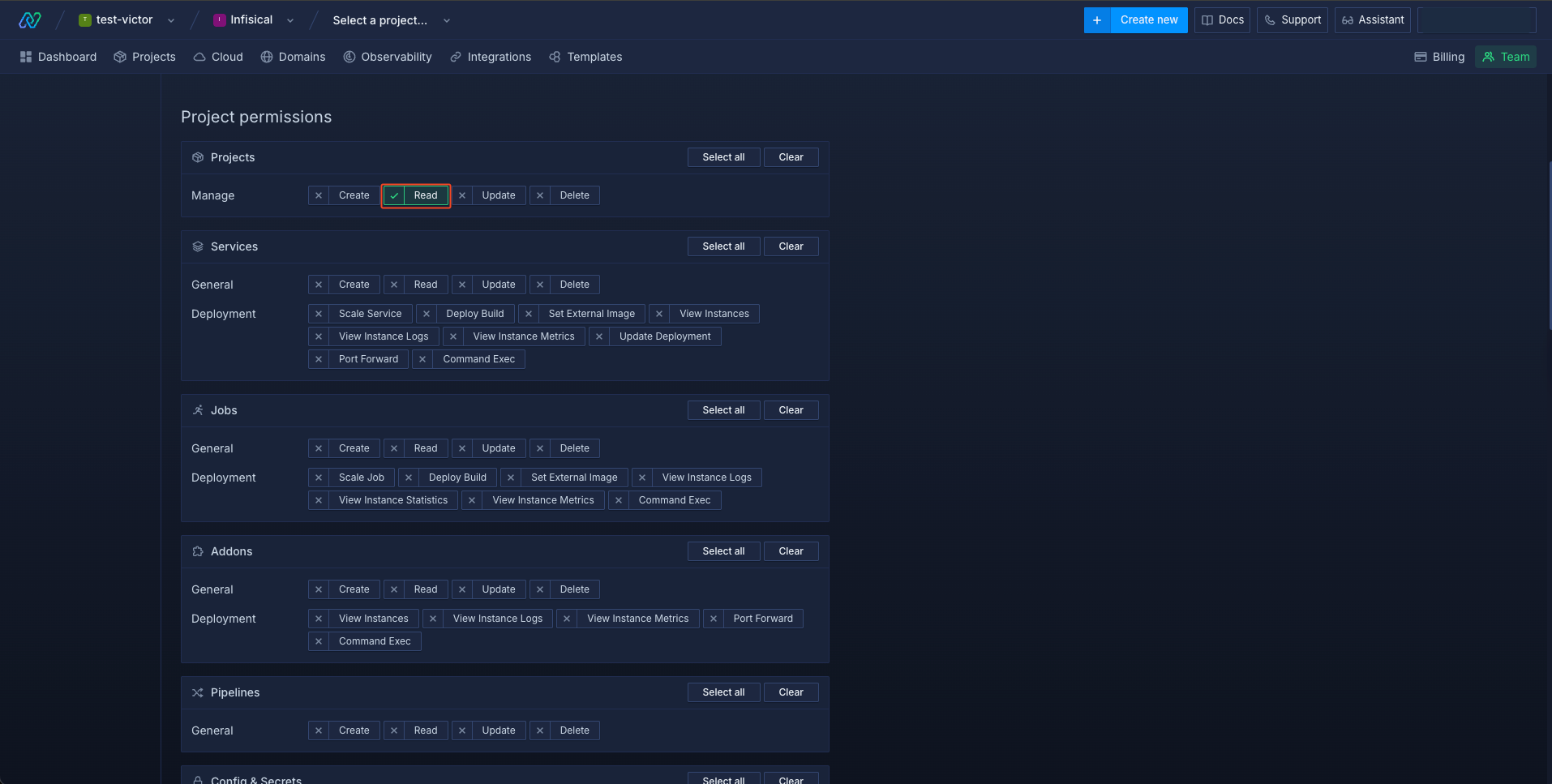
 Add the **Projects** -> **Manage** -> **Read** permission.
 Add the **Config & Secrets** -> **Secret Groups** -> **List**, **Update** and **Read Values** permissions.
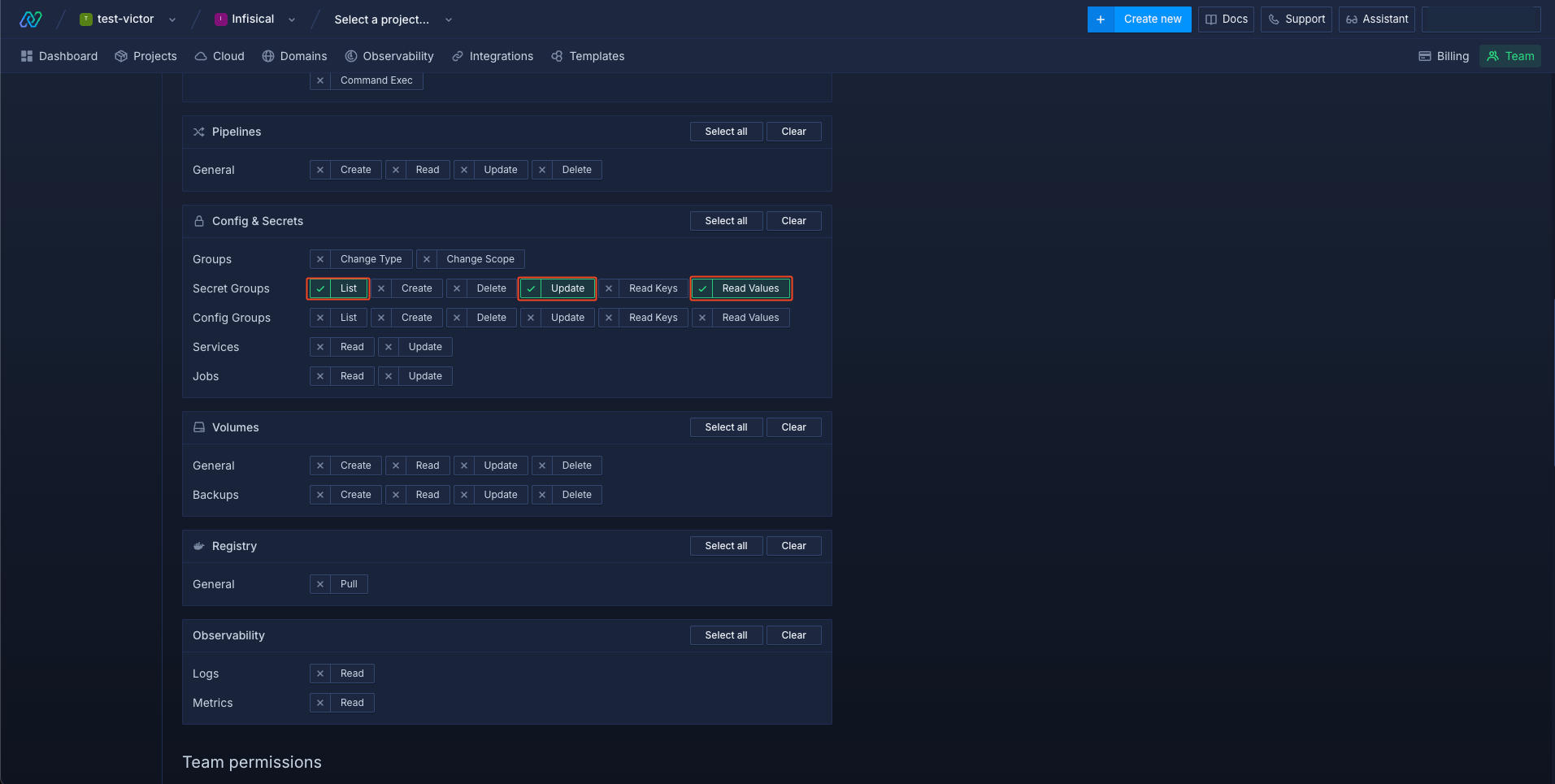 Scroll to the bottom and save the API role.
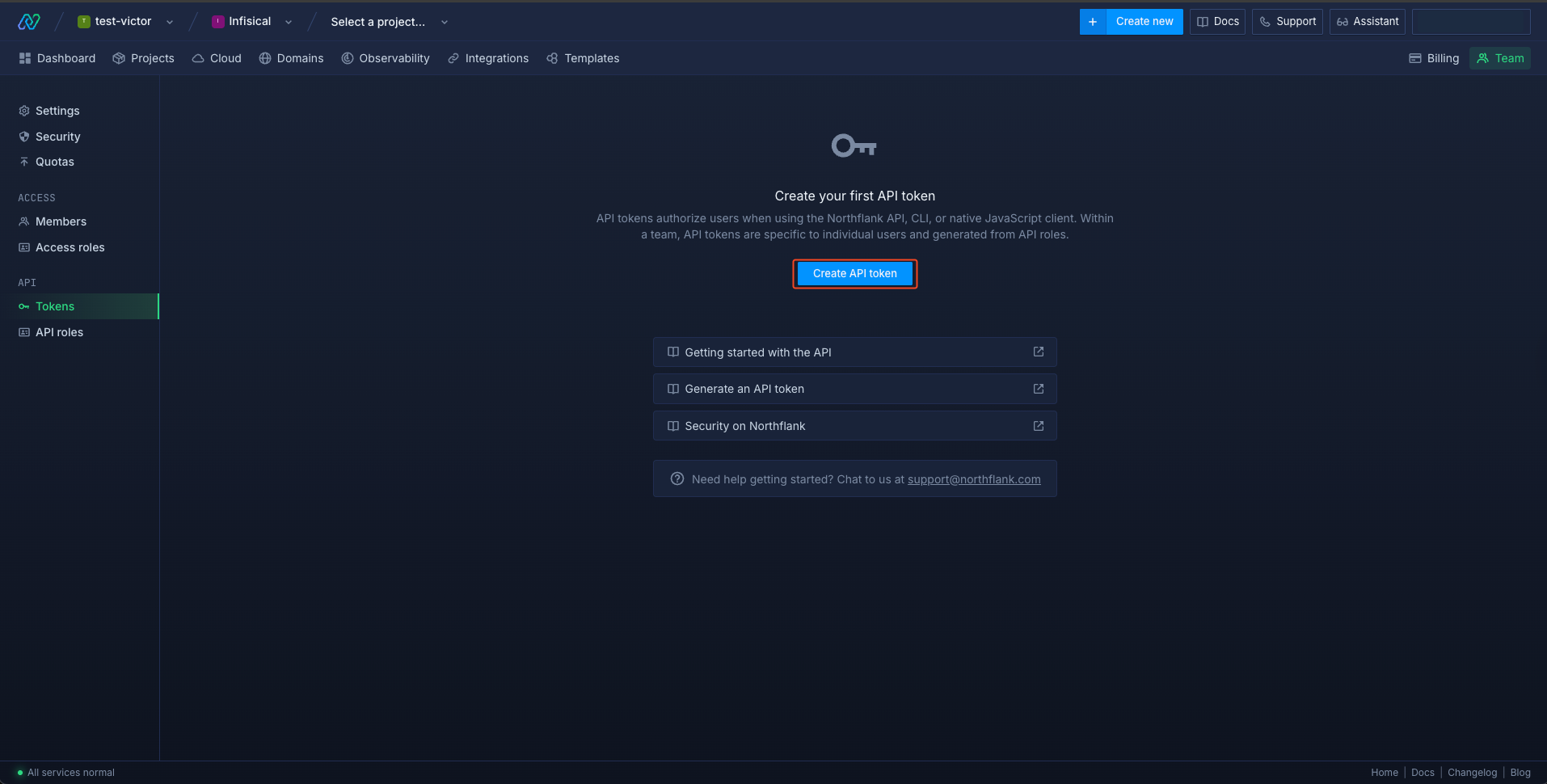
Click on the **API** -> **Tokens** menu on the left and then click the **Create API token** button.
Scroll to the bottom and save the API role.
Click on the **API** -> **Tokens** menu on the left and then click the **Create API token** button.
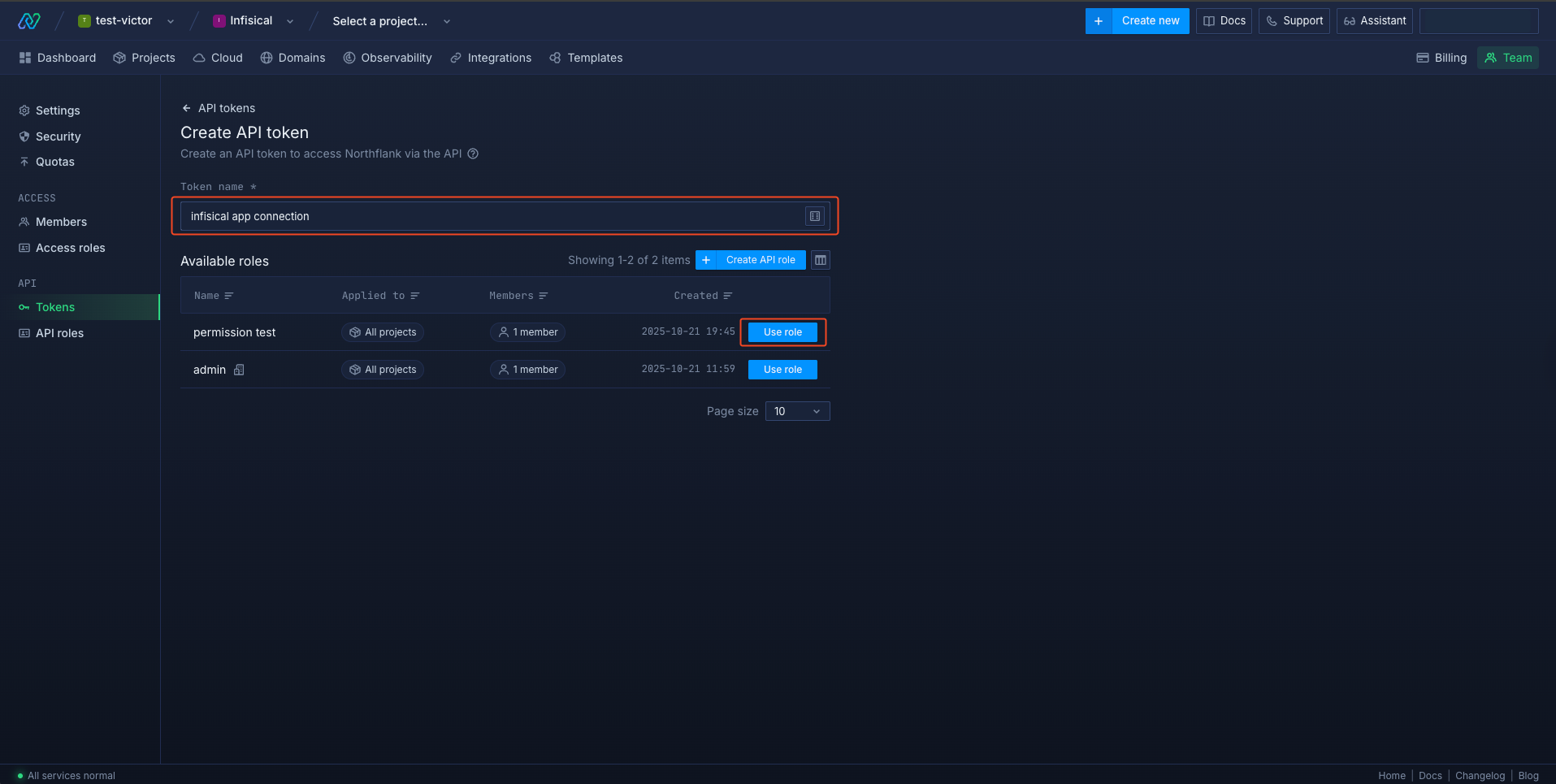
 Give a name to the API token and click the **Use role** button for the new API role you just created.
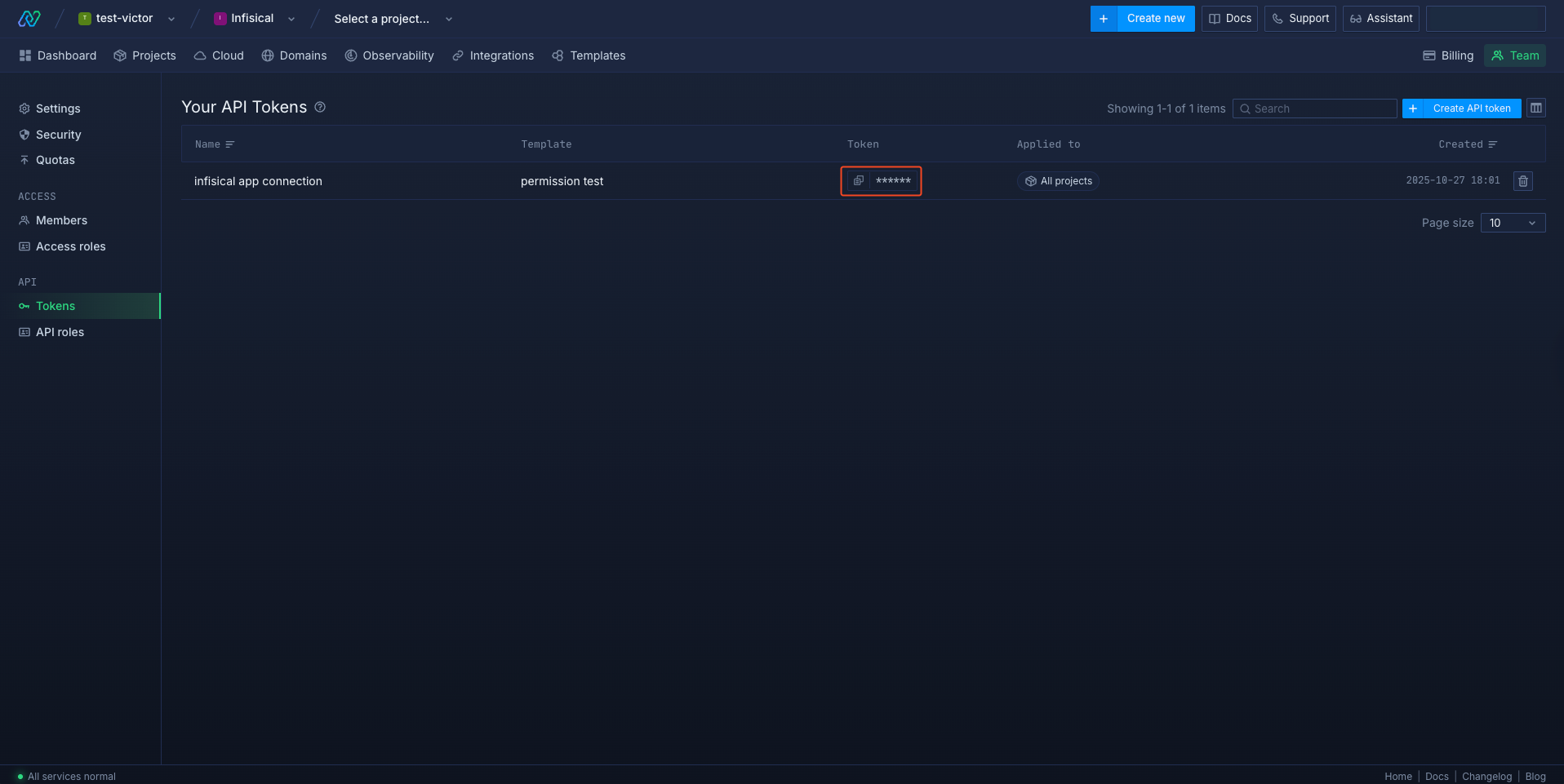
 Click the **View API token** icon to view and copy your token.
 ## Create a Northflank Connection in Infisical
In your Infisical dashboard, navigate to the **Integrations** tab in the desired project, then select **App Connections**.
## Create a Northflank Connection in Infisical
In your Infisical dashboard, navigate to the **Integrations** tab in the desired project, then select **App Connections**.
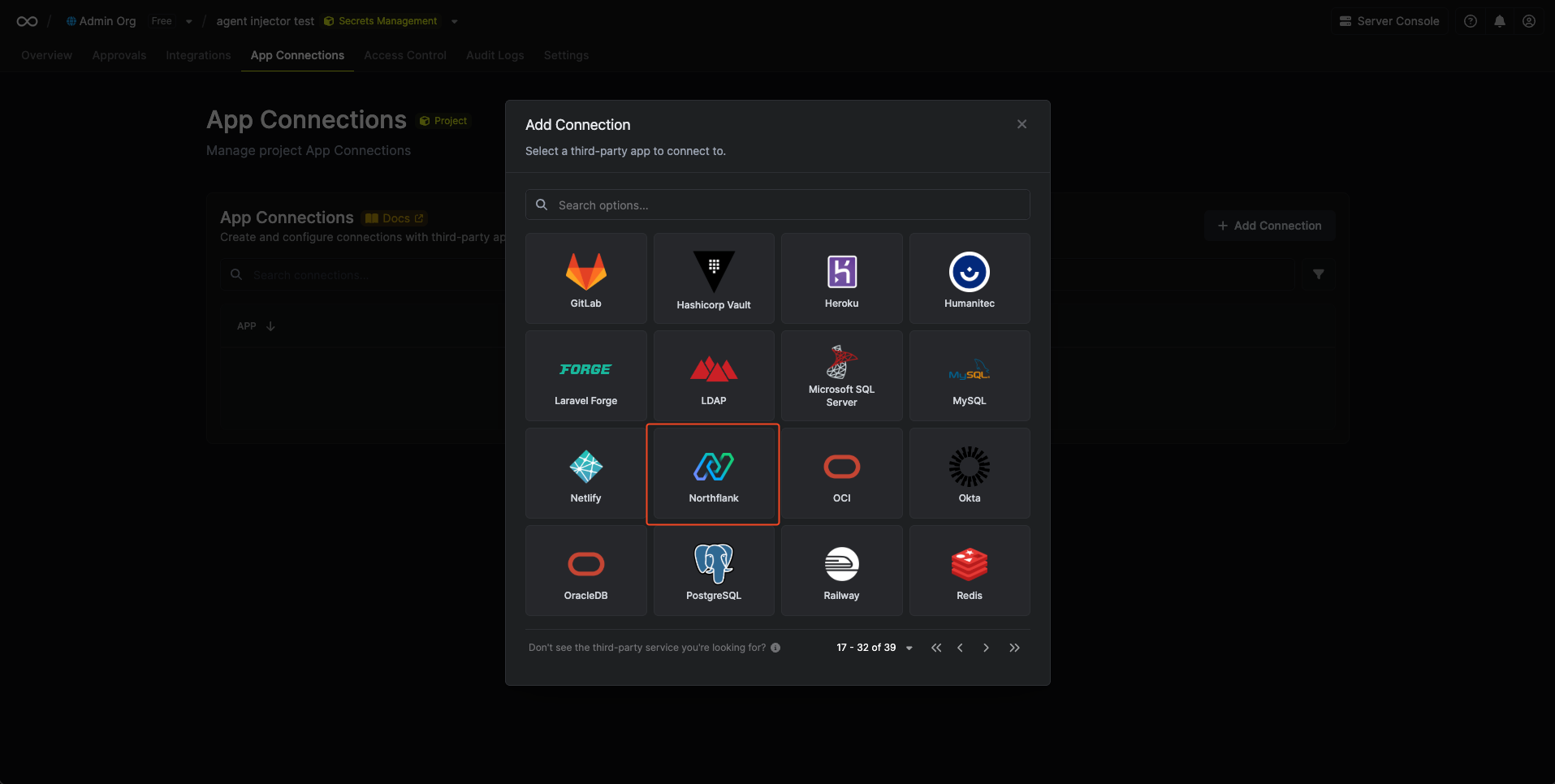
 Click **+ Add Connection** and choose **Northflank Connection** from the list of integrations.
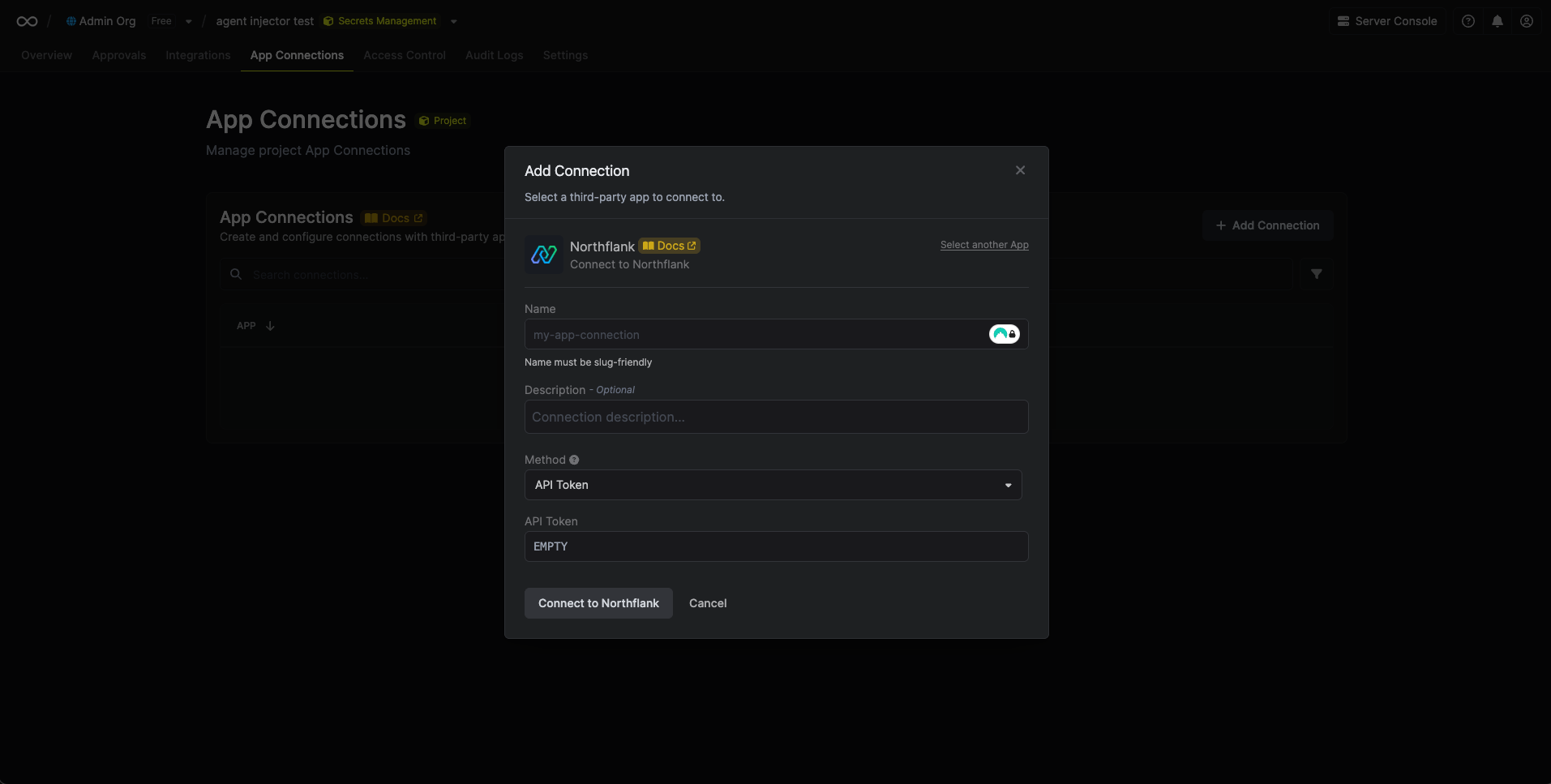
 Complete the form by providing:
* A descriptive name for the connection
* An optional description
* The API Token from the previous step
Complete the form by providing:
* A descriptive name for the connection
* An optional description
* The API Token from the previous step
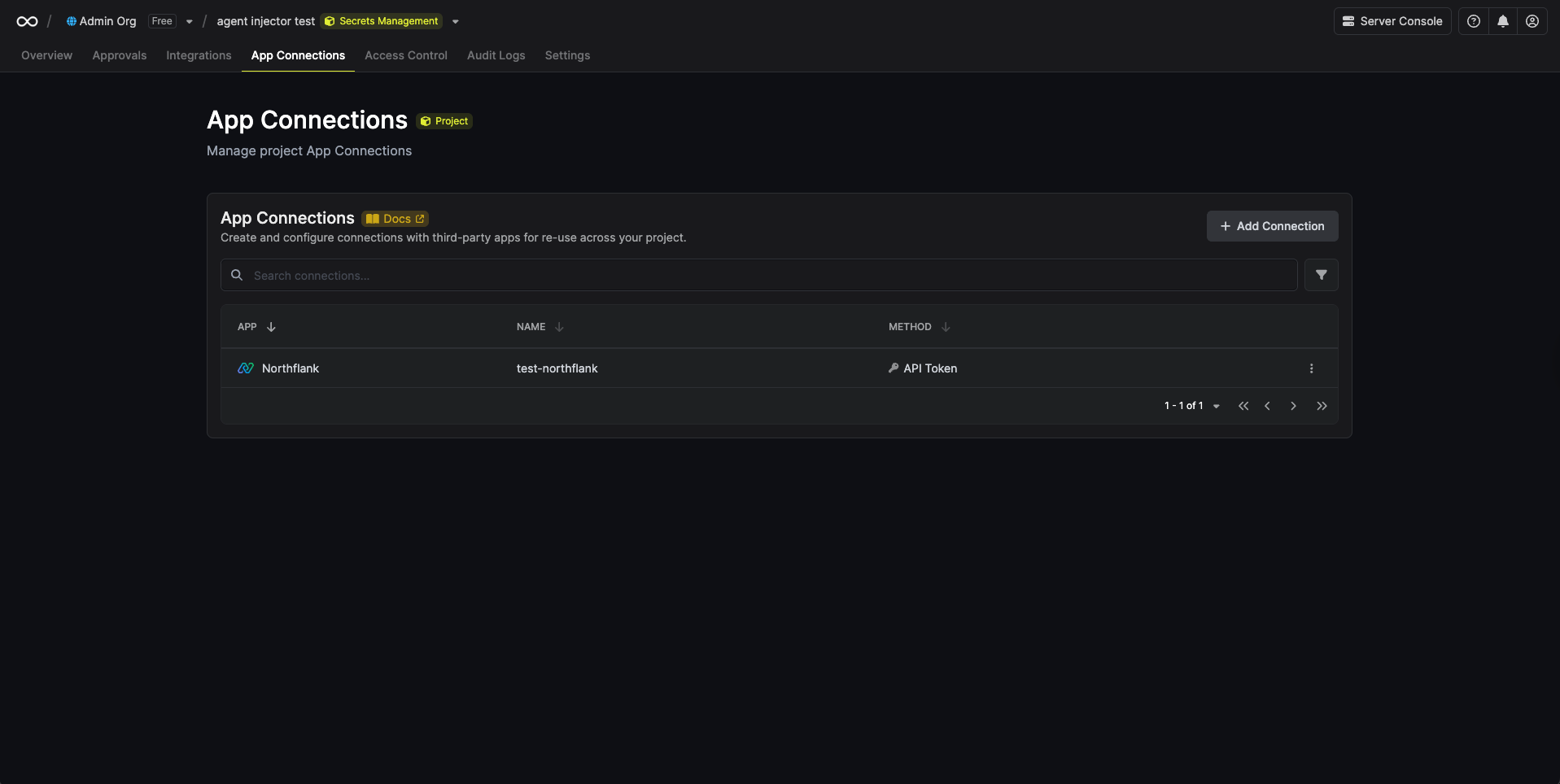
 After submitting the form, your **Northflank Connection** will be successfully created and ready to use with your Infisical project.
 To create a Northflank Connection via API, send a request to the [Create Northflank Connection](/api-reference/endpoints/app-connections/northflank/create) endpoint.
### Sample request
```bash Request theme={"dark"}
curl --request POST \
--url https://app.infisical.com/api/v1/app-connections/northflank \
--header 'Content-Type: application/json' \
--data '{
"name": "my-northflank-connection",
"method": "api-token",
"projectId": "abcdef12-3456-7890-abcd-ef1234567890",
"credentials": {
"apiToken": "[API TOKEN]"
}
}'
```
### Sample response
```bash Response theme={"dark"}
{
"appConnection": {
"id": "a1b2c3d4-5678-90ab-cdef-1234567890ab",
"name": "my-northflank-connection",
"description": null,
"projectId": "abcdef12-3456-7890-abcd-ef1234567890",
"version": 1,
"orgId": "abcdef12-3456-7890-abcd-ef1234567890",
"createdAt": "2025-01-23T10:15:00.000Z",
"updatedAt": "2025-01-23T10:15:00.000Z",
"isPlatformManagedCredentials": false,
"credentialsHash": "d41d8cd98f00b204e9800998ecf8427e",
"app": "northflank",
"method": "api-token",
"credentials": {}
}
}
```
To create a Northflank Connection via API, send a request to the [Create Northflank Connection](/api-reference/endpoints/app-connections/northflank/create) endpoint.
### Sample request
```bash Request theme={"dark"}
curl --request POST \
--url https://app.infisical.com/api/v1/app-connections/northflank \
--header 'Content-Type: application/json' \
--data '{
"name": "my-northflank-connection",
"method": "api-token",
"projectId": "abcdef12-3456-7890-abcd-ef1234567890",
"credentials": {
"apiToken": "[API TOKEN]"
}
}'
```
### Sample response
```bash Response theme={"dark"}
{
"appConnection": {
"id": "a1b2c3d4-5678-90ab-cdef-1234567890ab",
"name": "my-northflank-connection",
"description": null,
"projectId": "abcdef12-3456-7890-abcd-ef1234567890",
"version": 1,
"orgId": "abcdef12-3456-7890-abcd-ef1234567890",
"createdAt": "2025-01-23T10:15:00.000Z",
"updatedAt": "2025-01-23T10:15:00.000Z",
"isPlatformManagedCredentials": false,
"credentialsHash": "d41d8cd98f00b204e9800998ecf8427e",
"app": "northflank",
"method": "api-token",
"credentials": {}
}
}
```