

Connecting
Navigate to Account
Go to the Resources tab in your PAM project, open the SSH resource, and find the account you want to access. Click the Connect button next to the account.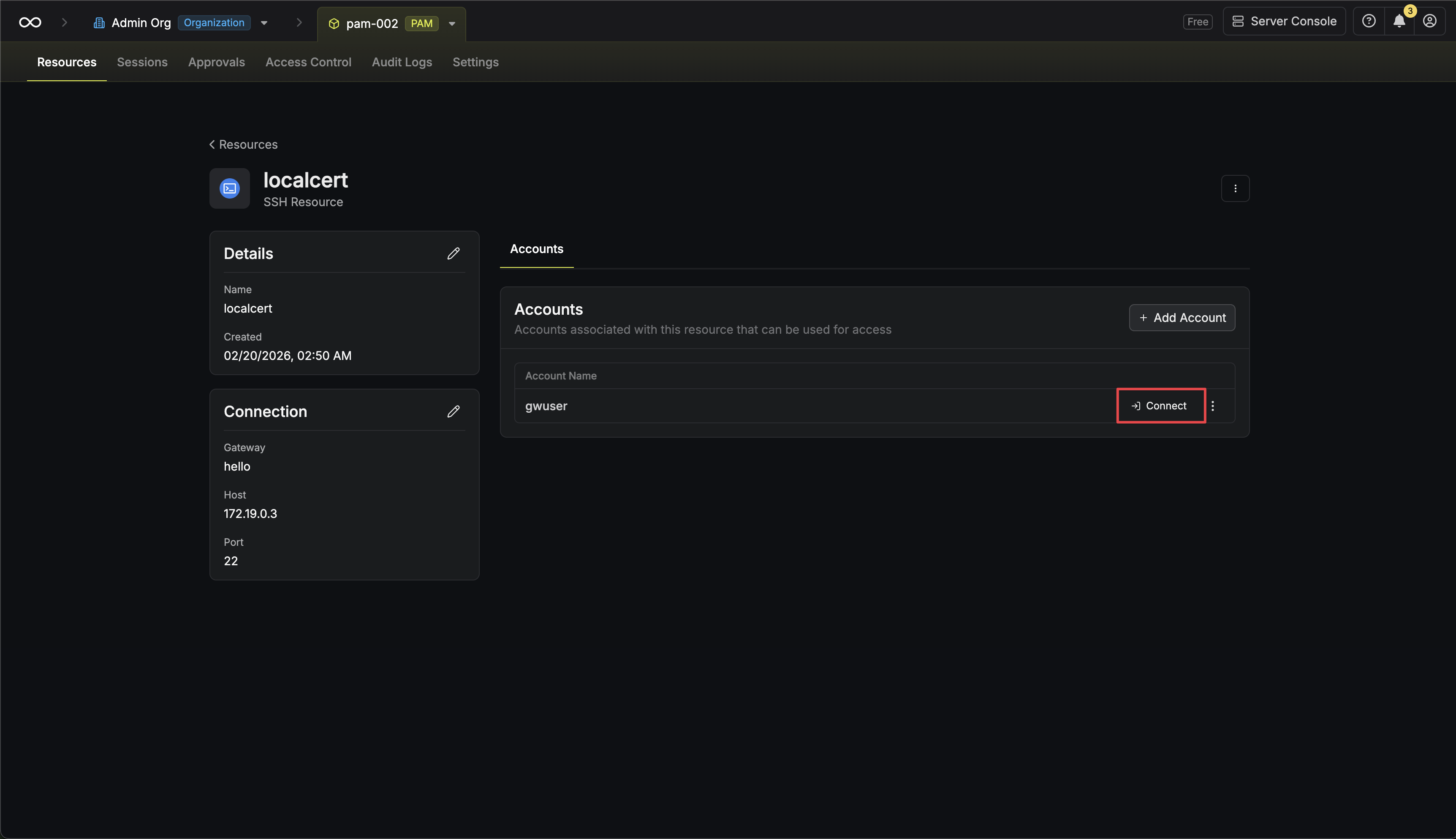 Alternatively, if you are on the account page, click the Access button.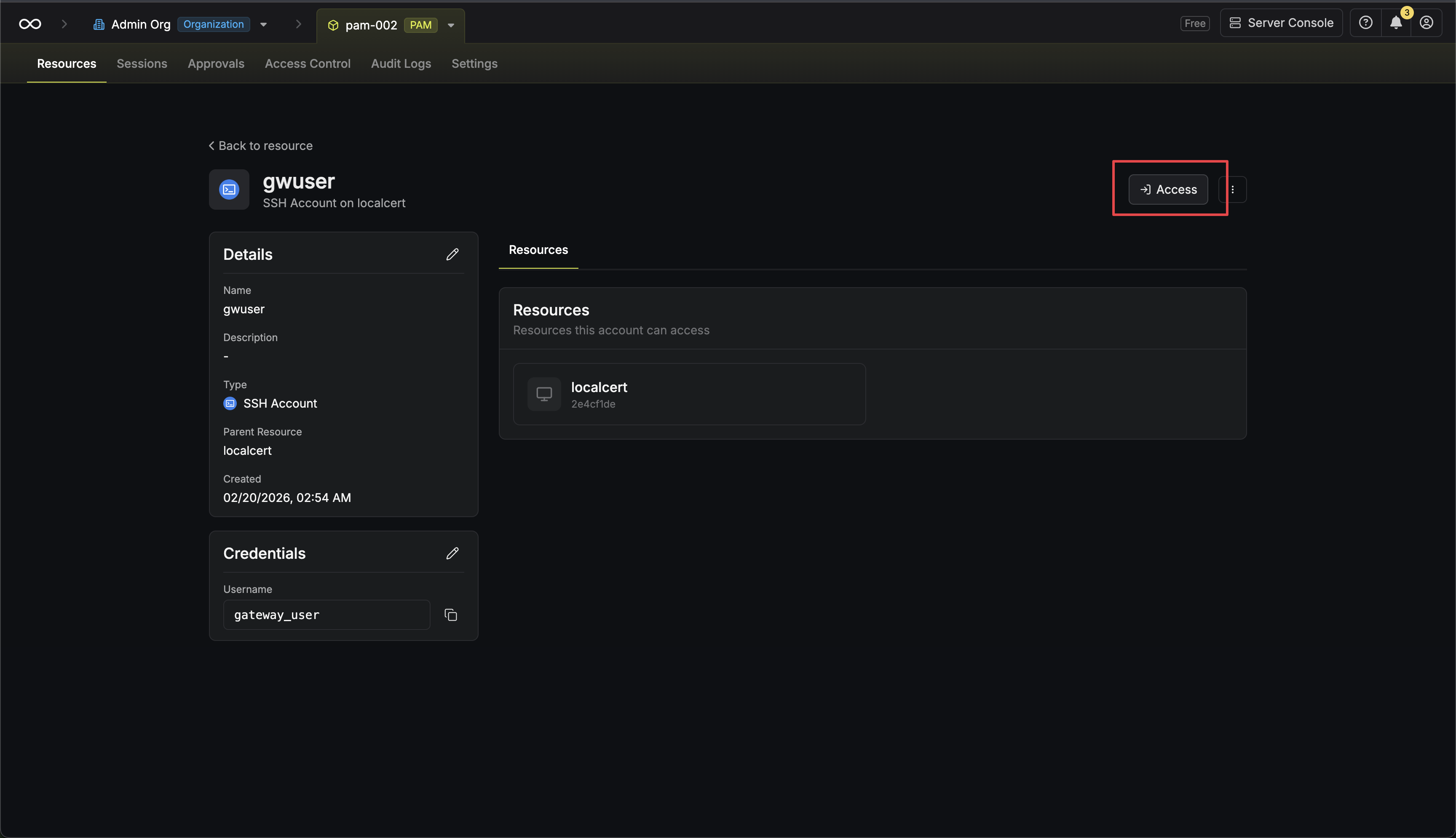
Alternatively, if you are on the account page, click the Access button.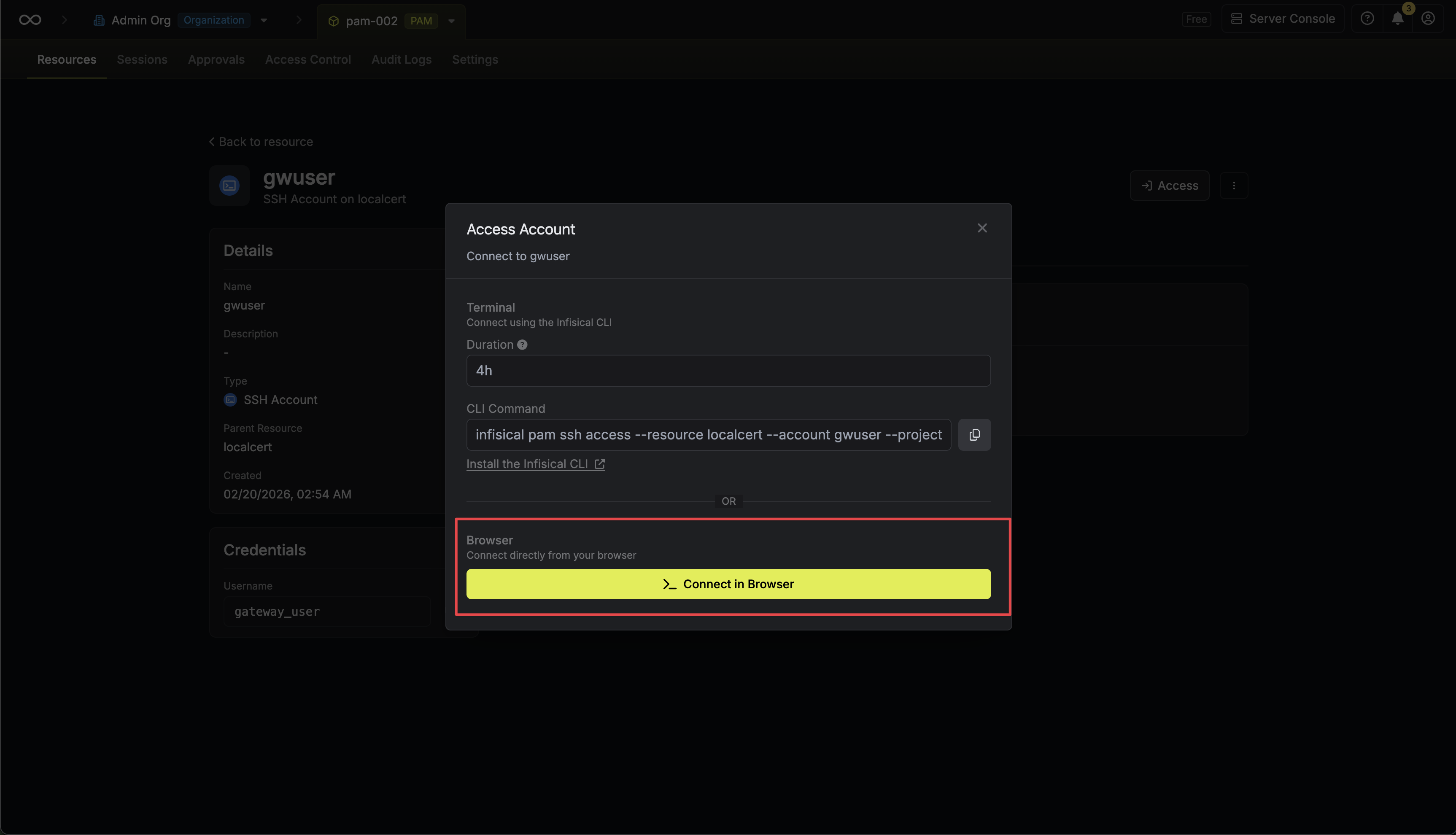
Usage
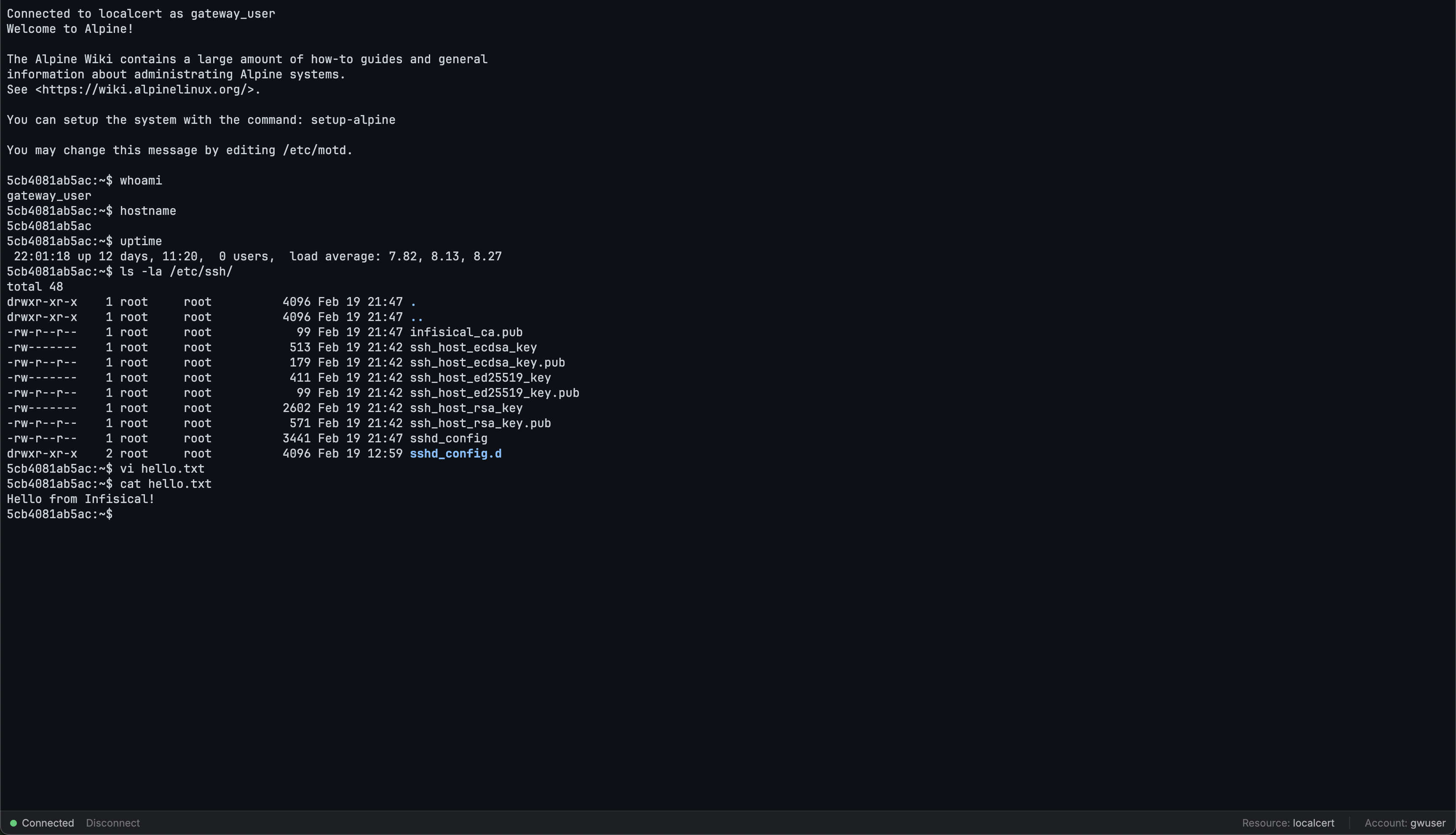
Once connected, you have a full interactive shell.Authentication Methods
All three SSH authentication methods are supported:- Password — username and password
- SSH Key — public/private key pair
- Certificate — SSH certificates
FAQ
Is this a real SSH session?
Is this a real SSH session?
Yes. Unlike the PostgreSQL web access terminal which is a custom SQL REPL, the SSH terminal is a real SSH shell session proxied through the Infisical Gateway. You get a full interactive shell with all the capabilities of a native SSH connection.