

Documentation Index
Fetch the complete documentation index at: https://infisical.com/docs/llms.txt
Use this file to discover all available pages before exploring further.
Concept
A certificate policy is a policy structure specifying permitted attributes for requested certificates. This includes constraints around subject naming conventions, SAN fields, key usages, and extended key usages. Each certificate requested against a certificate profile is validated against the policy bound to that profile. If the request fails any criteria included in the policy, the certificate is not issued. This helps administrators enforce uniformity and security standards across all issued certificates.Guide to Creating a Certificate Policy
To create a certificate policy, head to your Certificate Management Project > Certificate Manager > Certificate Policies and press Create Policy.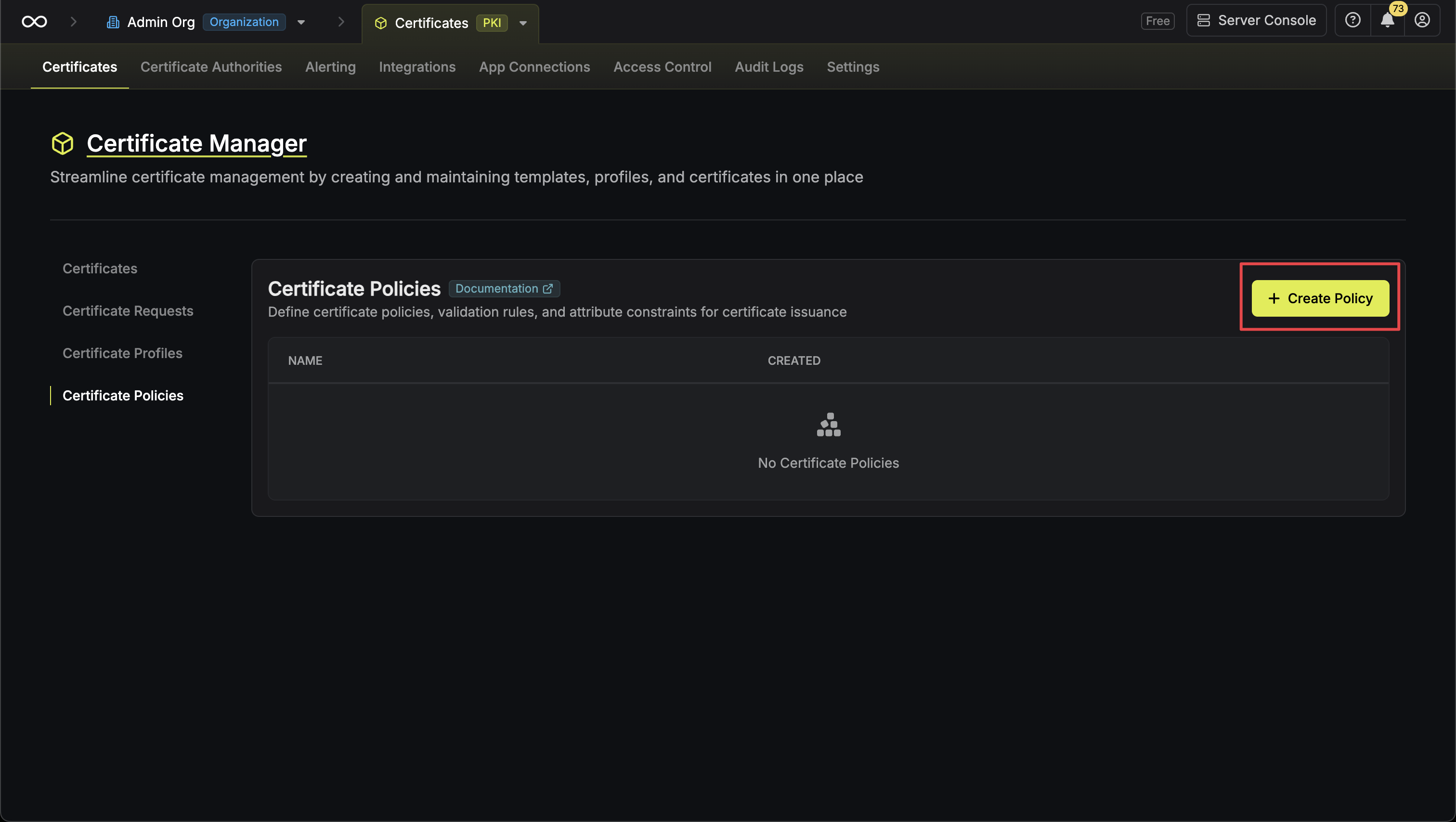
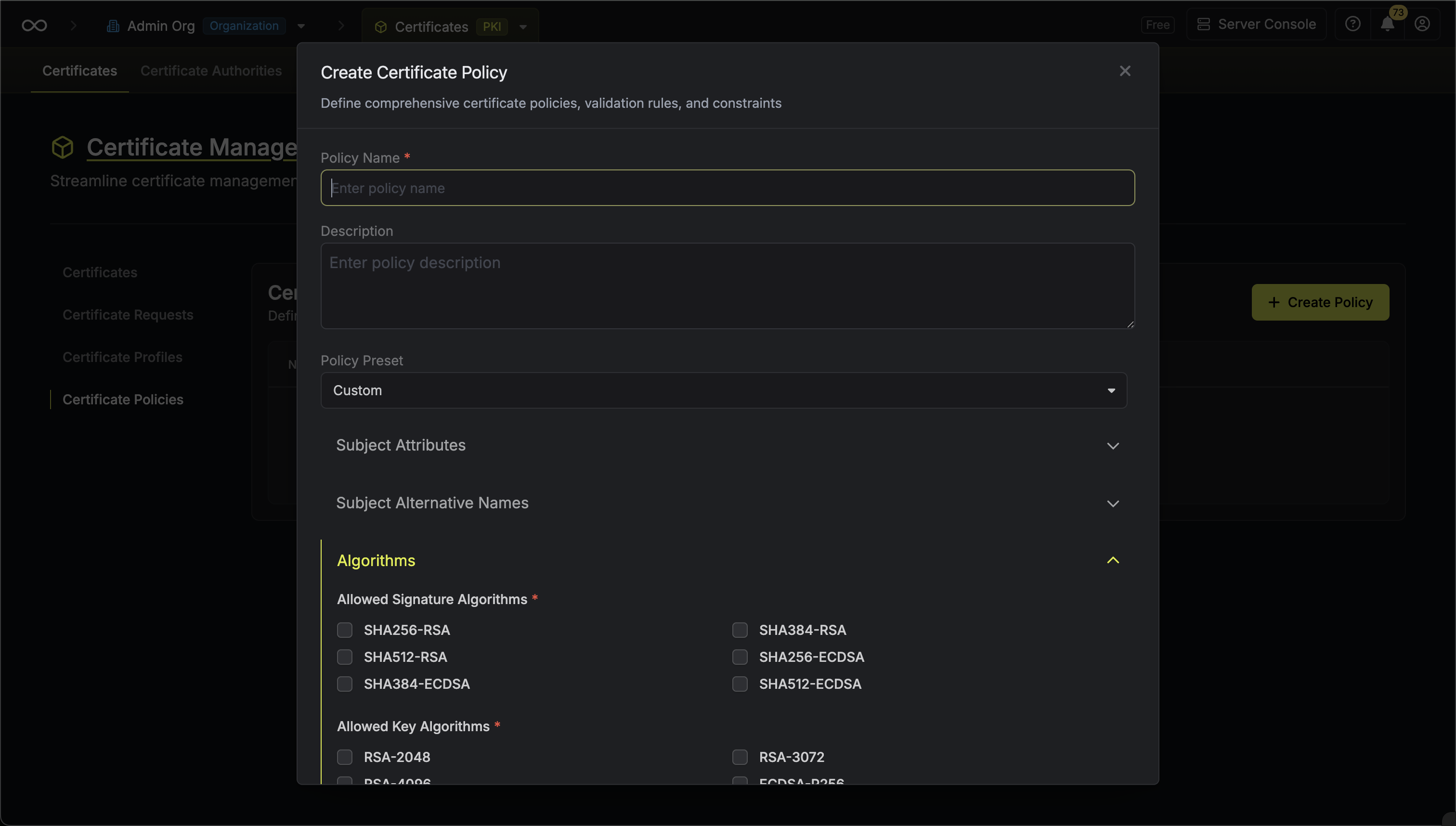 Here’s some guidance on each field:
- Policy Name: A slug-friendly name for the policy such as
tls-server. - Description: An optional description for the policy.
- Subject Attributes: A list of common names that can be included in the certificate subject. Each row accepts a fixed value or pattern such as
example.comor*.example.comand whether it is allowed or denied. - Subject Alternative Names (SANs): A list of SANs that can appear in the certificate. Each row accepts a SAN type (e.g. DNS, IP, Email, URI), a fixed value or pattern such as
example.comor*.example.com, and an allow or deny flag. - Allowed Signature Algorithms: The set of signature algorithms permitted to sign certificates under this policy such as
SHA256-RSA,SHA512-RSA, etc. - Allowed Key Algorithms: The set of public key algorithms permitted for certificate requests such as
RSA-2048,RSA-4096, etc. - Key Usages: The cryptographic purposes of the certificate such as Digital Signature, Key Encipherment, etc.
- Extended Key Usages: The higher-level intended uses of the certificate such as Server Authentication, Client Authentication, etc.
- Certificate Validity: The maximum lifetime of certificates that can be requested for certificates validated against this policy. You can specify both a duration and unit (days, months, or years).
- Basic Constraints: Defines the role of a certificate within a trust hierarchy.
- CA Certificate Property: Determines if a certificate is permitted to sign and issue other certificates if
CA:TRUEproperty is set. Options are:- Forbid: Issued certificates are restricted to “End-Entity” use. They cannot sign other certificates.
- Allow: Certificates may be issued as either a CA or an End-Entity based on the specific signing request.
- Require: Mandates that all issued certificates act as CAs. This is typically used for Root or Intermediate CA policies.
- Maximum Allowed Path Length: Specifies the maximum number of non-self-issued intermediate certificates that may follow this certificate in a valid chain.
- A value of 0 means the CA can only sign final end-entity certificates.
- A value of 1 allows for one more level of CAs below it.
- Leaving this empty imposes no limit on the chain depth.
- CA Certificate Property: Determines if a certificate is permitted to sign and issue other certificates if