

Rotation Type: Dual-PhaseThis rotation maintains two active credential sets with overlapping validity, ensuring zero-downtime during rotation cycles.
Prerequisites
- Create a LiteLLM Connection using a management-capable API key. That connection is used to create and delete API keys on your behalf during rotation.
Create a LiteLLM API key rotation in Infisical
- Infisical UI
- API
-
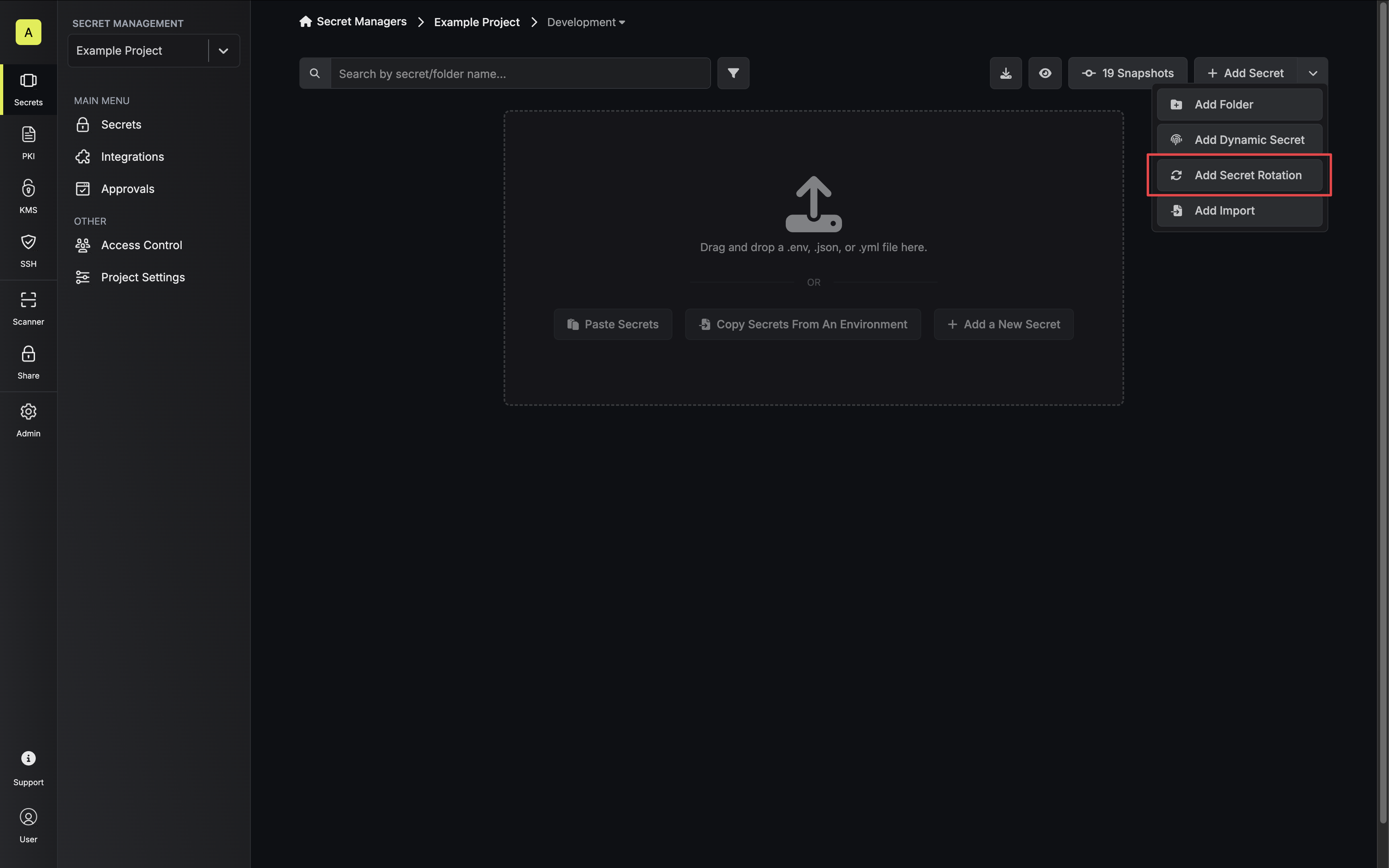
Navigate to your Secrets Manager Project’s Dashboard and select Add Secret Rotation from the actions dropdown.
-
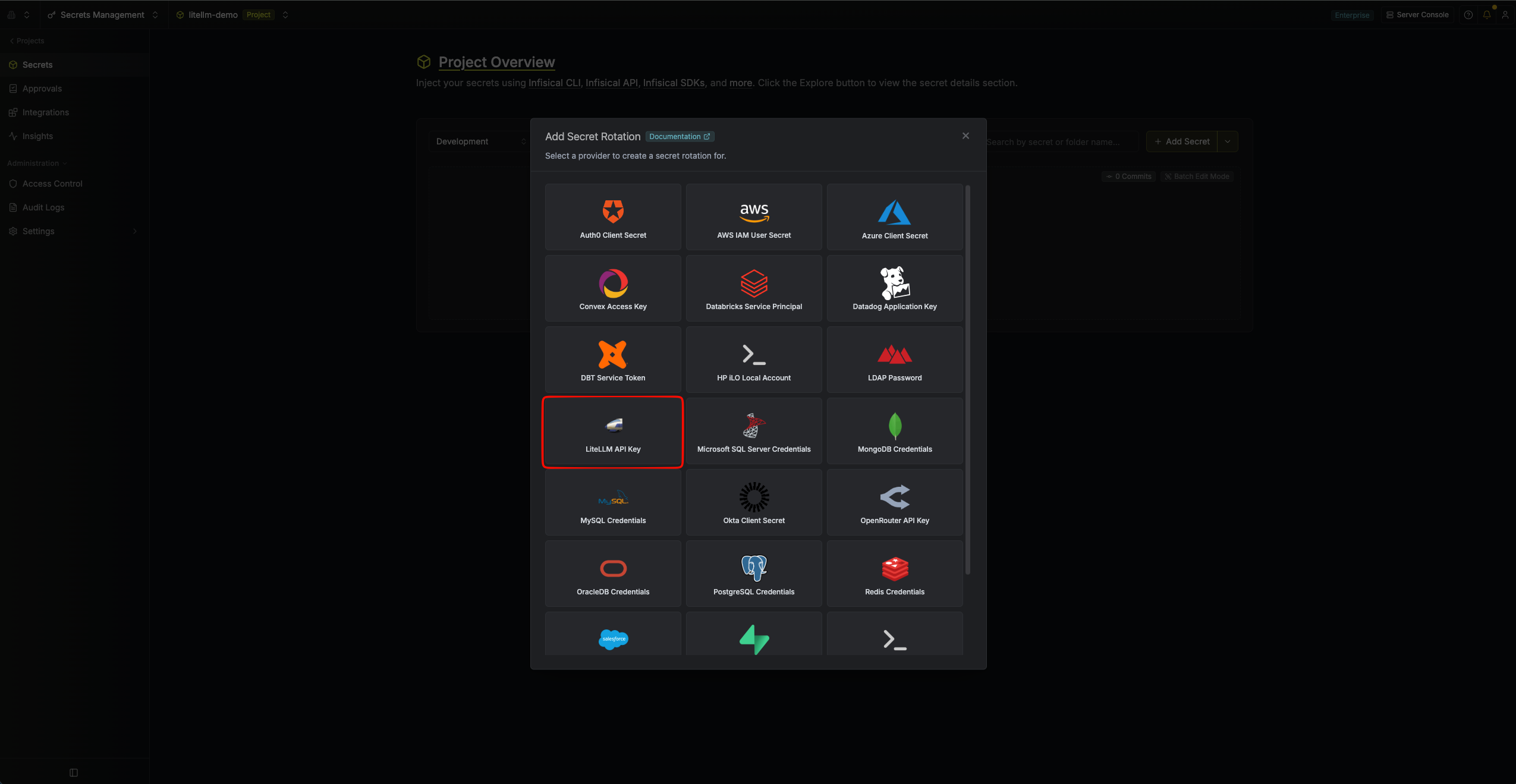
Select the LiteLLM API Key option.
-
Configure the rotation behavior, then click Next.
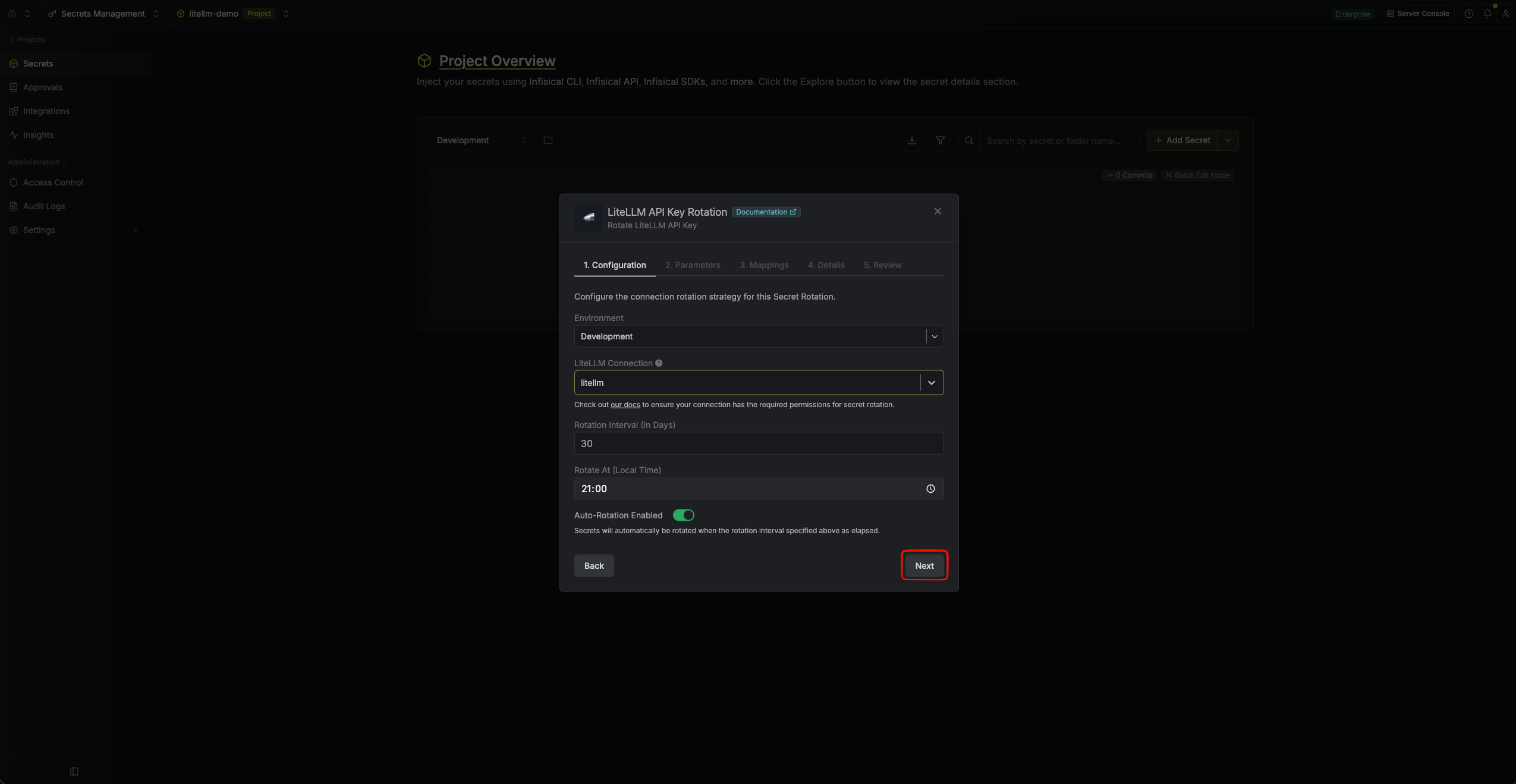
- Environment – The environment where the rotated secret will be stored.
- LiteLLM Connection – The connection that will create and delete API keys during rotation.
- Rotation Interval – The interval, in days, after which a rotation is triggered.
- Rotate At – The local time of day when rotation runs once the interval has elapsed.
- Auto-Rotation Enabled – Whether to rotate automatically on the interval. Turn off to rotate only manually or pause rotation.
-
Set the LiteLLM API key parameters, then click Next. The parameters are split across two tabs, General and Advanced.
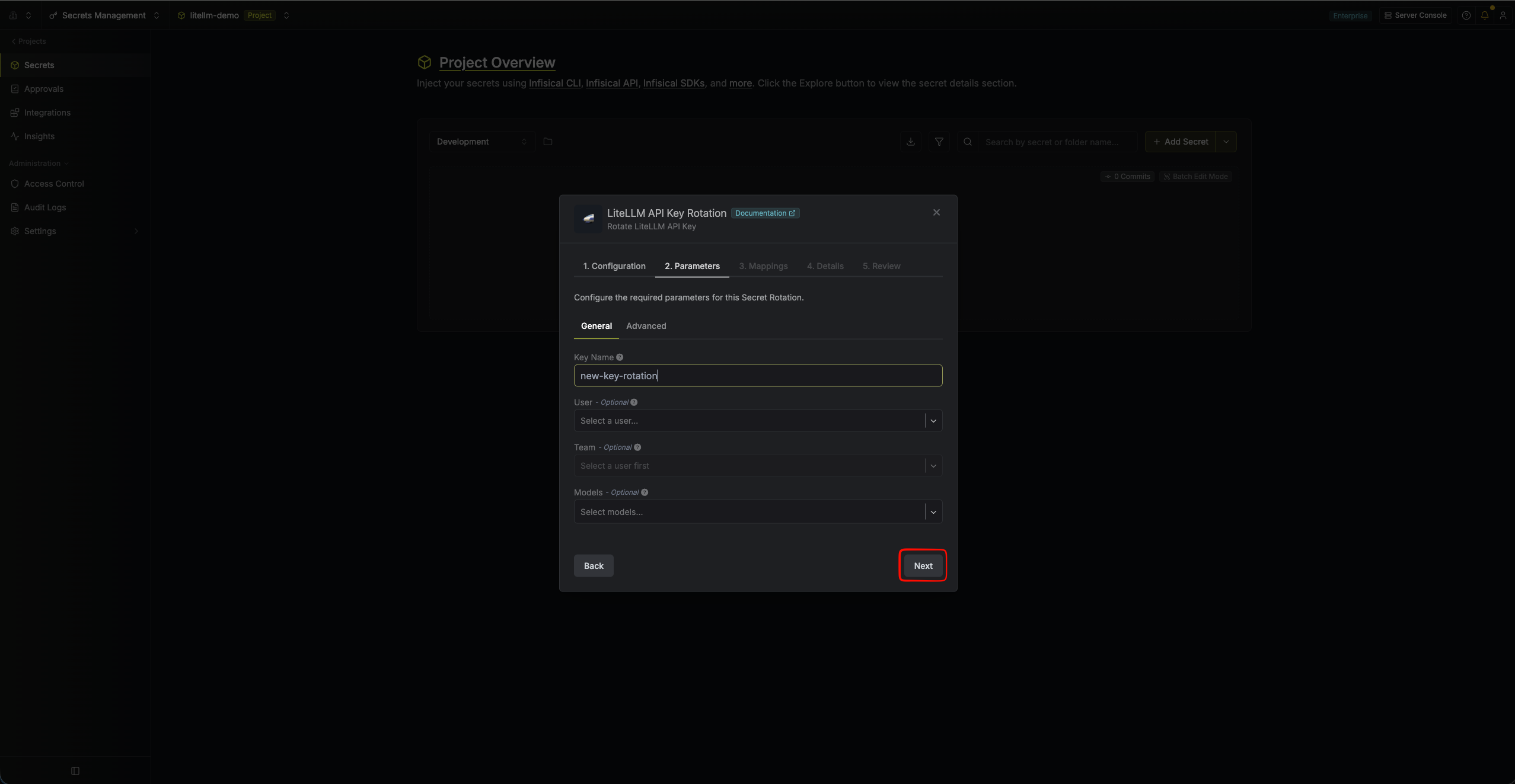
- Key Name (required) – A descriptive name for the generated key. Infisical appends a timestamp so each rotated key stays unique and records its creation time.
- User (optional) – Associate the generated key with a LiteLLM user.
- Team (optional) – Associate the generated key with a team the selected user belongs to. Select a user first; teams are scoped to the chosen user.
- Models (optional) – Restrict the generated key to specific models. Leave empty to allow all models.
- Additional Key Options (JSON) (optional) – A JSON object of additional
/key/generateoptions (e.g.max_budget,tpm_limit,rpm_limit,metadata). See Advanced key options below.
-
Specify the secret name that the rotated API key will be mapped to. Then click Next.
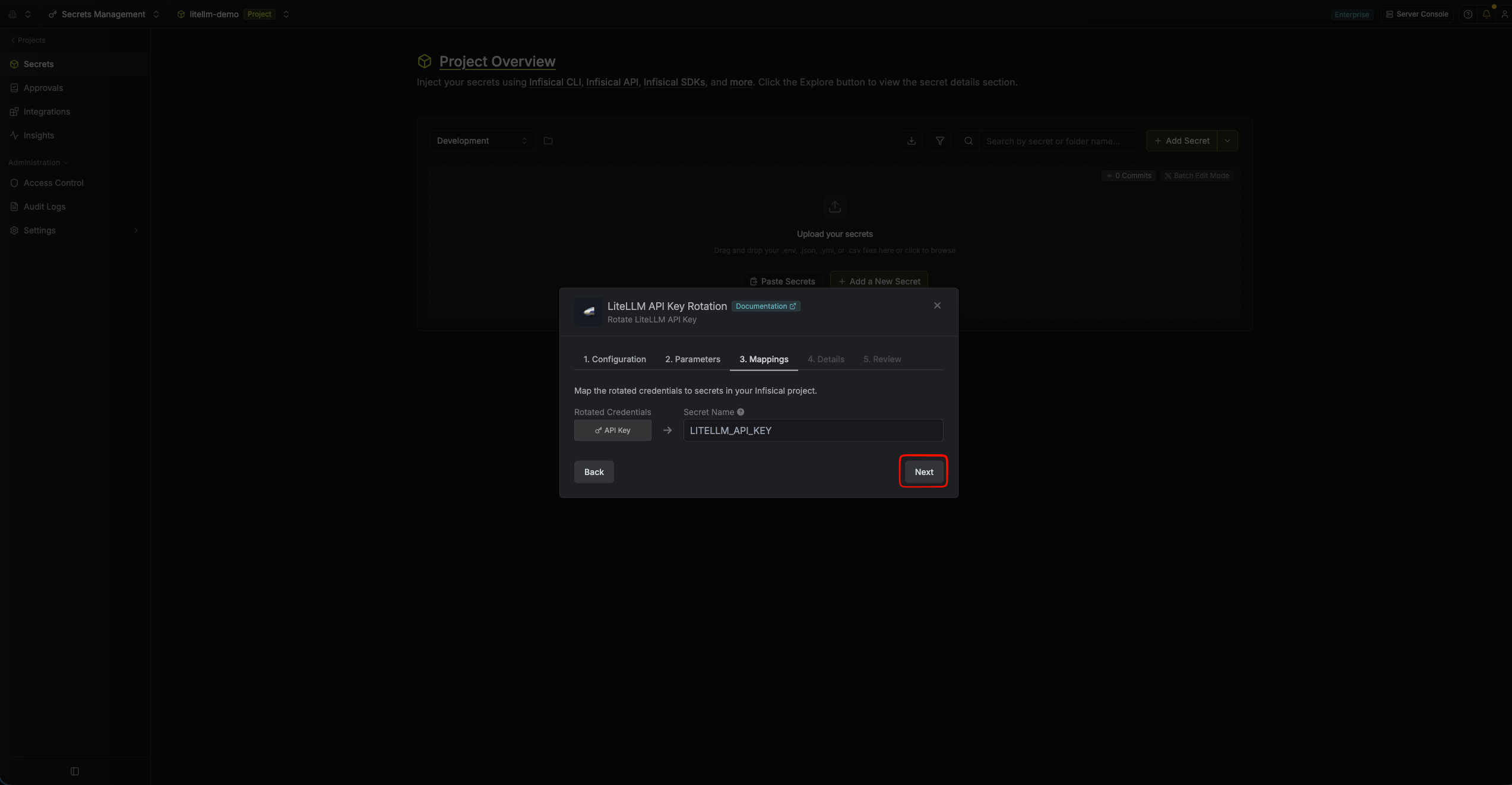
- API Key – The name of the secret in Infisical where the rotated API key value will be stored.
-
Give your rotation a name and description (optional). Then click Next.
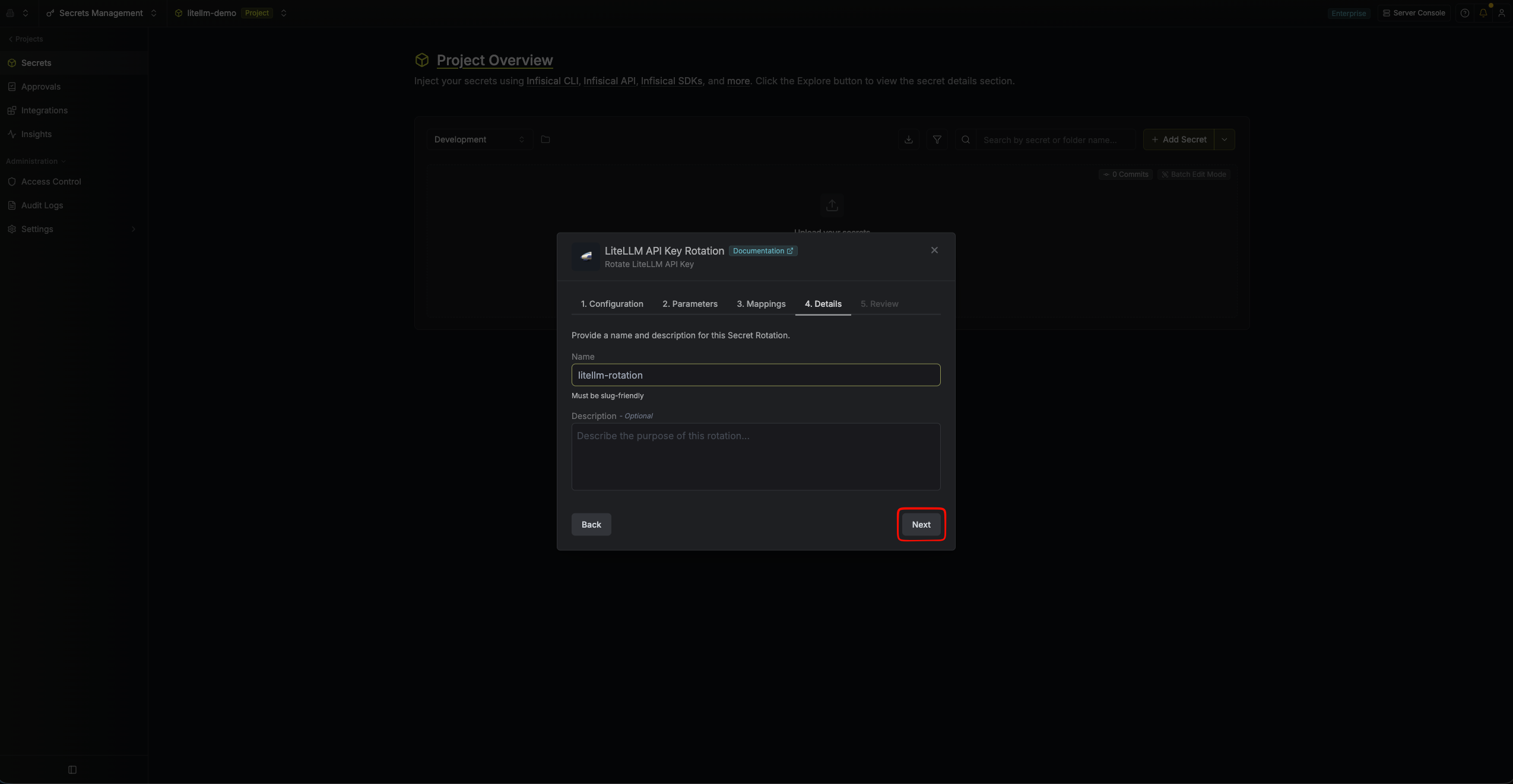
- Name – A slug-friendly name for this rotation configuration.
- Description (optional) – Notes about this rotation.
-
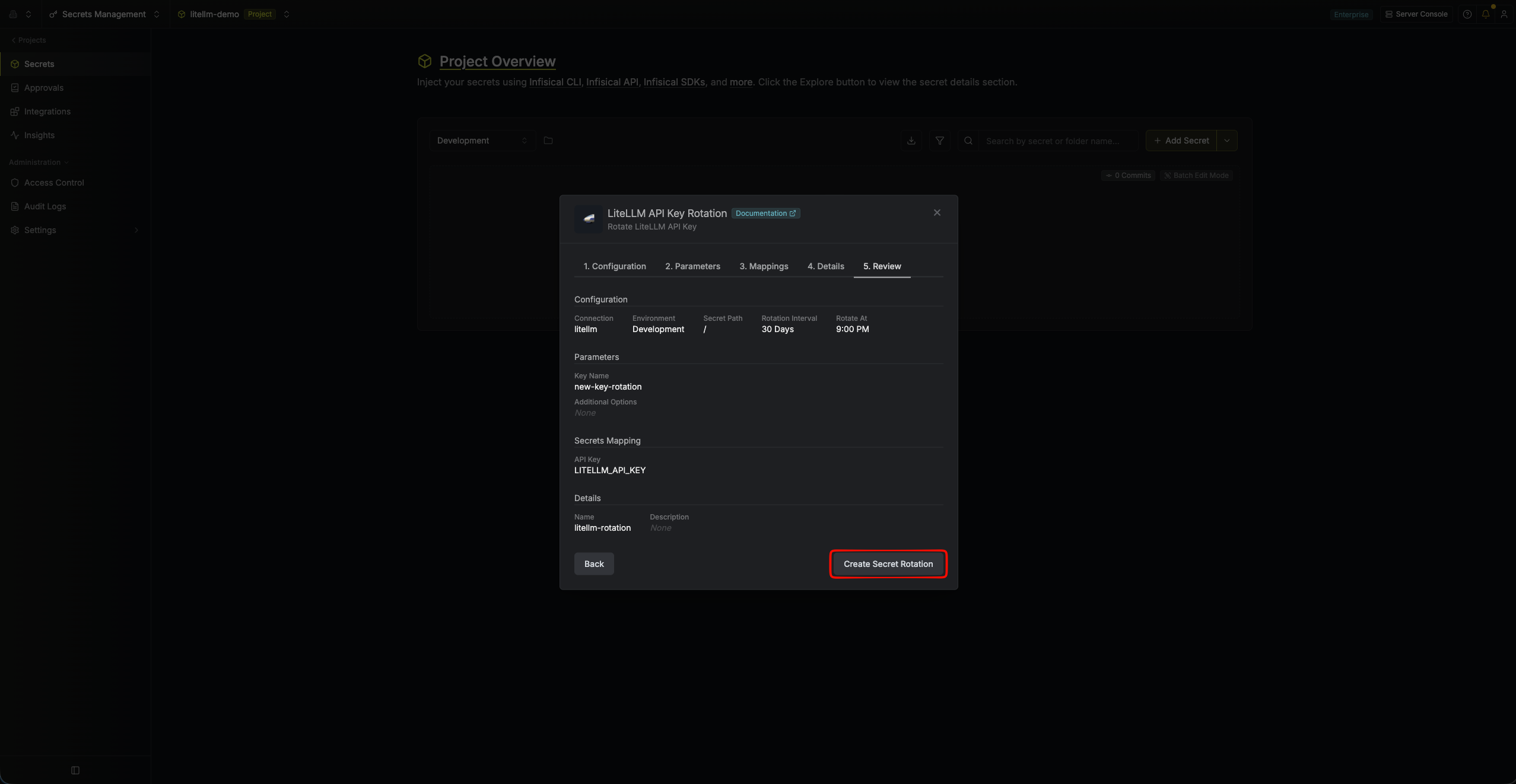
Review your configuration, then click Create Secret Rotation.
-
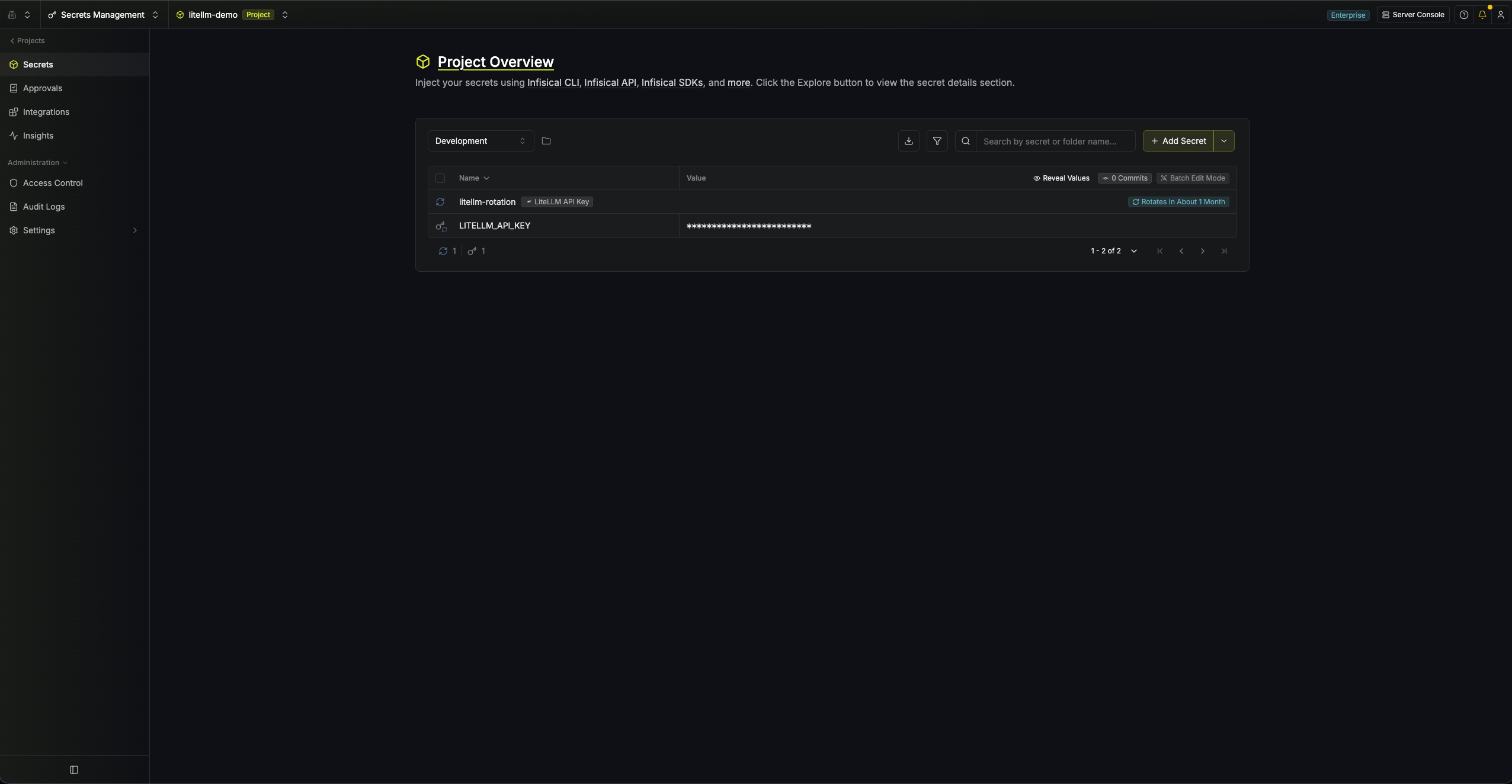
Your LiteLLM API Key rotation is created. The current API key is available as a secret at the mapped path. Rotations will create a new key, switch the active secret to it, then revoke the previous key for zero-downtime rotation.
Advanced key options
The Additional Key Options (JSON) field lets you pass extra parameters to LiteLLM’s/key/generate endpoint when each rotated key is created. It must be a JSON object. Common fields include:
max_budget(number) – Maximum spend allowed for the key.tpm_limit/rpm_limit(numbers) – Tokens-per-minute and requests-per-minute rate limits.metadata(object) – Arbitrary metadata to attach to the key.
The following options are managed by Infisical and can’t be set here:
key_alias, auto_rotate, rotation_interval, duration, send_invite_email, key_type, user_id, team_id, and models. Use the dedicated User, Team, and Models fields in the General tab to scope the key instead.