

Prerequisites
- An access bundle with a service for each API the agent calls
- A running proxy in the same project as the access bundle, which the agent’s machine can reach
- The Admin role in the Agent Vault project, or a project admin who can complete Step 1 for you
Step 1: Set up a machine identity
Your code creates sessions as a machine identity, so that sessions don’t depend on a person’s account.1
In your Agent Vault project, go to Access Control > Machine Identities and select Add Machine Identity.
2
On the Create New tab, enter a Name, choose Member in Role, then select Create. Infisical creates the machine identity with Universal Auth and opens its page.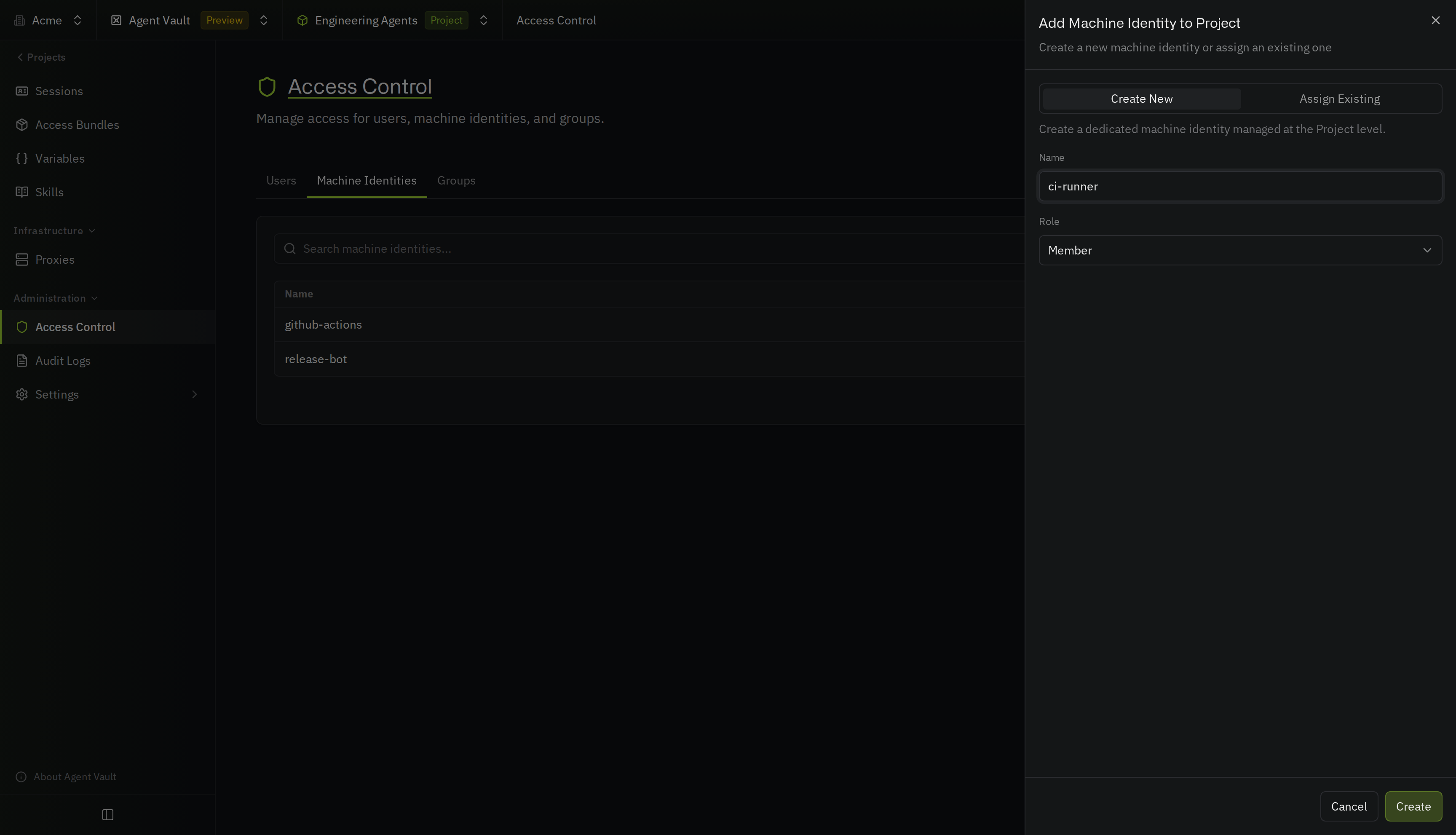
3
On the machine identity’s page, select Universal Auth under Authentication. Copy the Client ID, then select Add Client Secret and copy the client secret.
4
Go to Access Bundles and open the access bundle the agent uses. Select Options > Manage Access. Under No Access, select Grant Access next to the machine identity.
Step 2: Log in as the machine identity
Call the login endpoint for Universal Auth with the client ID and client secret:https://app.infisical.com with the address of your instance, here and in every later request.
The response includes an accessToken, which you send with each request in the next steps, and expiresIn, the number of seconds until the access token expires. Log in again when the access token expires.
Step 3: Create a session
Call the endpoint that creates a session with the ID of your Agent Vault project, the name of the access bundle, how long the session should last, and optionally a label that says what the session is for. To get the ID, see Find the project ID.projectIdis the ID of the Agent Vault project that the access bundle is inaccessBundleis the name of the access bundle the session carries (an admin can leave it out and send inline services instead)ttlaccepts a duration of at least one minute, such as30m,8h, or7d, ornever, and defaults to7d(see Choose how long a session lasts to pick a value)labelis optional and describes what the session is for, in up to 128 characters (see Label a session)
Choose how long a session lasts
Pick thettl based on how long your agents run:
Step 4: Start the agent with the session token
The agent uses the session token to authenticate to the proxy. How you pass the token to the agent depends on how you start the agent:- With the CLI
- Without the CLI
Start the agent with The CLI trusts the proxy’s certificate for the agent and sends the agent’s requests through the proxy.
infisical agent-vault run, and pass the session token and the proxy’s address:Step 5: Revoke the session
When the agent finishes, call the endpoint that revokes a session with the session’s ID:finally block or an exit handler. If your code exits before it can revoke the session, the session stops working when its ttl runs out.
Step 6: Verify it works
In your Agent Vault project, go to Sessions and select All Sessions. Find the session you created by its label in the Label column, or search for the label. The session’s Status is Active while the agent runs, and Revoked after Step 5. View the session’s logs to check which requests the agent made during the session.Your code now creates a session for each agent run, and the agent’s credentials stop working when you revoke the session or its
ttl runs out.Troubleshooting
Creating the session fails with "No access bundle named ... is granted to you"
Creating the session fails with "No access bundle named ... is granted to you"
The machine identity doesn’t have a grant on the access bundle, the name in
accessBundle is wrong, or projectId names a different project than the one the access bundle is in. Check the name on the project’s Access Bundles page, and grant the bundle to the machine identity.Creating or revoking a session fails with 401 after your code has run for a while
Creating or revoking a session fails with 401 after your code has run for a while
The machine identity’s access token expired. Log in again to get a new access token. Sessions you already created keep working, because a session doesn’t depend on the access token that created it.
Next steps
Your own agent
Send your agent’s requests through the proxy from your own code.
Session logs
Record every request an agent makes during a session.