- Create a Netlify Connection
- Infisical UI
- API
1
Add Sync
Navigate to Project > Integrations and select the Secret Syncs tab. Select the Add Sync button.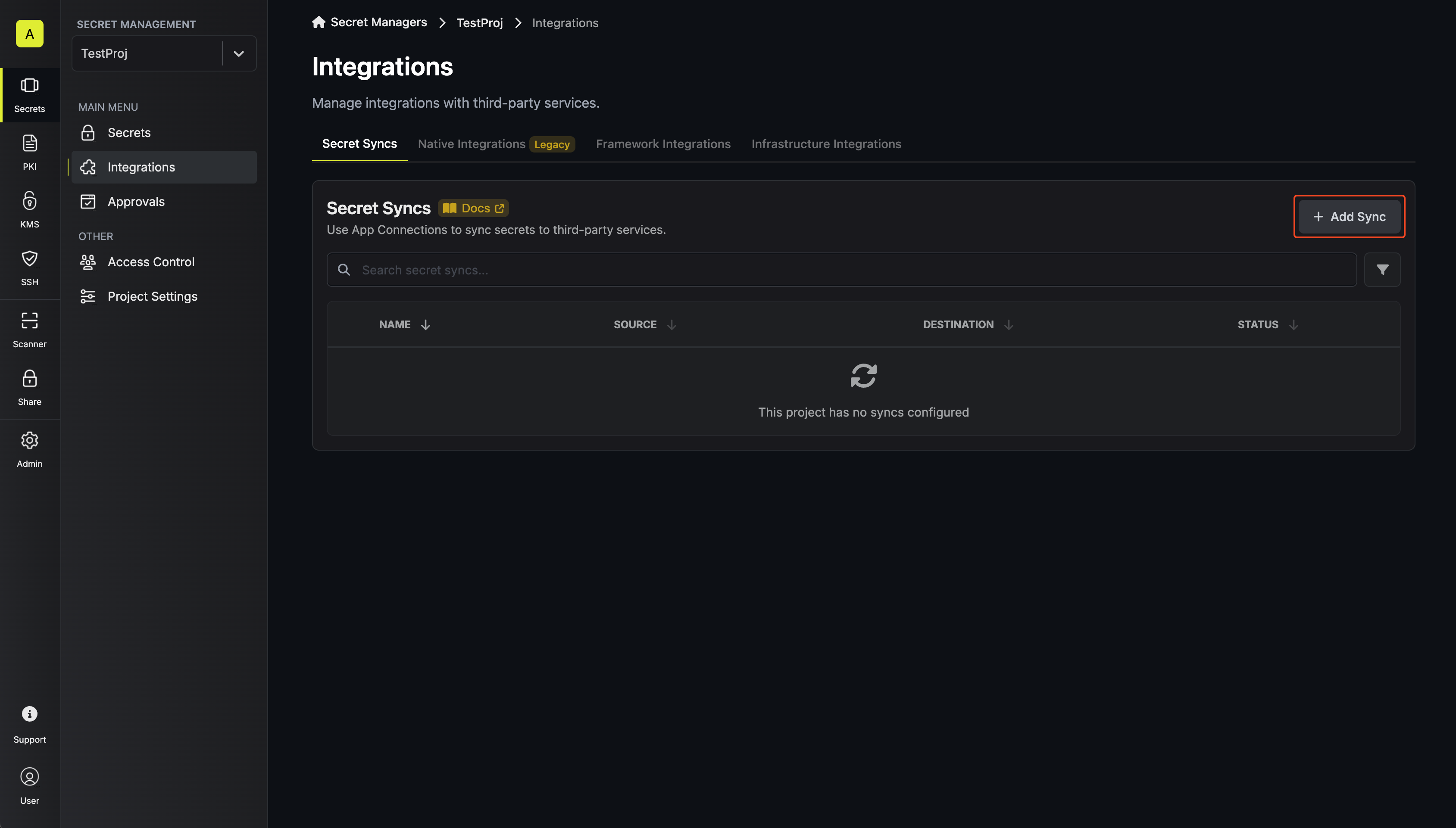
2
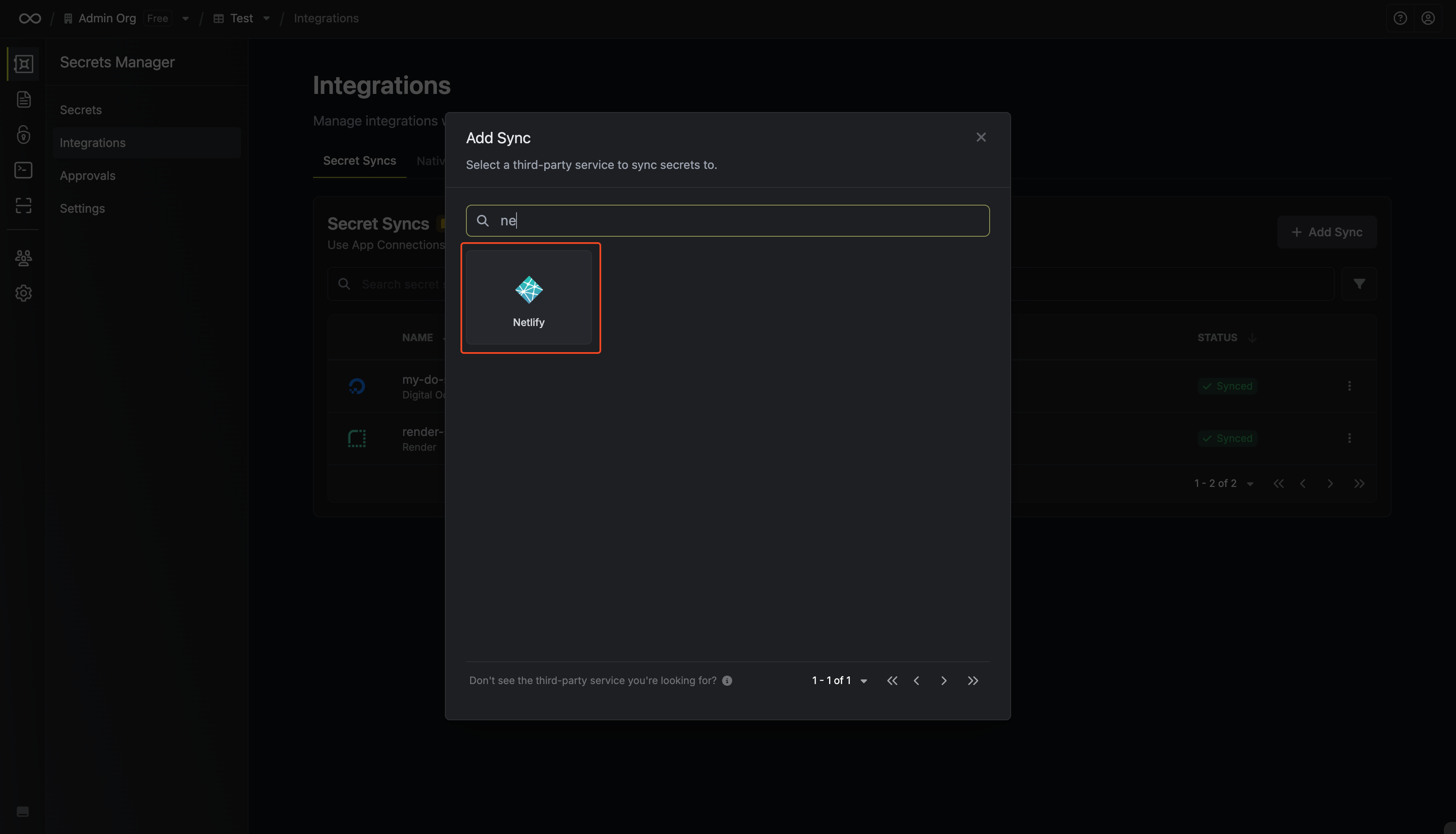
Select 'Netlify'
3
Configure source
Configure the Source from where secrets should be retrieved, then click Next.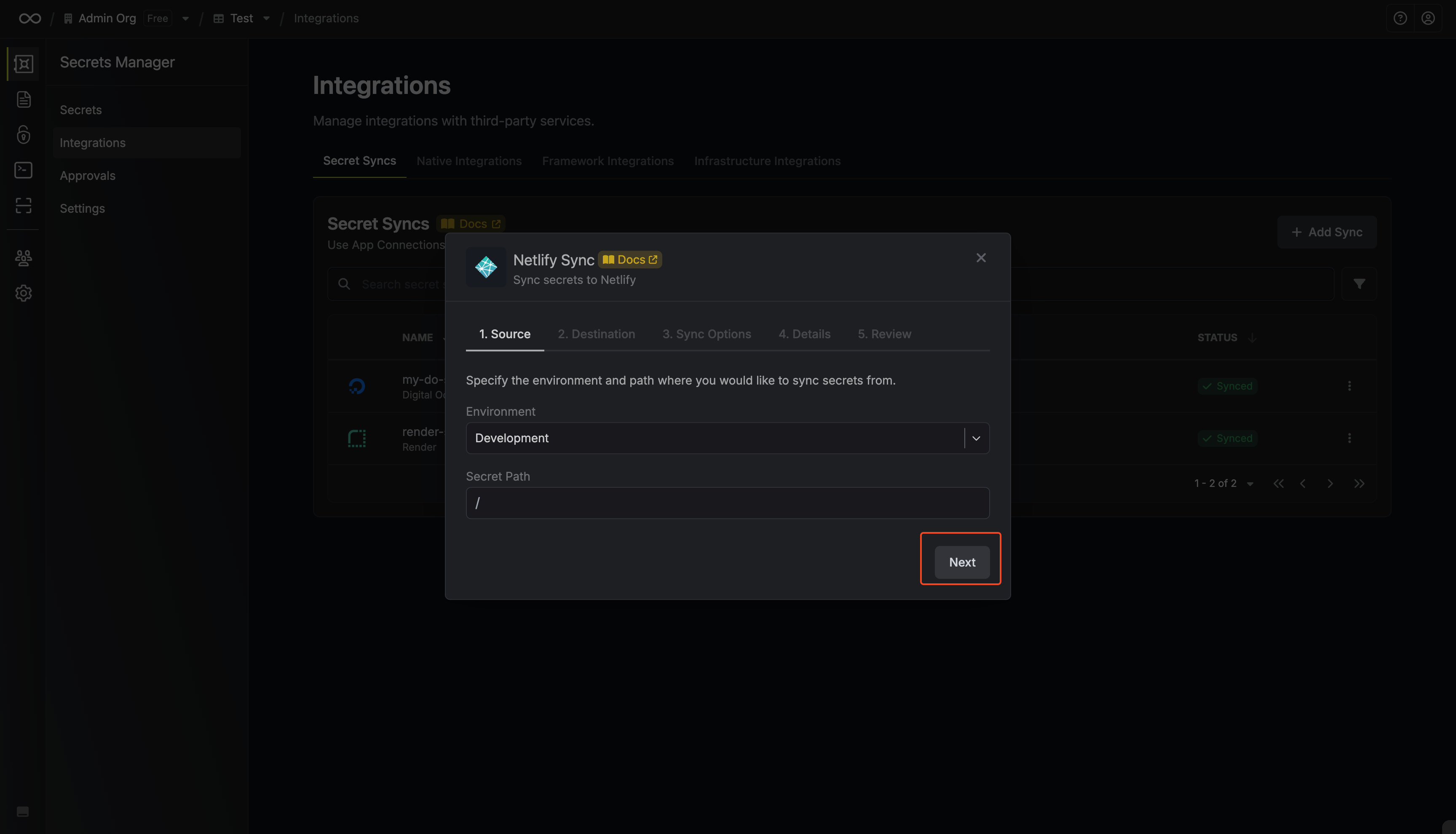
- Environment: The project environment to retrieve secrets from.
- Secret Path: The folder path to retrieve secrets from.
4
Configure destination
Configure the Destination to where secrets should be deployed, then click Next.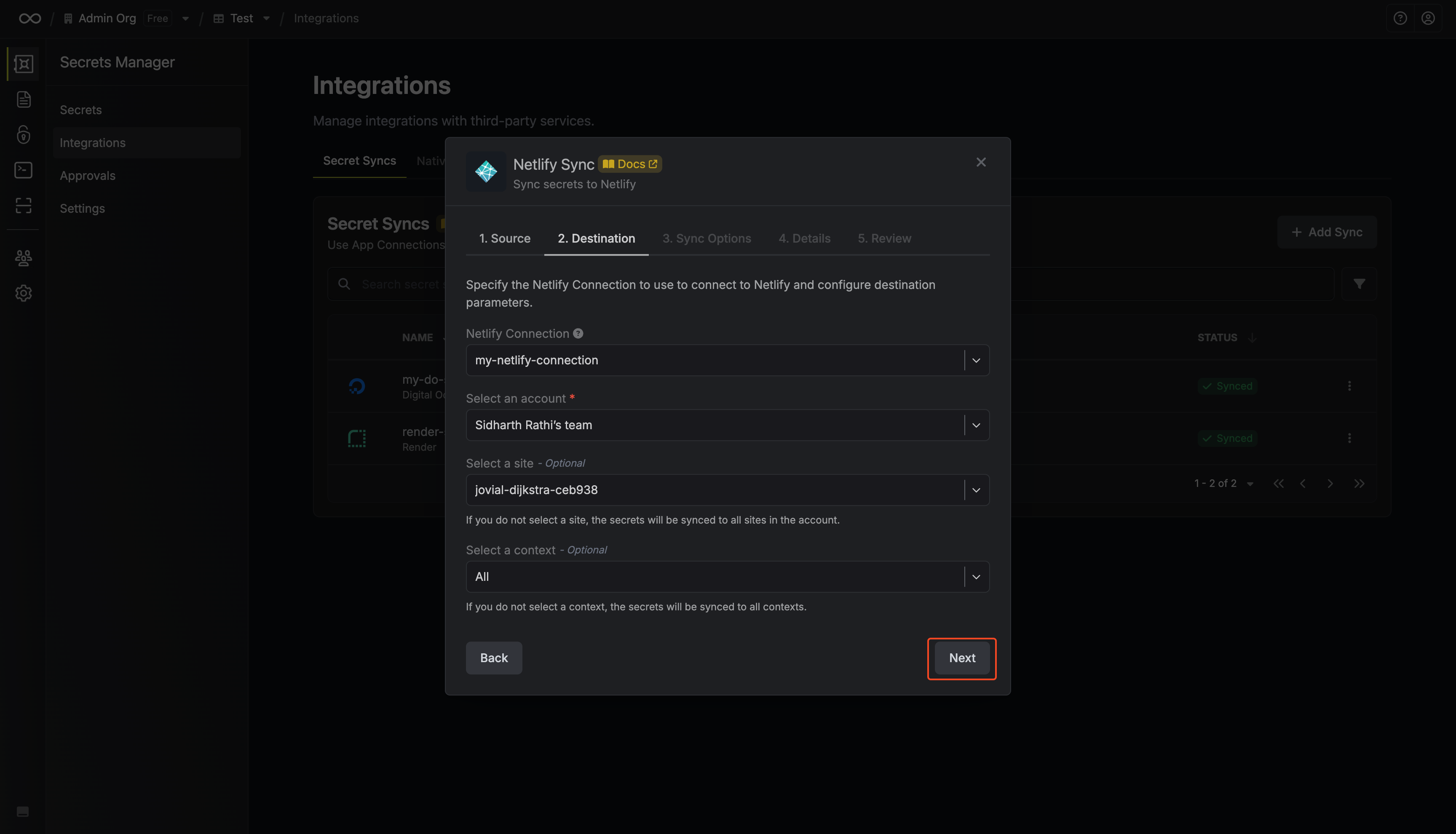
- Netlify Connection: The Netlify Connection to authenticate with.
- Account: The Netlify Account to be used.
- Site: The Netlify site where secrets should be synced.
- Context: The Netlify deployment context where secrets should be created in.
If you have multiple syncs configured to the same site and context, they may conflict with each other and delete each other’s secrets during sync operations. This can also happen if one of the syncs has “All Contexts” selected, since it overlaps with every other context. When setting up multiple syncs, make sure they target different contexts to prevent this.
5
Configure Sync Options
Configure the Sync Options to specify how secrets should be synced, then click Next.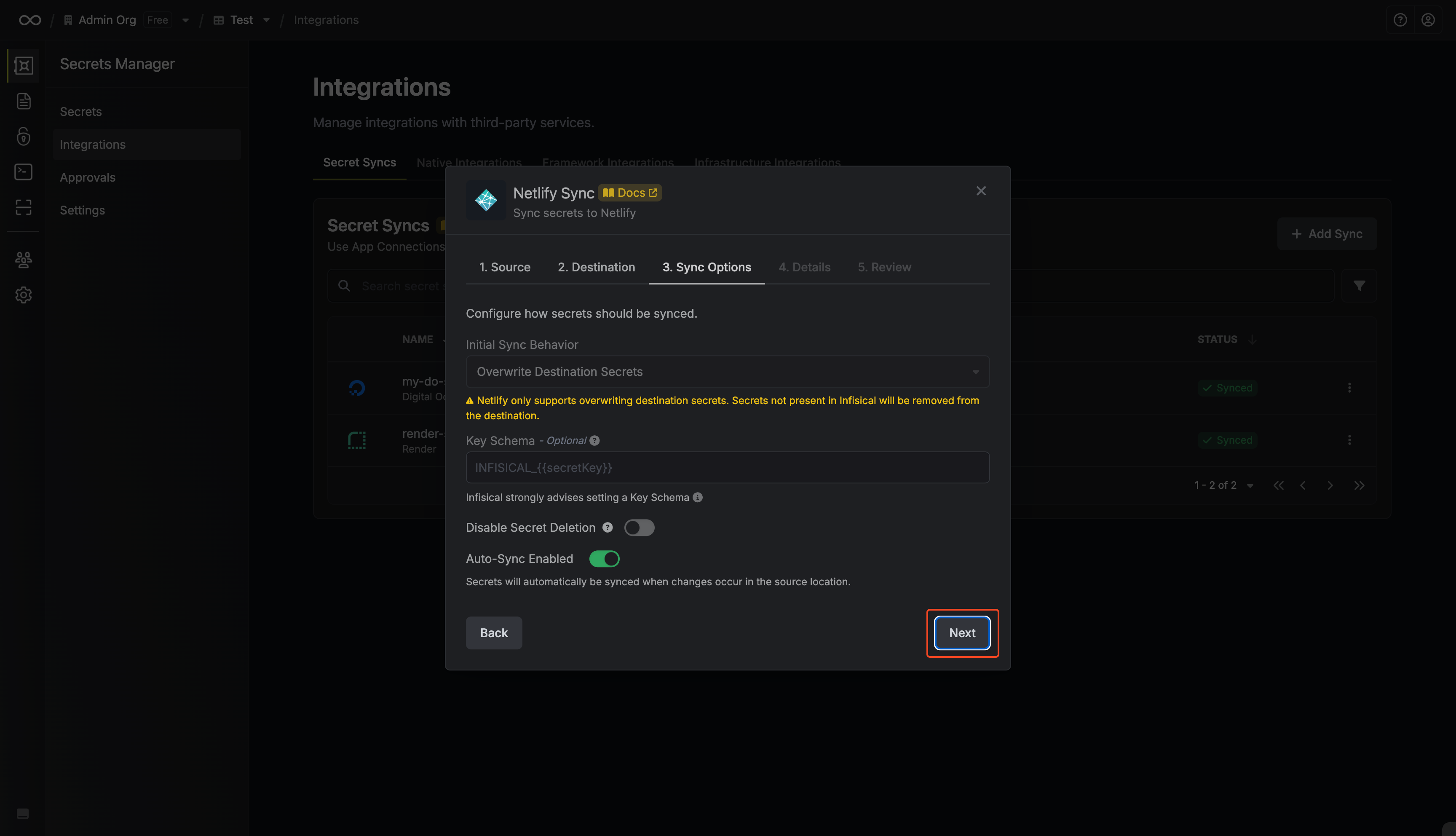
- Initial Sync Behavior: Determines how Infisical should resolve the initial sync.
- Overwrite Destination Secrets: Removes any secrets at the destination endpoint not present in Infisical.
- Import Secrets (Prioritize Infisical): Imports secrets from the destination endpoint before syncing, prioritizing values from Infisical over Netlify when keys conflict.
- Import Secrets (Prioritize Netlify): Imports secrets from the destination endpoint before syncing, prioritizing values from Netlify over Infisical when keys conflict.
Netlify only supports importing non-secret values.
- Key Schema: Template that determines how secret names are transformed when syncing, using
{{secretKey}}as a placeholder for the original secret name and{{environment}}for the environment.
We highly recommend using a Key Schema to ensure that Infisical only manages the specific keys you intend, keeping everything else untouched.
- Auto-Sync Enabled: If enabled, secrets will automatically be synced from the source location when changes occur. Disable to enforce manual syncing only.
- Disable Secret Deletion: If enabled, Infisical will not remove secrets from the sync destination. Enable this option if you intend to manage some secrets manually outside of Infisical.
6
Configure details
Configure the Details of your Netlify Sync, then click Next.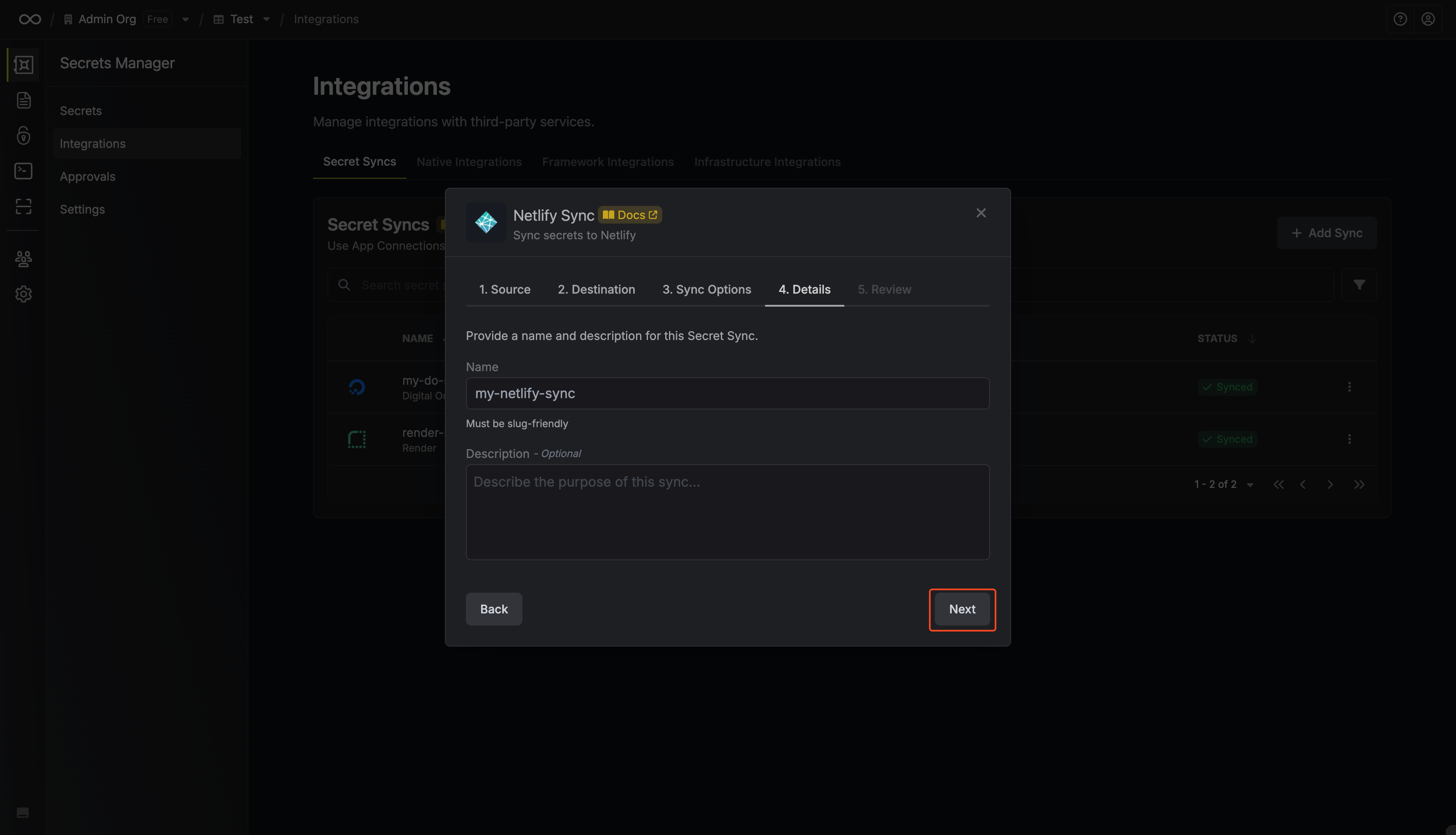
- Name: The name of your sync. Must be slug-friendly.
- Description: An optional description for your sync.
7
Review configuration
Review your Netlify Sync configuration, then click Create Sync.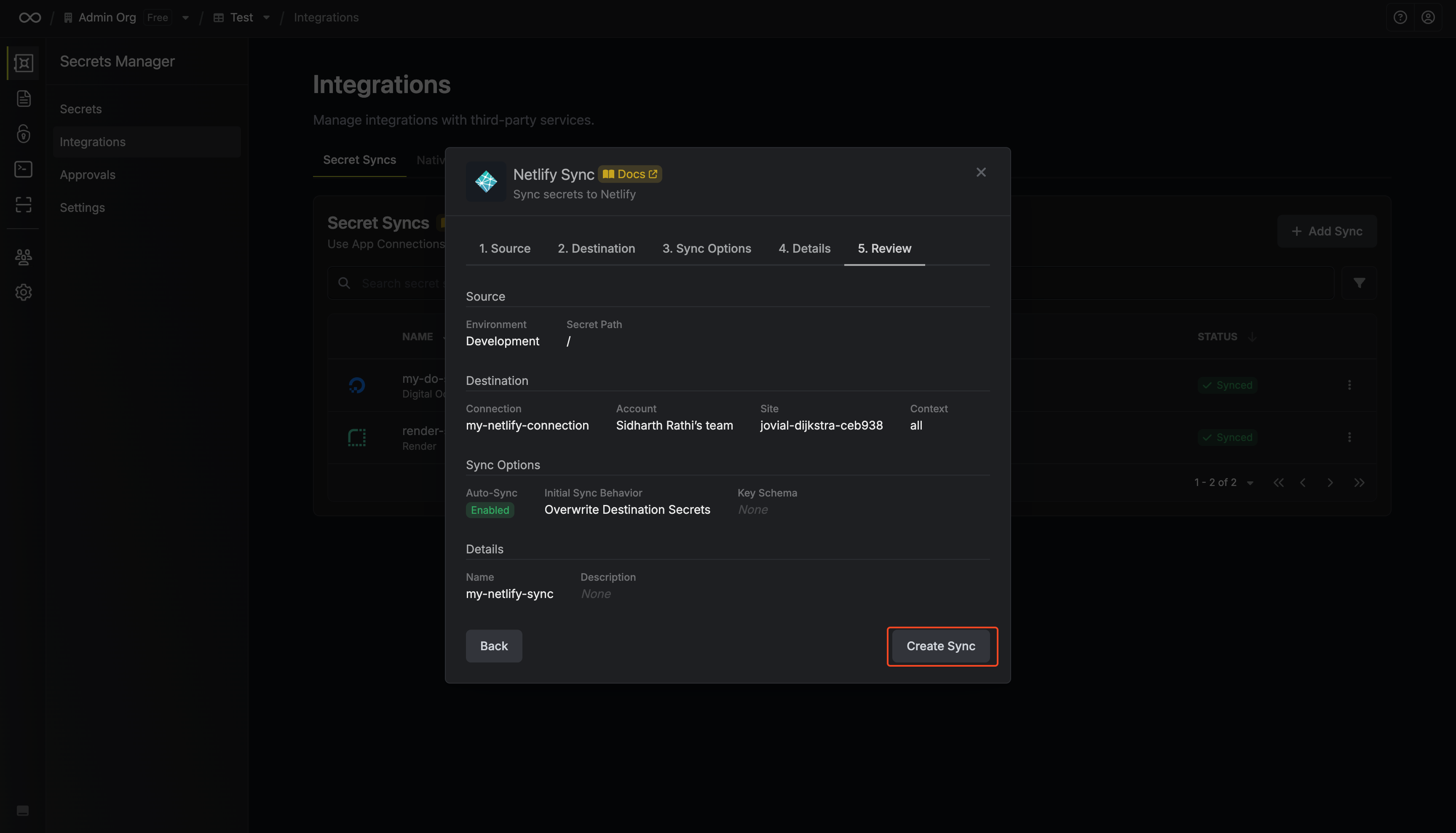
8
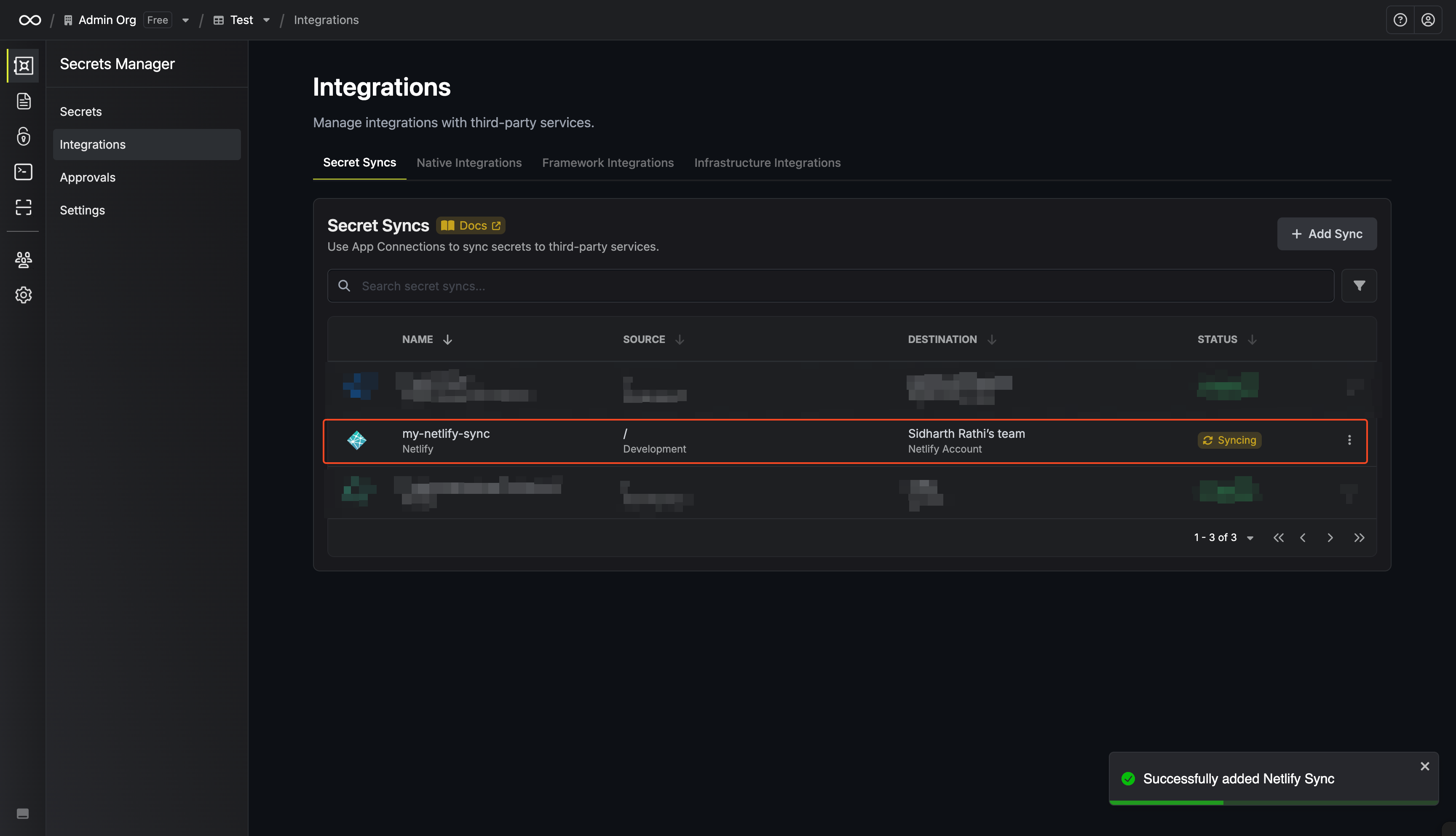
Sync created
If enabled, your Netlify Sync will begin syncing your secrets to the destination endpoint.