Configure API key and secret key for Infisical
1
Generate API key and secret key
Navigate to your DNS Made Easy dashboard and go to Account Information under the Config top menu.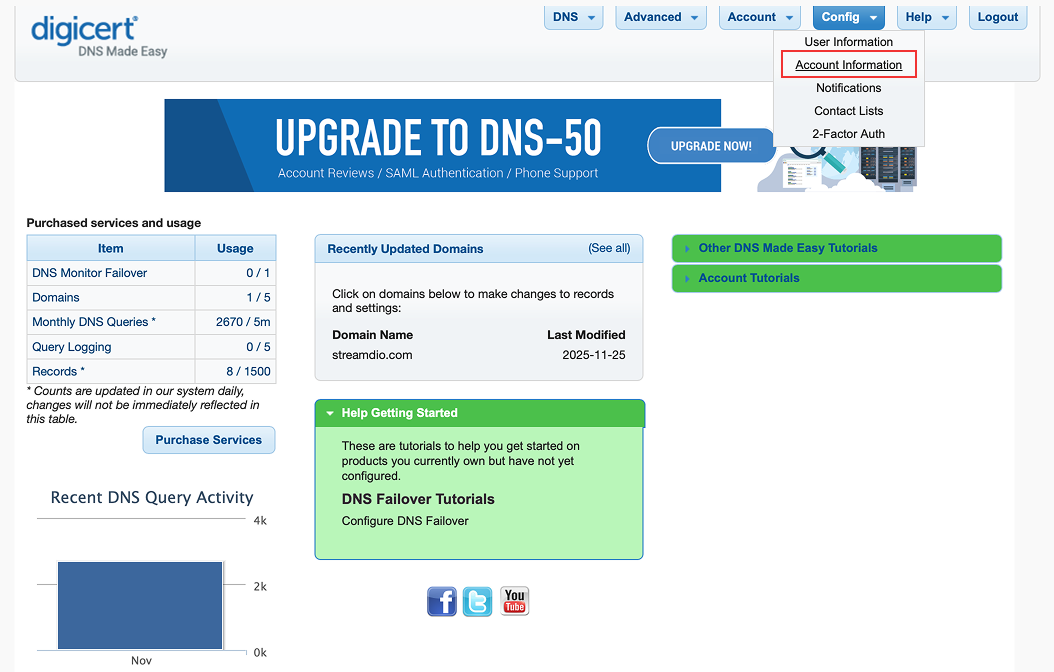 If your API Key and Secret Key are already available, proceed to step 2.Otherwise, check the Generate New API Credentials then click the Save button to generate the new API credentials.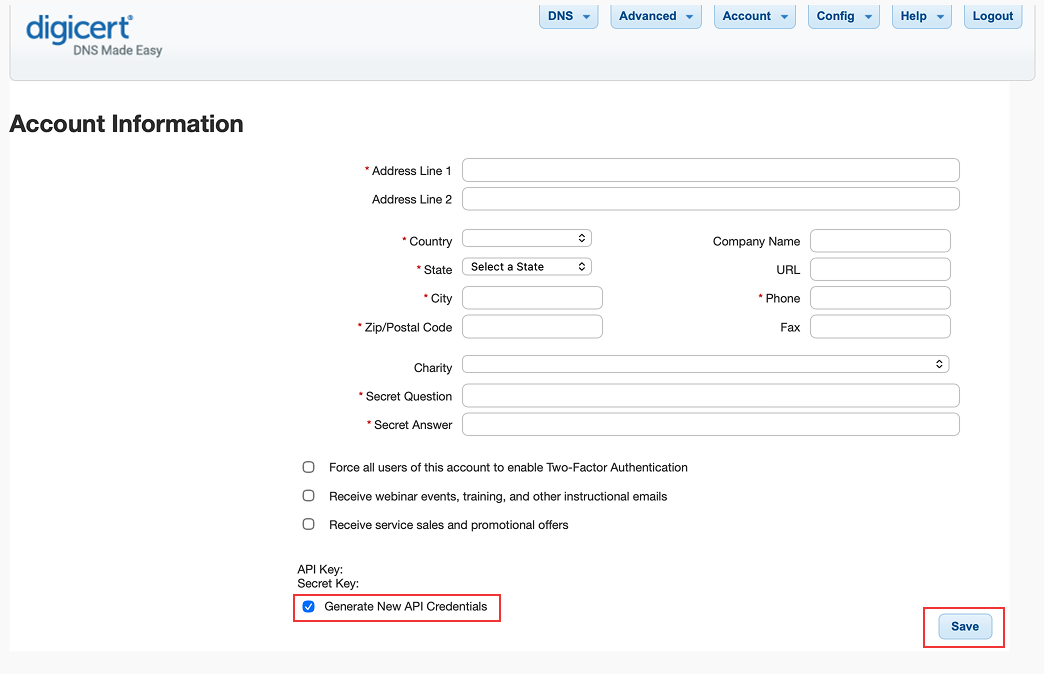
If your API Key and Secret Key are already available, proceed to step 2.Otherwise, check the Generate New API Credentials then click the Save button to generate the new API credentials.2
Copy Your API Key and Secret Key
After creation, copy your API key and secret key.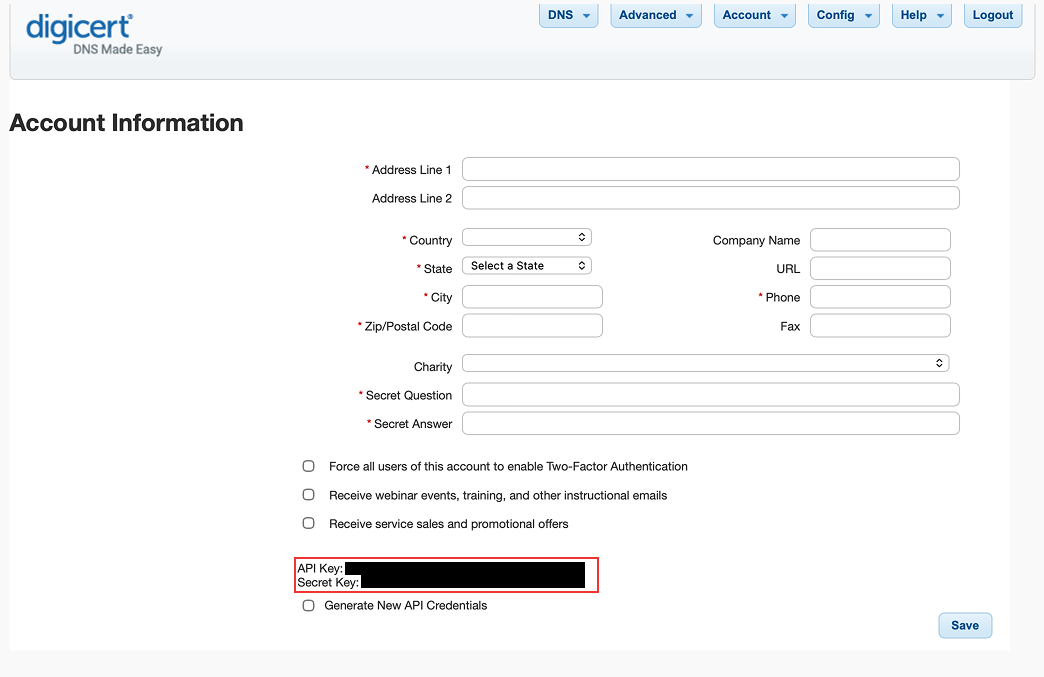
Setup DNS Made Easy connection in Infisical
1
Navigate to App Connections
Navigate to the Integrations tab in the desired project, then select App Connections. 
2
Add Connection
Select the DNS Made Easy Connection option from the connection options
modal. 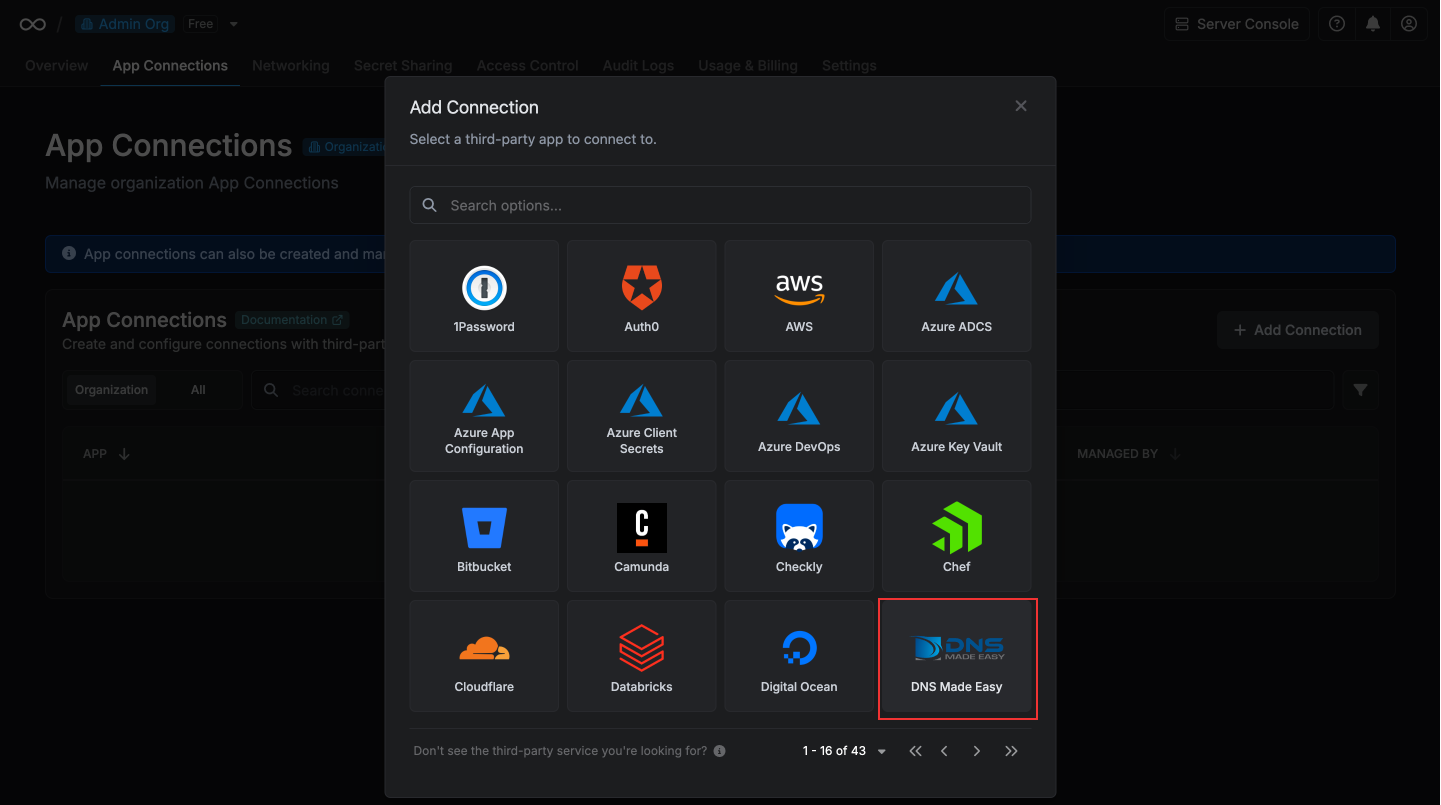
3
Input Credentials
Enter your DNS Made Easy API key and secret key in the provided fields and
select Connect to DNS Made Easy to establish the connection. 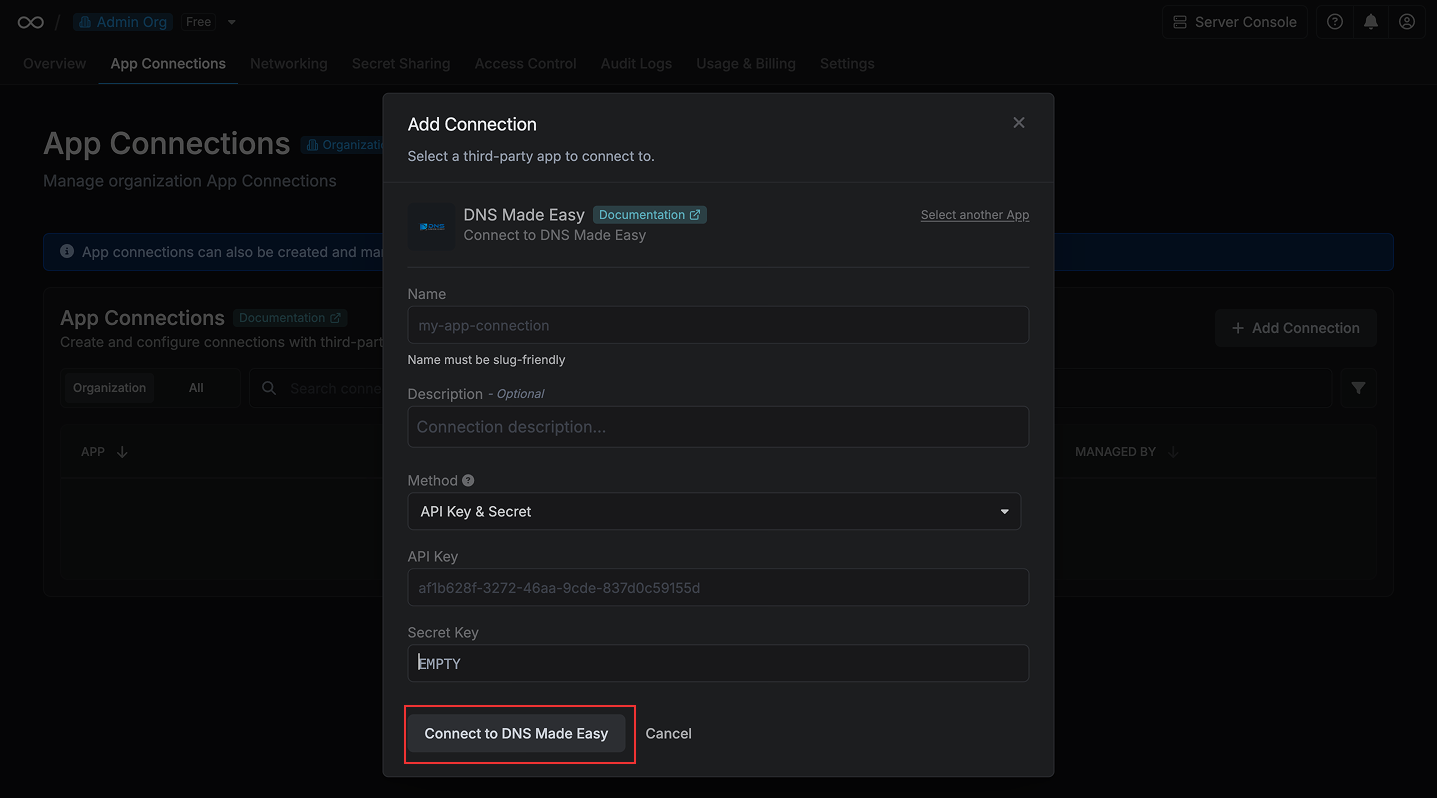
4
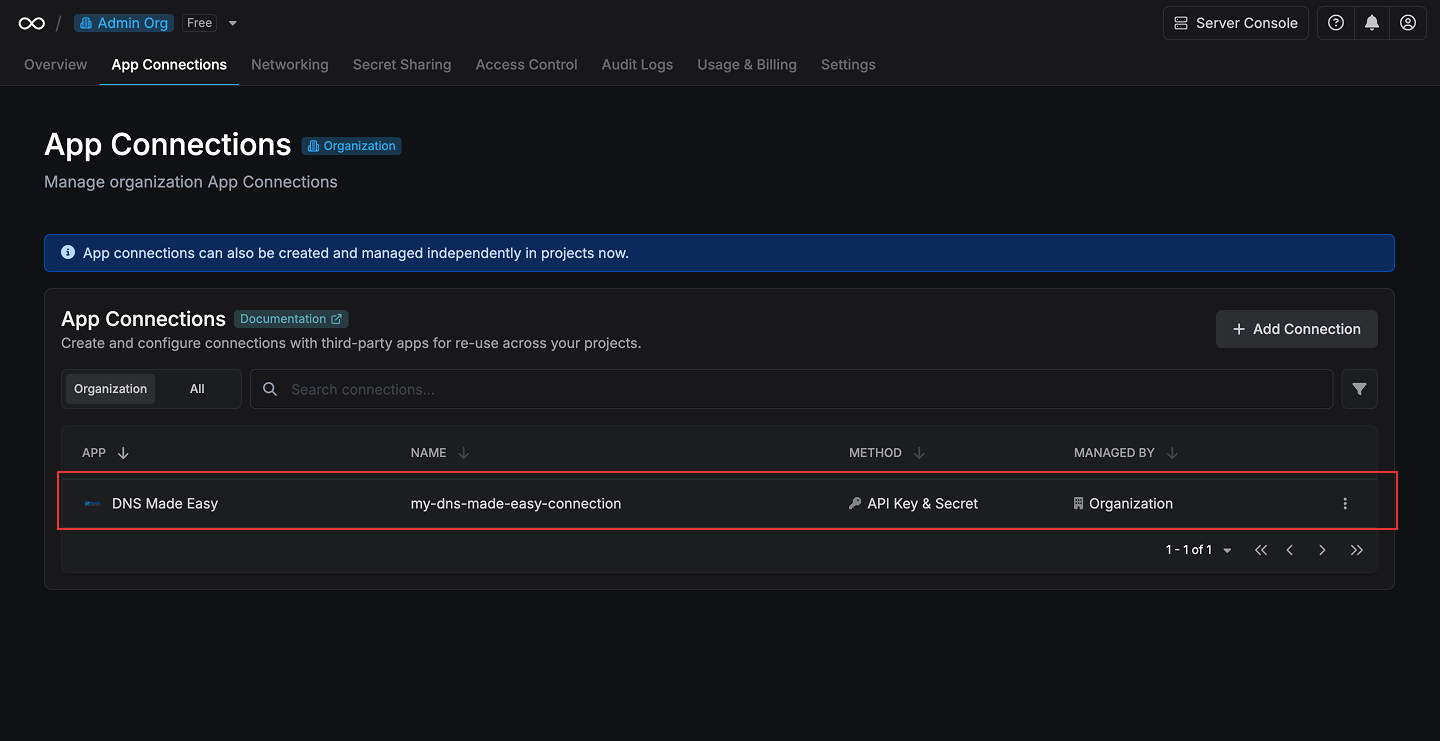
Connection Created
Your DNS Made Easy Connection is now available for use in your Infisical
projects.