Configure a Redis user for Infisical
1
Create a Redis user
Infisical recommends creating a designated user in your Redis database for your connection.
2
Grant Relevant Permissions
Depending on how you intend to use your Redis connection, you’ll need to grant one or more of the following permissions.
- Secret Rotation
For Secret Rotations, your Infisical user will require the ability to set and delete users:
Create Redis connection in Infisical
- Infisical UI
- API
1
Navigate to App Connections
In your Infisical dashboard, navigate to the Integrations tab in the desired project, then select App Connections.
2
Select Redis Connection
Click the + Add Connection button and select the Redis Connection option from the available integrations.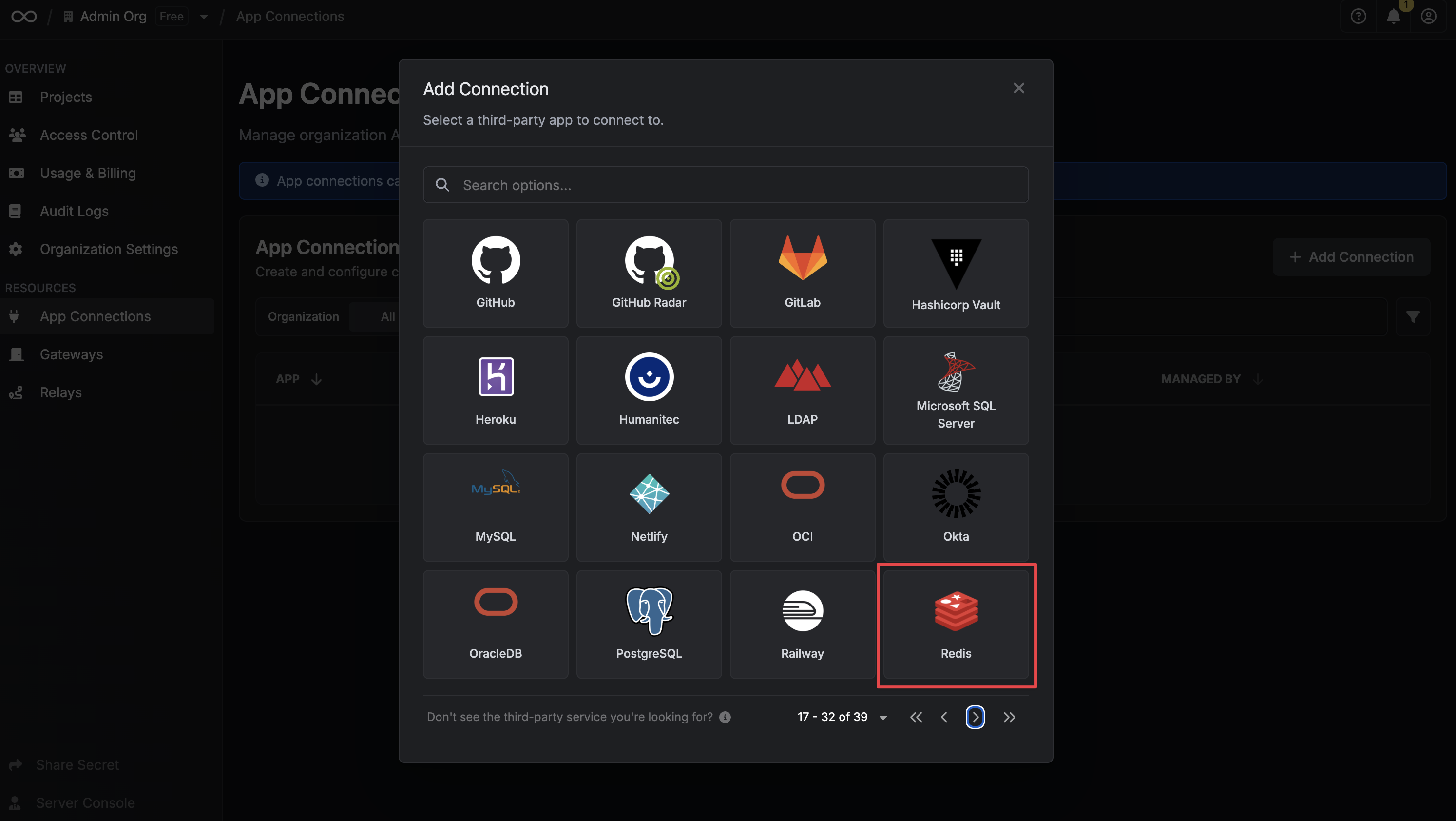
3
Fill out the Redis Connection Modal
Complete the Redis Connection form by entering: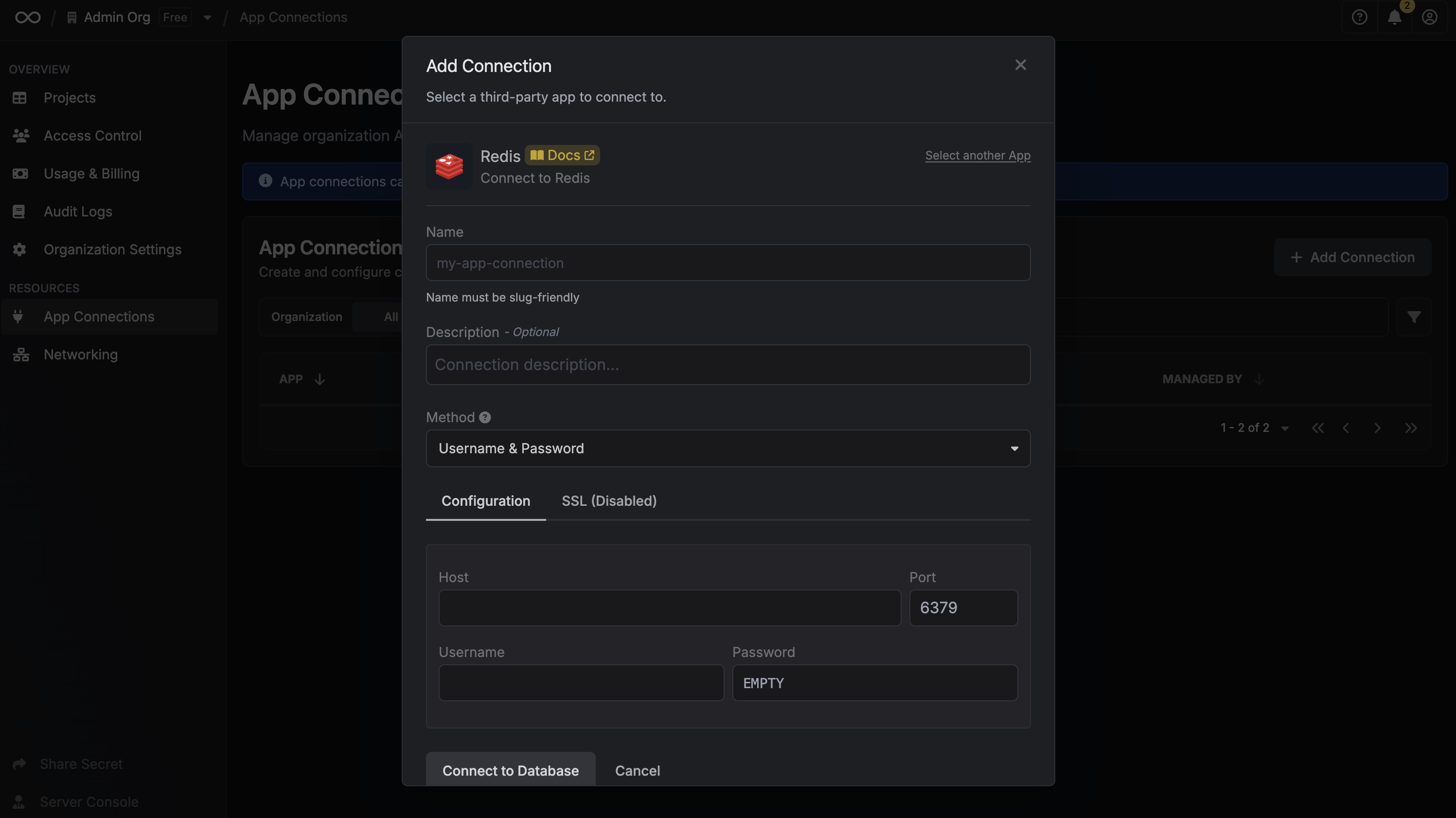
- A descriptive name for the connection
- An optional description for future reference
- The Redis host URL for your database
- The Redis port for your Redis database
- The Redis username for your Redis database
- The Redis password for your Redis database
4
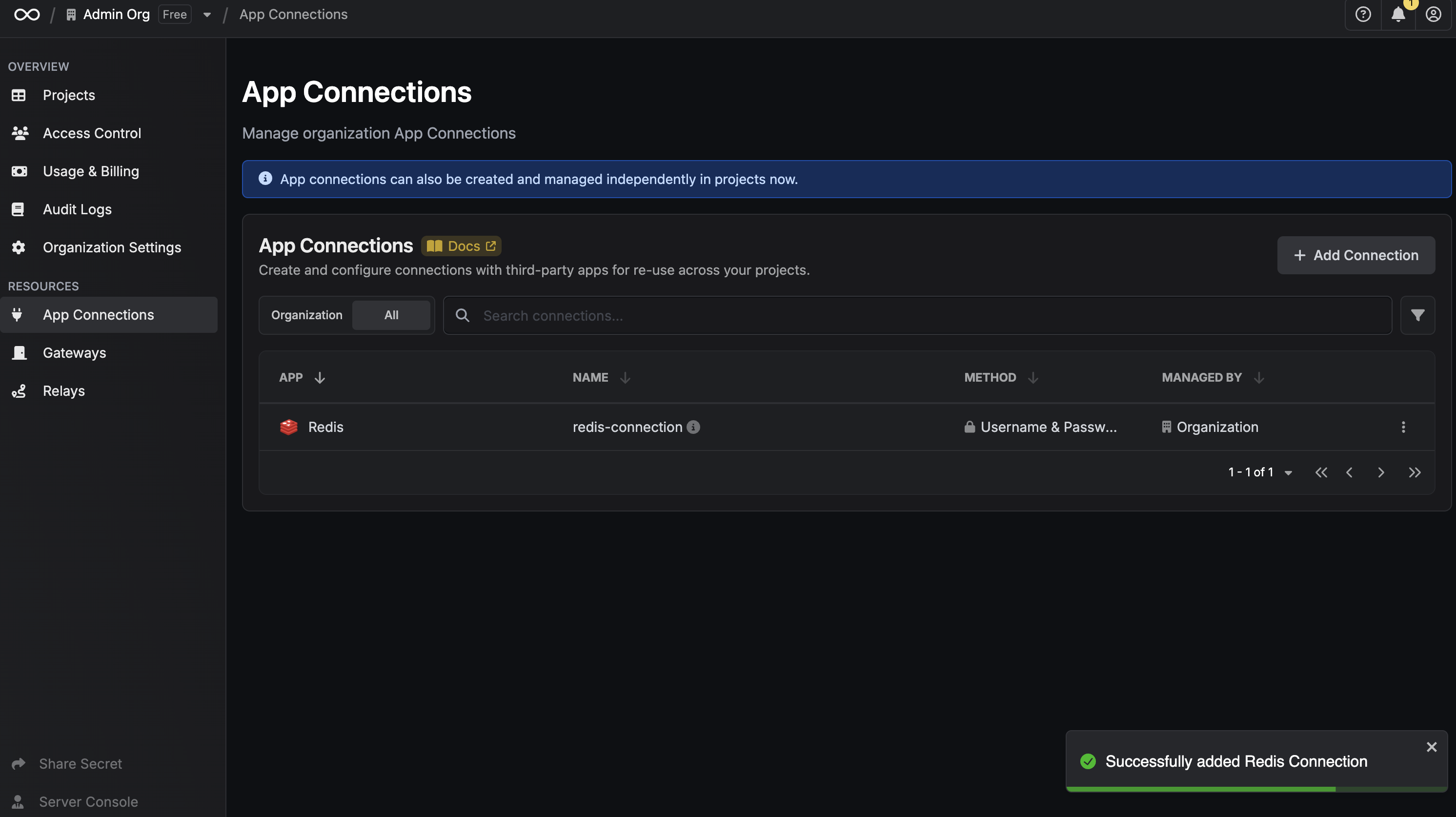
Connection Created
After clicking Create, your Redis Connection is established and ready to use with your Infisical project.